InfiNet Wireless R5000 Technical User Manual
Copyright © 2004-2010 by InfiNet Wireless
72
Then choose “Antenna alignment tool” or “Performance tests” from the appeared
“Extended Link Diagnostic” window.
Antenna alignment tool
Graphical antenna alignment tool visualize antenna alignment process making it
quicker, easier and comfortable for the user.
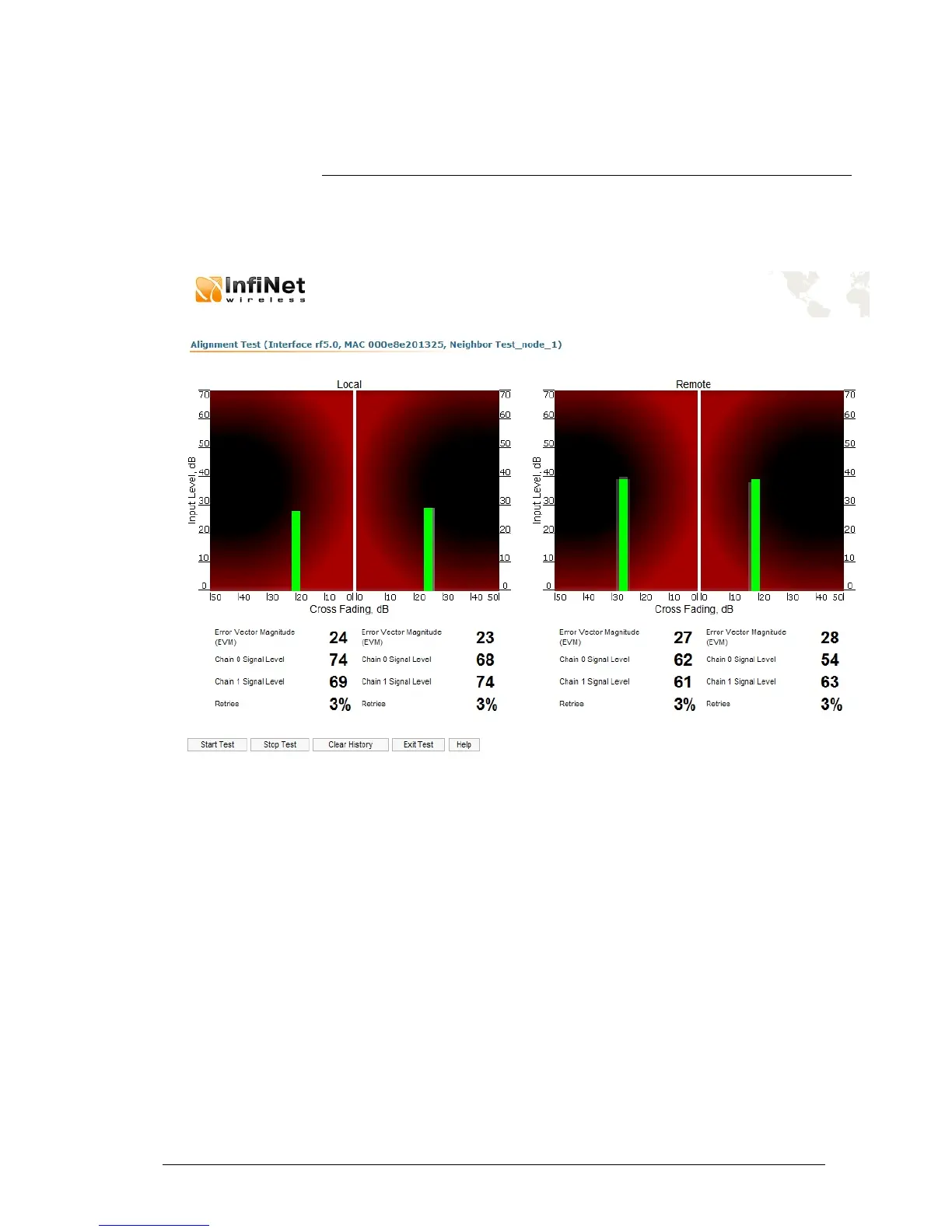
“Antenna alignment tool” page view for “R5000-Xm” device models is shown
below:
“Start Test”/”Stop Test” buttons at the bottom of the page start/stop the
alignment test.
“Exit Test” button returns to the “Device Status” page.
“Help” button displays help guidelines for antenna alignment.
Once the test is started antenna alignment can be monitored using graphical and
text indicators. Indicators for both local and remote devices are displayed
together on the same page that allows viewing the alignment process for both
sides of the link.
Each side of the link (local and remote) has two similar test indicator sets
corresponding to two antenna polarizations (rx chains) of the device (one for
Vertical polarization and another for Horizontal). This allows controlling the
alignment process for each antenna polarizations for local and remote devices
simultaneously.
Text indicators are the following:
• Error Vector Magnitude (EVM) – indicator of the measured input signal
quality. It should be as high as possible. The recommended level is not
less than 21.



 To Next Page