InfiNet Wireless R5000 Technical User Manual
Copyright © 2004-2010 by InfiNet Wireless
66
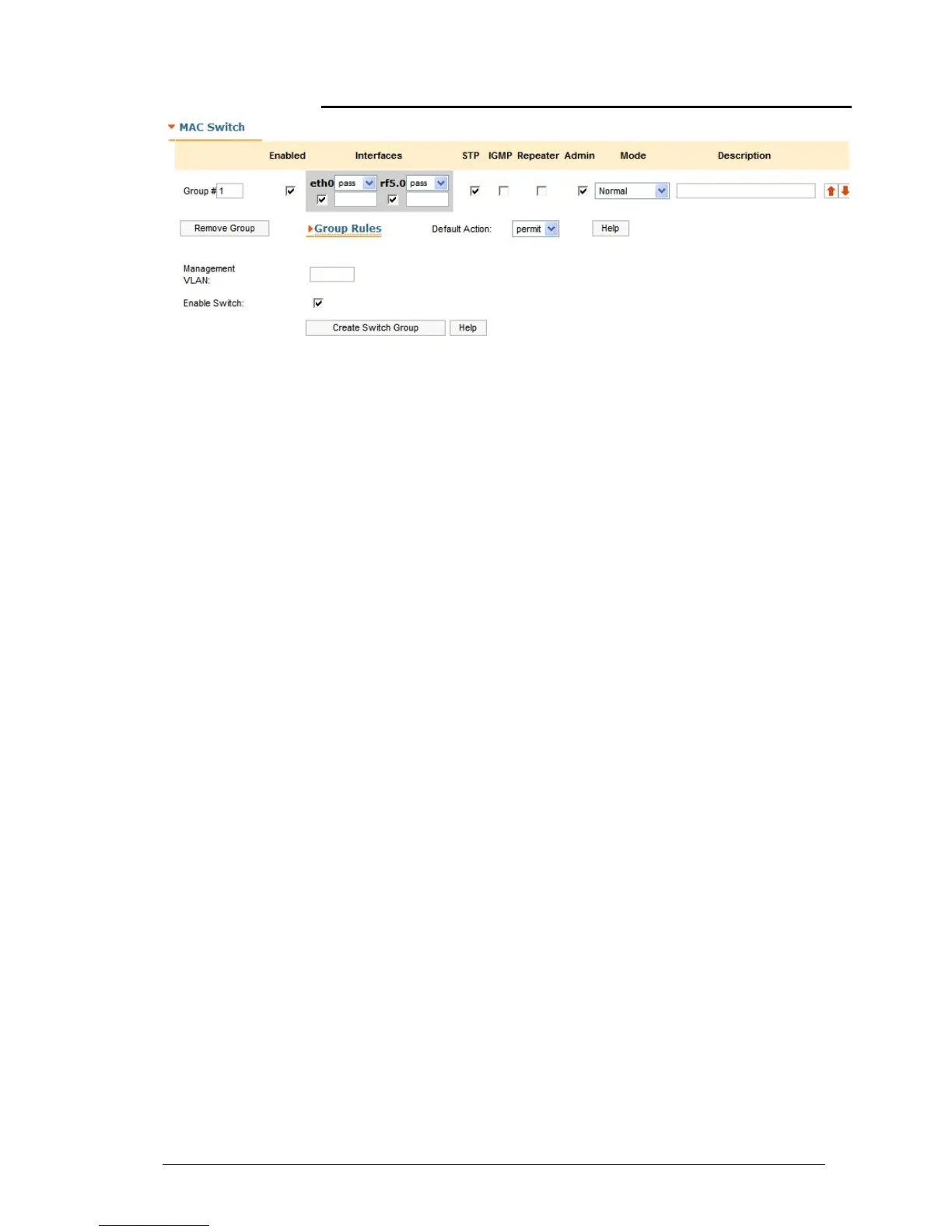
MAC Switch
This section allows stating the switch mode on the unit and creating multiple
switch groups.
Group section:
• Group# - allows changing the unique numeric identifier of the group
• “Enabled” check-box - enables/disables the corresponding switching
group
• Interfaces – allows including local network interfaces of the unit (“ethX”,
“rfx”, “tunX”, etc.) into the switch group by selecting the corresponding
check-boxes.
Each local interface supports 3 modes of dealing with the VLAN tagged
traffic going out from the interface:
o Pass – transparent mode, i.e. in this mode all the traffic remains
unchanged.
o Strip – in this mode all VLAN tagged packets are untagged by the
interface
o Tag – in this mode all the packet are tagged with the VLAN tag
specified in the field located below the “tag” option
• STP – enables Spanning Tree Protocol feature at the switching group
• IGMP – enables IGMP-Snooping feature at the switching group
• Repeater – starts the repeater mode. In this mode the group switches the
packets simply by sending them to all the device’s interfaces except the
one the packet was received from.
• Admin – sets the switching group as the admin group. All the packets
originated by the unit itself (e.g. RIP/OSPF or ping) leave the MINT
network via the admin group. If “No Admin Group” is selected such
packets isn’t able to leave the network
• Mode – allows using one of the following switch group modes:
o Normal – standard mode
o Trunk – in this mode the packets are untagged and placed in
groups with a number corresponding to the packet’s VLAN TAG.
(please see the full description of the trunk mode in OS
WANFleX User Manual)
o In-Trunk – this mode allows indicating to what trunk group
belongs the group (please see the full description of the trunk
mode in OS WANFleX User Manual)



 To Next Page