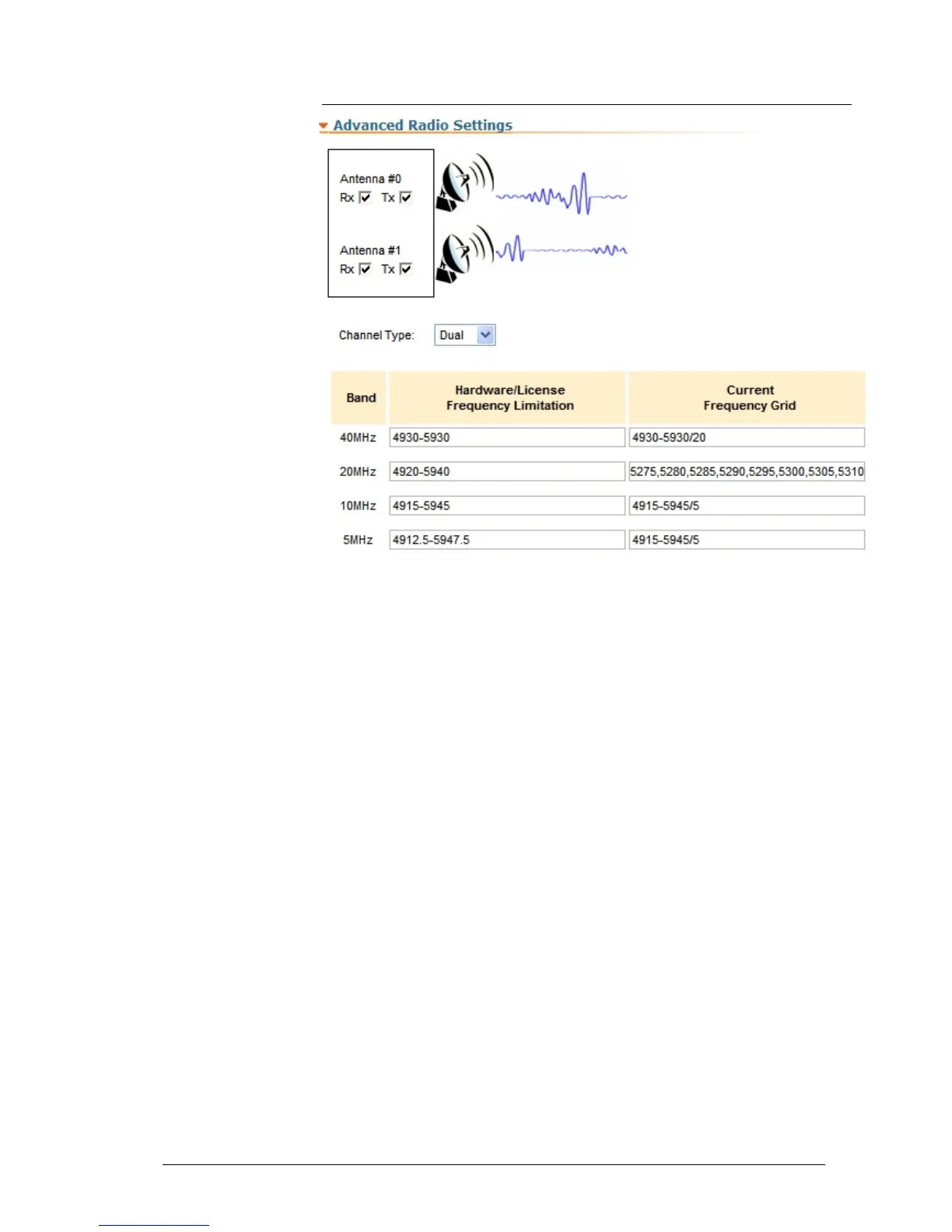
This subsection of the “Radio Settings” section allows managing the signal chains
of the radio module and creating a customized frequency grid.
“Antenna #0” and “Antenna #1” Rx/Tx checkboxes enables/disables receive and
transmission modes of the corresponding signal chain of the unit’s radio module.
The “Channel Type” option allows switching between the Dual (MIMO -Multiple
Input Multiple Output) and Single (MISO - Multiple Input Single Output)
operation modes of the radio module.
The frequency grid table shows the unit’s frequency limitations supported in the
unit’s license for each band (“Hardware/License Frequency Limitation” column).
The “Current Frequency Grid” column allows setting a customized user-
determined frequency grid within the license restrictions. The frequency grid for
every band is formed in the form of a list of sub ranges with the defined
frequency step (start frequency–end frequency/step), or a list of comma
delimited standalone frequencies.



 To Next Page