IN5316HD/IN5318 – User’s Manual
For simplicity and ease of operation, the projector provides diverse networking and remote management fea-
tures.
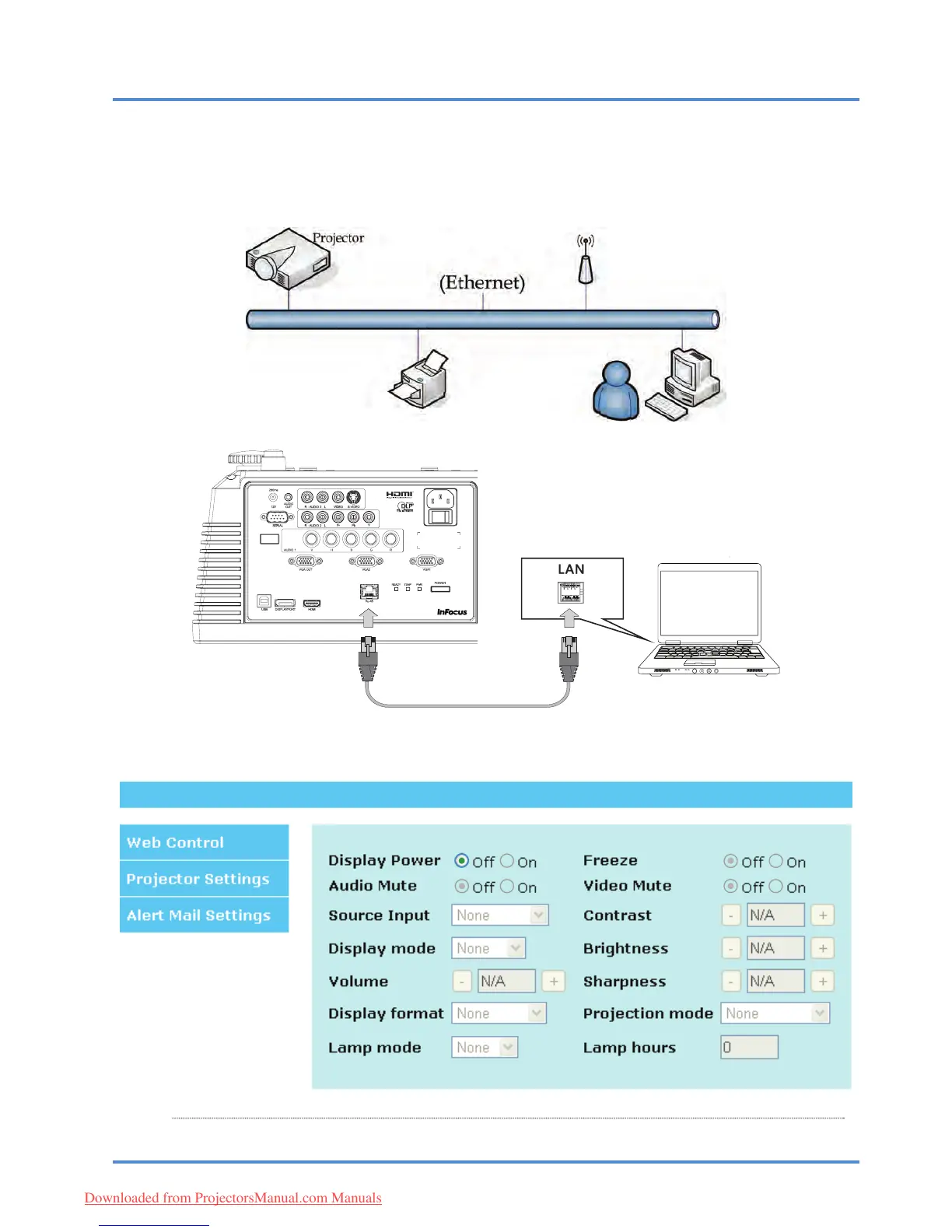
The LAN/RJ45 feature allows the projector to be connected to a net
work and remotely managed. Available
remote management controls include: Power On/Off, Video-Source, Brightness and Contrast settings, Sound-
Mute, etc.
Enter the Projector IP address shown in the SETUP >> Basic >> Lan Control Setting >> Network
State menu. Note: DHCP must be on. The LAN/RJ45 Web Control window displays as follows:
– 31
–
Downloaded from ProjectorsManual.com Manuals



 To Next Page