User’s Manual
Preparing Email Alerts
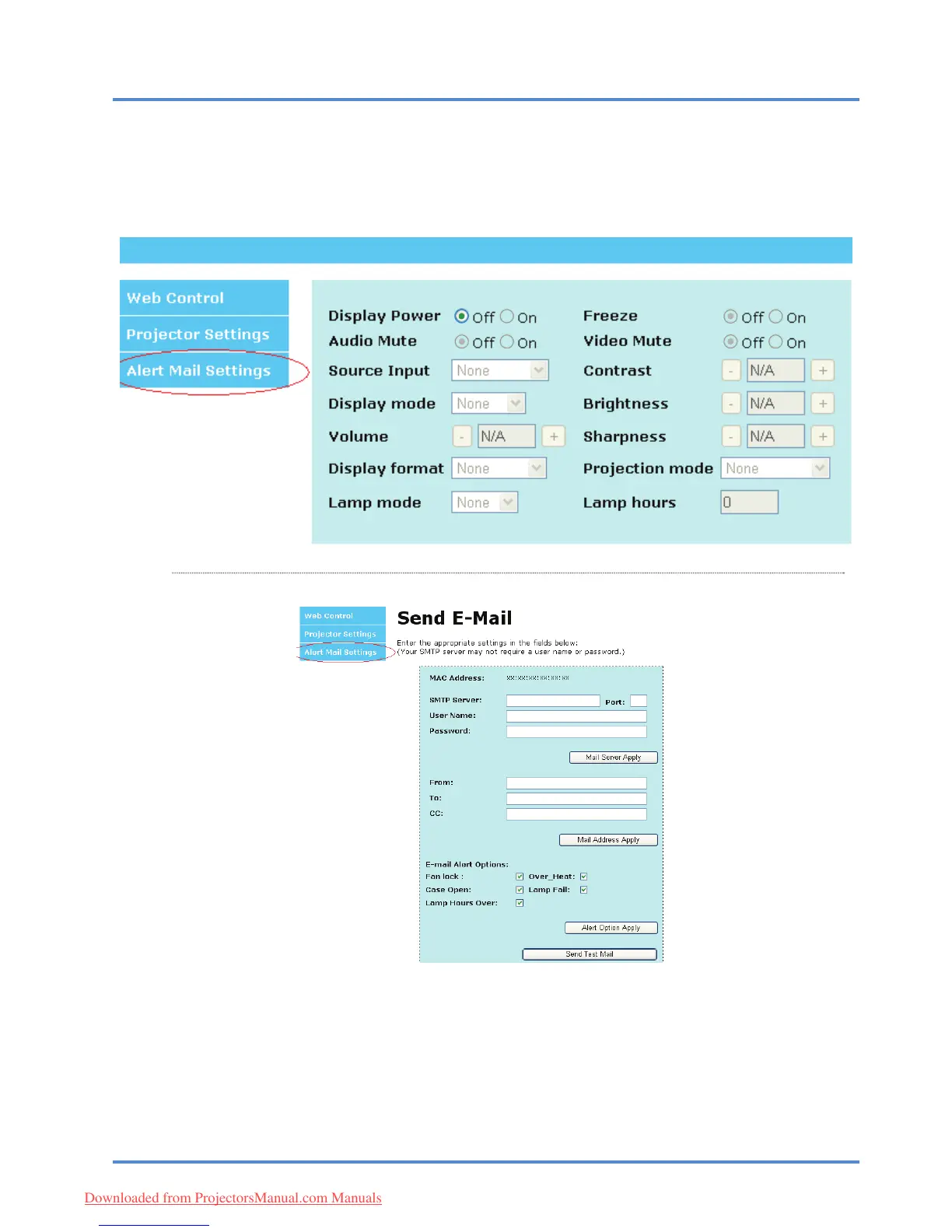
1. Make sure that user can access the homepage of LAN RJ45 function by web browser (for ex-
ample, Microsoft Internet Explorer v6.01/v8.0).
2. From the Homepage of LAN/RJ45, click Alert
Mail Settings.
3. By default, the input boxes in Alert Ma
il Settings are blank.
4. To setup email alerts, input the following:
The SMT
P field is the mail server for sending out email (SMTP protocol).
This is a required field.
The To field is the recipient’s email address (for example, the pro
jector administrator). This
is a required field.
The Cc field sends a carbon copy
of the alert to the specified email address.
– 32 –
Downloaded from ProjectorsManual.com Manuals



 To Next Page