12
Menu Functions
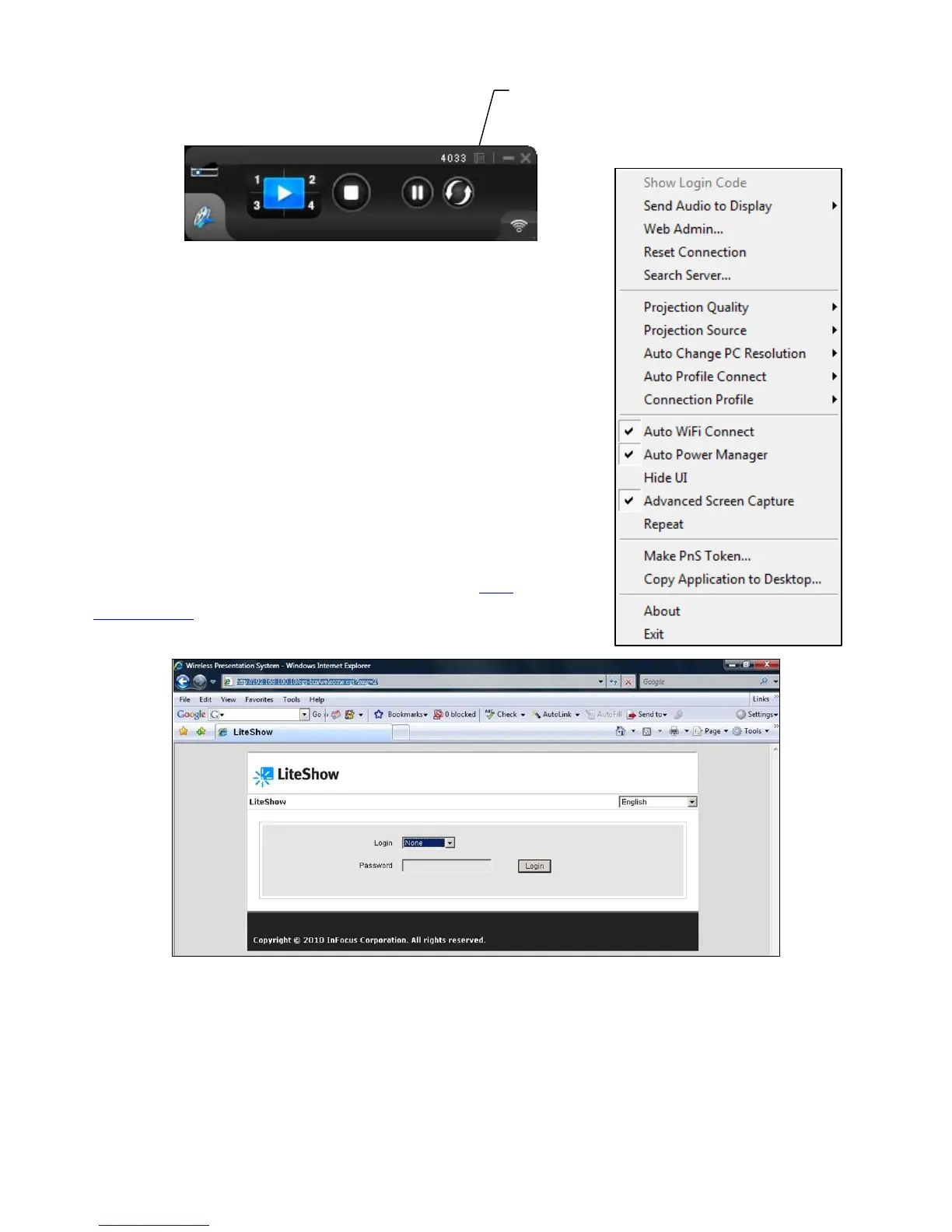
When you click the Menu button shown above, this additional
menu window will appear.
Show Login Code
Displays the Login Code in the upper-left corner of the desktop
for ten seconds.
Web Admin…
Opens the Web Management login page. See the Web
Management section for more information.
Reset Connection
Disconnects and reconnects to the current LiteShow device. Use this feature to re-connect a
connection frozen by broken network traffic.
Search Server
Searches for LiteShow again.
Menu



 To Next Page