X2 Service Manual 25
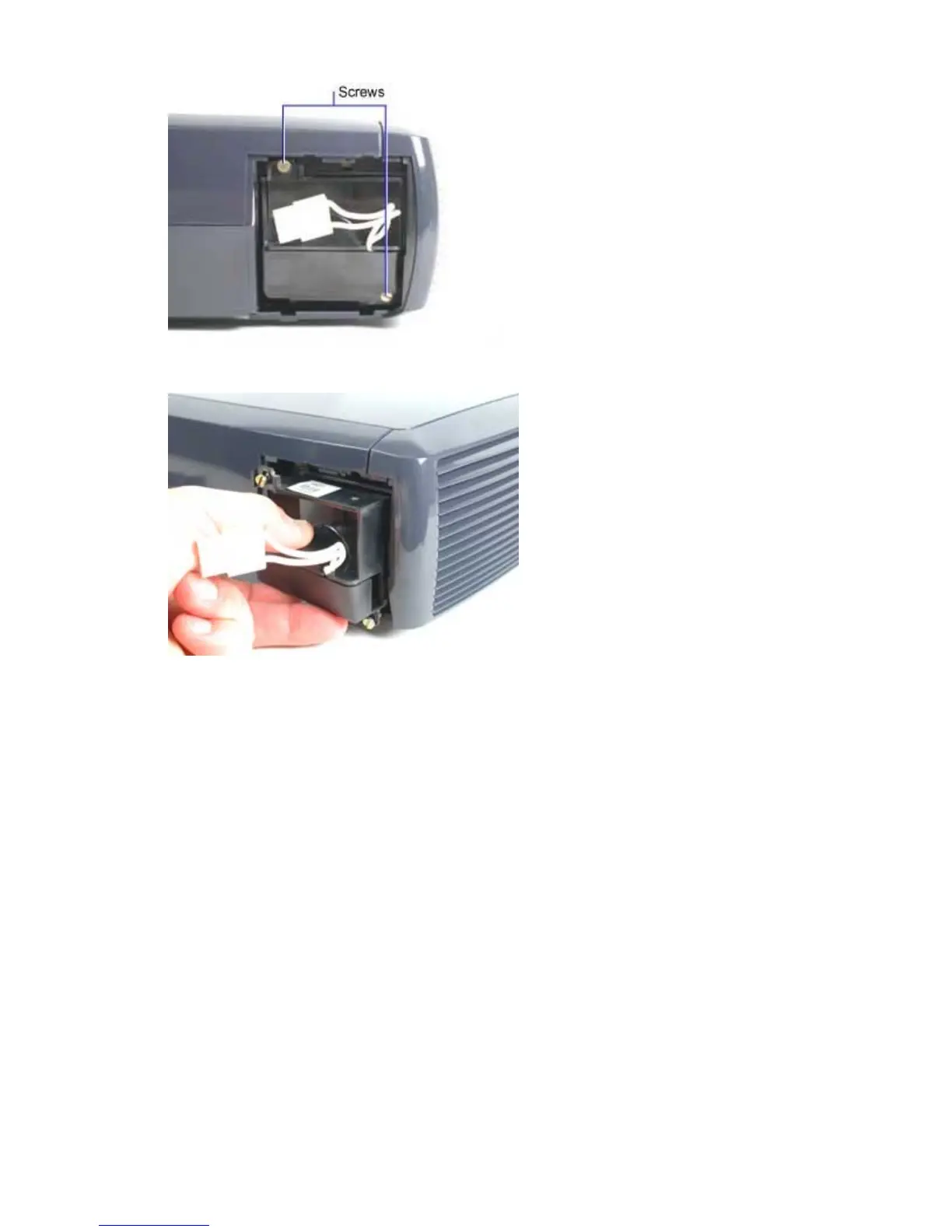
6 To remove the lamp, loosen the two captive screws that secure it in the projector.
7 Slide the lamp module straight out of the lamp housing.
Assembly Notes
♦ When you reinstall a used lamp, check the screens over the openings on the sides of the lamp
module to make sure they're clean. Vacuum away any dust on the screens so cooling air can flow
freely through the lamp module.
♦ If you installed a new lamp module, follow the directions below to reset the lamp timer.
a Turn the projector on. After the image appears, press and hold the Volume + and Volume –
keys for 10 seconds.
b After you reset the lamp timer, read the timer value to make sure it was reset. Navigate to
the About screen from the Main Menu. In the About screen, the Lamp Hour value should
show 0 hours.



 To Next Page