X2 Service Manual 26
Lamp Housing and Safety Switch Assembly
The lamp housing (505-1859-xx) fastens to the bottom case. It provides an alignment mechanism for the
lamp module to ensure precise beam focus into the optical path. The lamp housing includes the safety
switch and thermal switch.
1 Remove the following items:
Lamp module (page 24)
Focus and zoom rings (page 17)
Zoom ring (page 17)
Front bezel (page 18)
Rear bezel (page 37)
Top case (page 39)
Power supply and AC filter ECA (page 6)
Chassis (page 8)
Controller ECA (page 10)
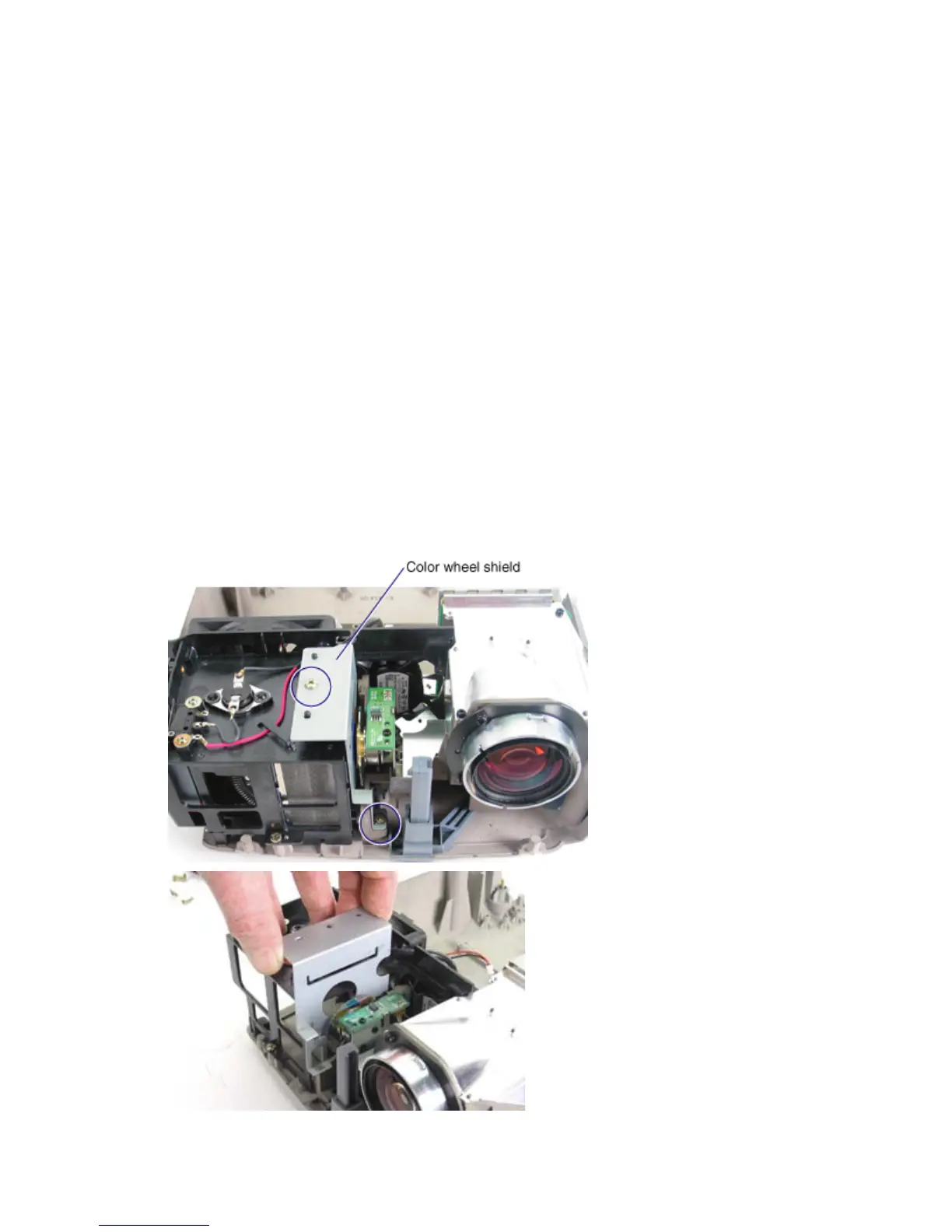
2 Remove the color wheel shield. To do this, remove the two M3x10 Plastite Phillips screws (circled
below). Then lift the shield straight up to remove it. Avoid scraping it against the color wheel.



 To Next Page