45
44
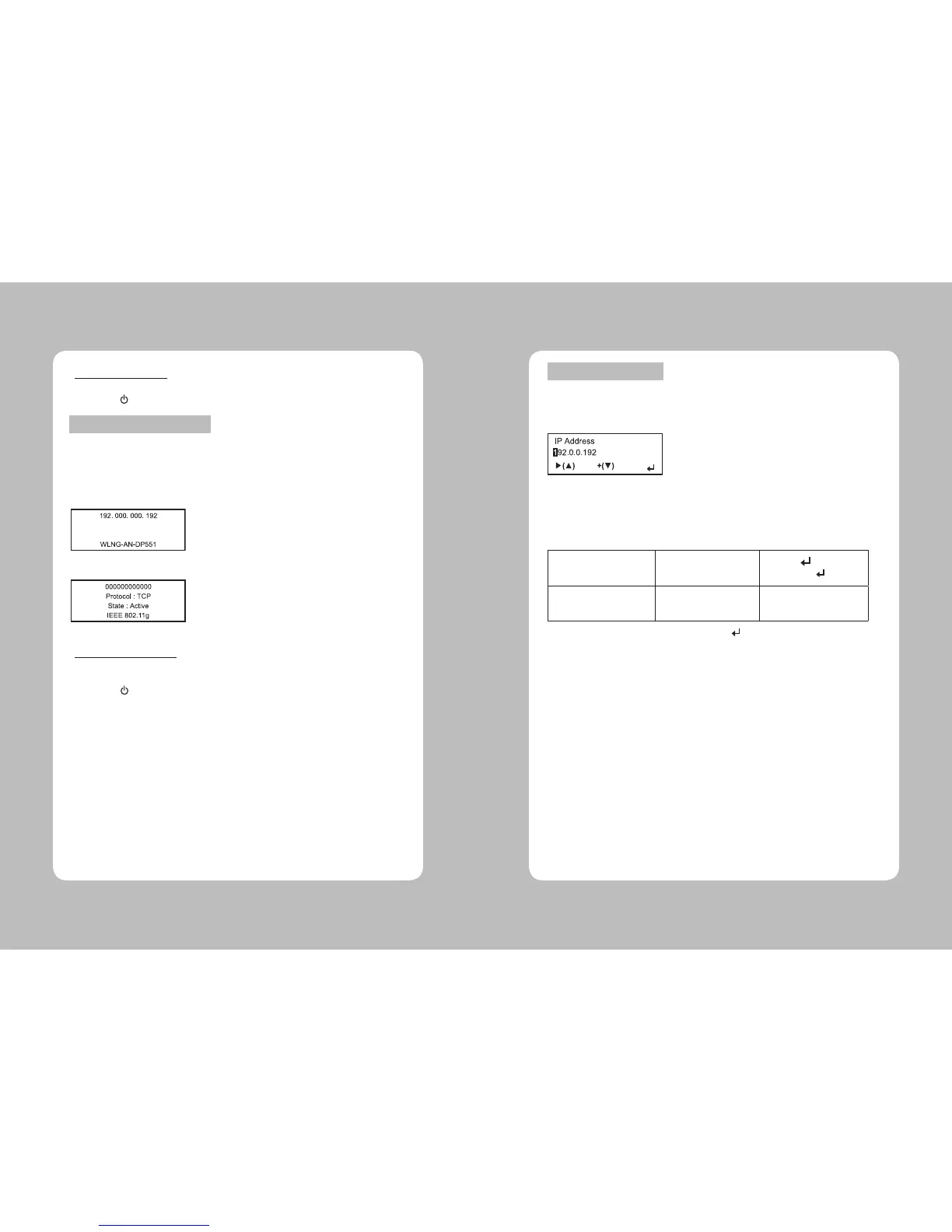
To check the printer’s network status, use this menu.
To exit, press at any time.
The Congure menu allows you to set the printer’s IP address, subnet mask, gateway, power
mode, protocol, SSID, and escape character.
To exit, press at any time.
**Checking the Printer
**Configuring the Printer
This option check the printer’s IP address.
1. In Setup menu, Select RF Network.
2. From the RF Network menu, select Status.
3. Check your printer’s IP address.
The display printer’s IP address
4. Press ▲ to check other information
Checking the network staus
This option sets the printer’s IP address.
1. From the RF Network menu, select Congure.
2. From the Congure menu, select IP Address.
Setting the IP Address
For: Select:
BOOTP 0.0.0.0
DHCP 0.0.0.1
Static IP nnn.nnn.nnn.nnn
Use the buttons as shown in the following table:
▶(▲)
Press ▲ to
+(▼)
Press ▼ to
1
Press to
Scrolls through the
positions
from left to right
Increments the current
position setting by 1
Saves the setting
3. When the setting you want is displayed, press to save the setting.
You return to the Congure menu.


 To Next Page