Controller CO3000
1.21 Limits Axis
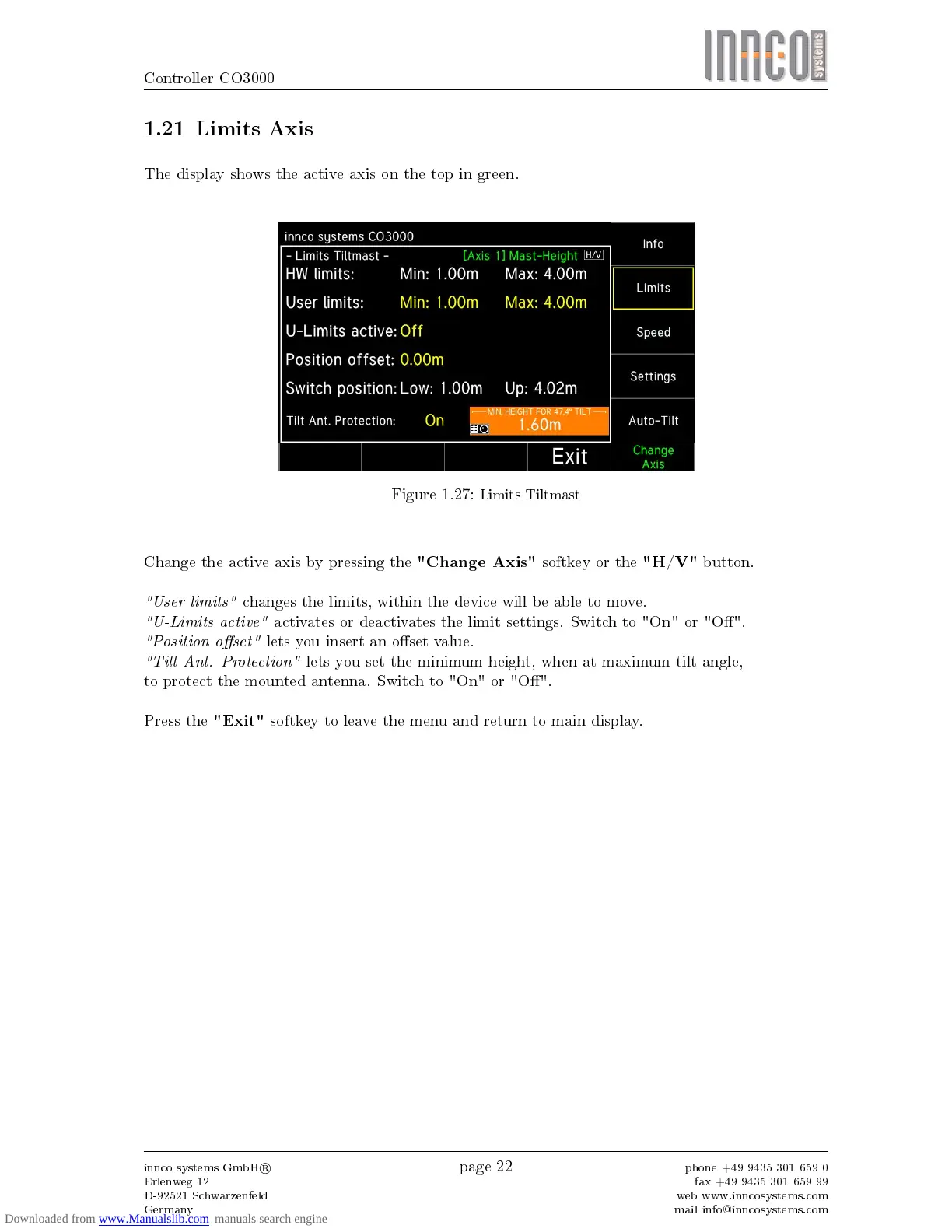
The display shows the active axis on the top in green.
Figure 1.27:
Limits Tiltmast
Change the active axis by pressing the
"Change Axis"
softkey or the
"H/V"
button.
"User limits"
changes the limits, within the device will be able to move.
"U-Limits active"
activates or deactivates the limit settings. Switch to "On" or "O".
"Position oset"
lets you insert an oset value.
"Tilt Ant. Protection"
lets you set the minimum height, when at maximum tilt angle,
to protect the mounted antenna. Switch to "On" or "O".
Press the
"Exit"
softkey to leave the menu and return to main display.
innco systems GmbH
R
Erlenweg 12
D-92521 Schwarzenfeld
Germany
page 22
phone +49 9435 301 659 0
fax +49 9435 301 659 99
web www.inncosystems.com
mail info@inncosystems.com



 To Next Page