Controller CO3000
1.24 Software Update
If new software is available, it can be downloaded from our homepage or will be provided by our
service team.
For the update it is necessary to connect the CO3000 to a computer.
ATTENTION: Do not use a USB hub!
Connect the CO3000 USB port on the rear panel with a USB cable (Type A to Type B)
directly to a free USB port on the PC.
Windows will now load the USB driver for the CO3000.
No user interaction will be required.
If the CO3000 is connected to the PC for the rst time, a short message on the task bar
will appear, that the device is now ready to use.
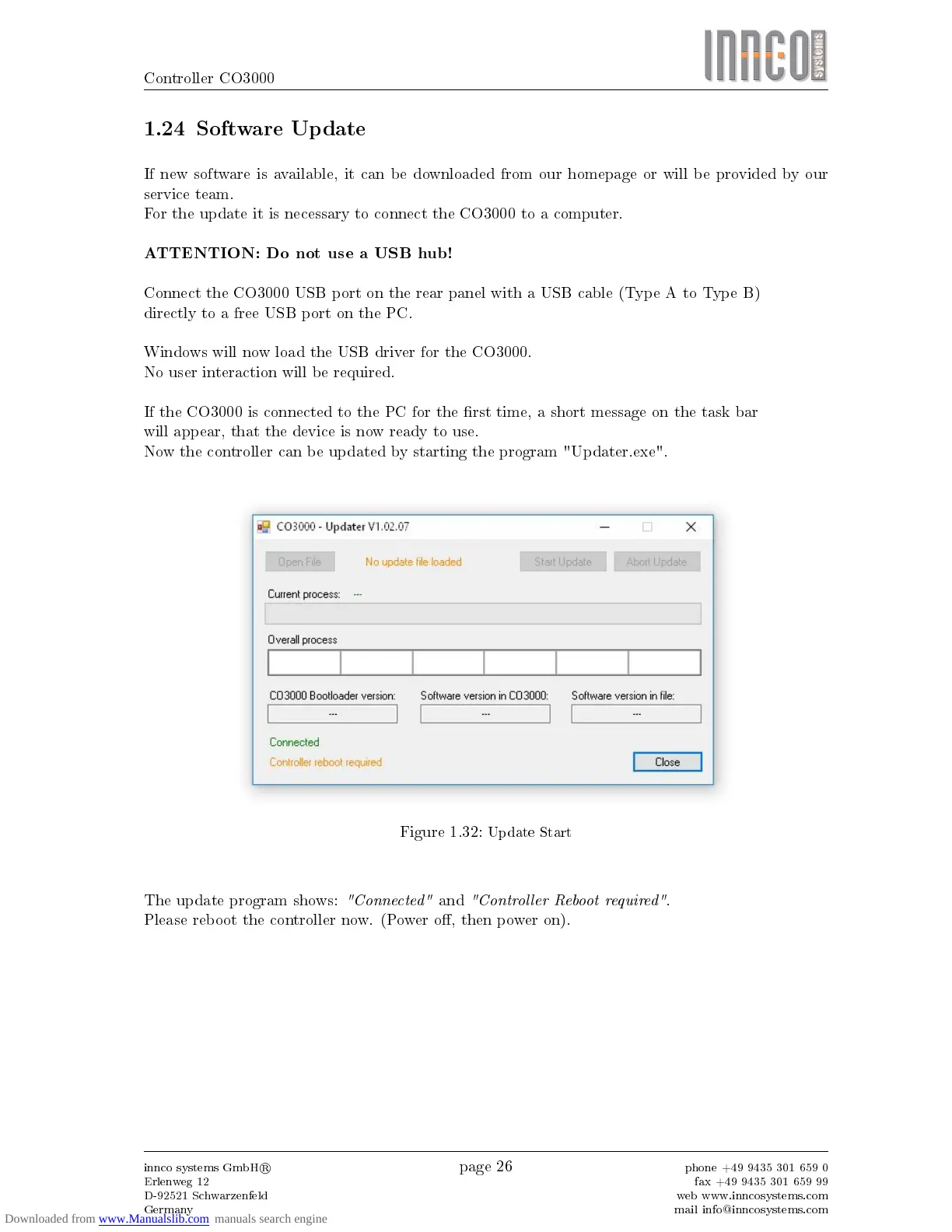
Now the controller can be updated by starting the program "Updater.exe".
Figure 1.32:
Update Start
The update program shows:
"Connected"
and
"Controller Reboot required"
.
Please reboot the controller now. (Power o, then power on).
innco systems GmbH
R
Erlenweg 12
D-92521 Schwarzenfeld
Germany
page 26
phone +49 9435 301 659 0
fax +49 9435 301 659 99
web www.inncosystems.com
mail info@inncosystems.com



 To Next Page