Using the Tablet
SCANNING AND TESTING A SELECTED MODULE
42
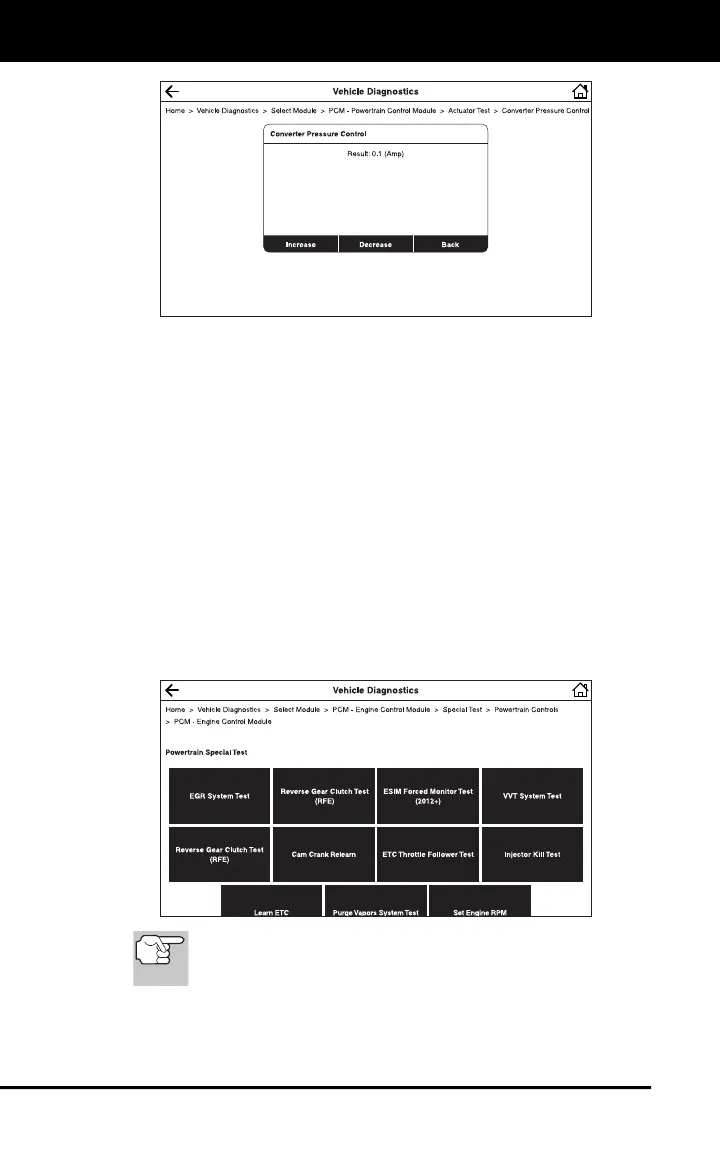
5. Tap the appropriate control to operate the actuator as desired.
The screen refreshes to show the result.
6. Repeat step 5 as desired.
7. Tap Back to return to the Actuator Test menu.
Performing Special Tests for a Selected Module
Special Tests let you perform diagnostic and calibration procedures for
various vehicle actuators and systems. The specific tests available
depend on the vehicle make and model.
1. Select the module for which you wish to perform special tests (see
SCANNING AND TESTING A SELECTED MODULE on page 38).
2. Tap Special Test in the “Actions” menu.
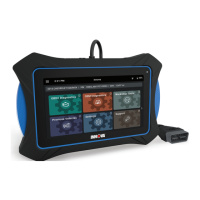
The tablet retrieves and displays one or more menus of special
tests available for the vehicle under test.
If Special Tests are not supported for the vehicle under test,
the message “Special Test is not supported for this
vehicle” displays. Tap Exit to return to the “Actions” menu.
3. Make the necessary selections to choose the desired test.
A series of instructional screens display.


 To Next Page