Additional Tests
OBD MODE TESTS
50
Test ID number
Component ID number(s)
Test Value
Min or Max test limit
Only one test limit, either Min or Max, is shown for any
given test.
Unit of measurement
Status
Status is calculated by the tablet by comparing the test
Value against the displayed test limit (either Min or Max).
Status is shown as either Low, High or OK.
3. Tap an X icon to close the test results screen and return to the OBD
Mode Test screen.
Evaporative Test (Mode $09)
The Evaporative Test (Mode $09) function lets you initiate a leak test
for the vehicle's EVAP system.
The tablet does not perform the leak test, but signals to
vehicle's on-board computer to initiate the test. The vehicle
manufacturer determines the criteria and method for stopping
the test once it has been started. BEFORE using the
Evaporative Test function, refer to the vehicle's service
manual to determine the procedures necessary to stop the test.
1. From the OBD Mode Test screen, tap Evaporative Test (Mode
$09).
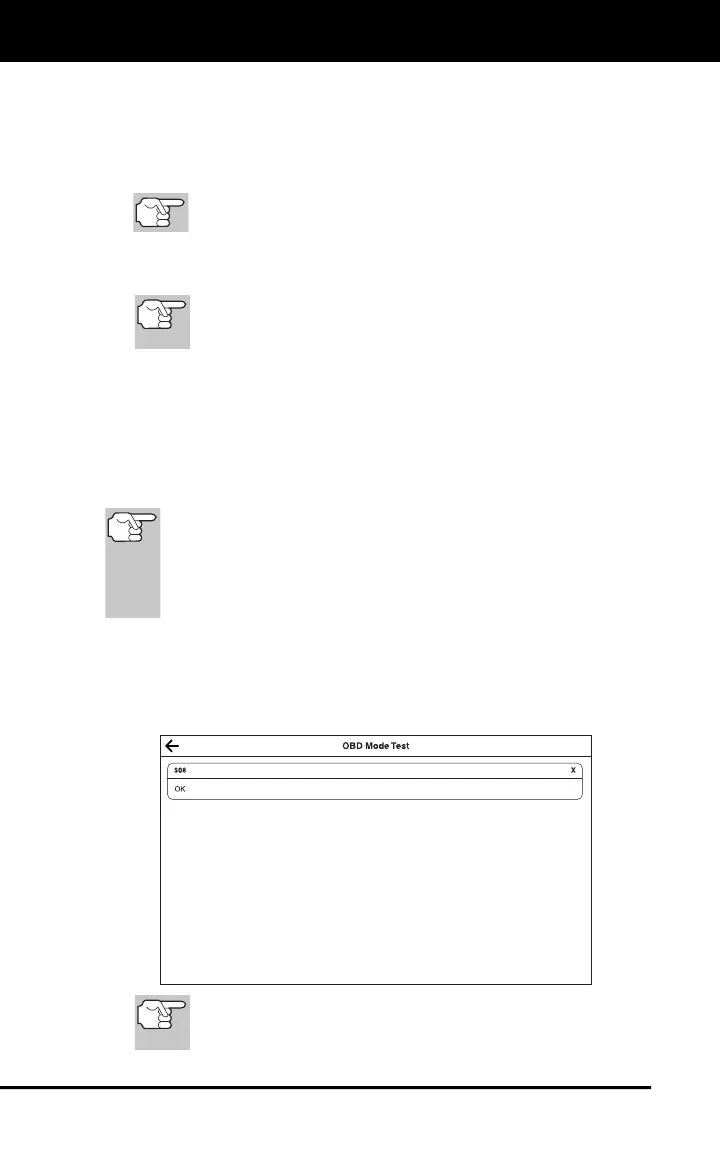
2. When the EVAP leak test has been initiated, a confirmation screen
shows the message “OK.” Tap the X icon to close the message and
return to the OBD Mode Test screen.
If the Evaporative Test (Mode $09) is not supported by the
vehicle, an advisory screen shows the message “Not
support.”


 To Next Page