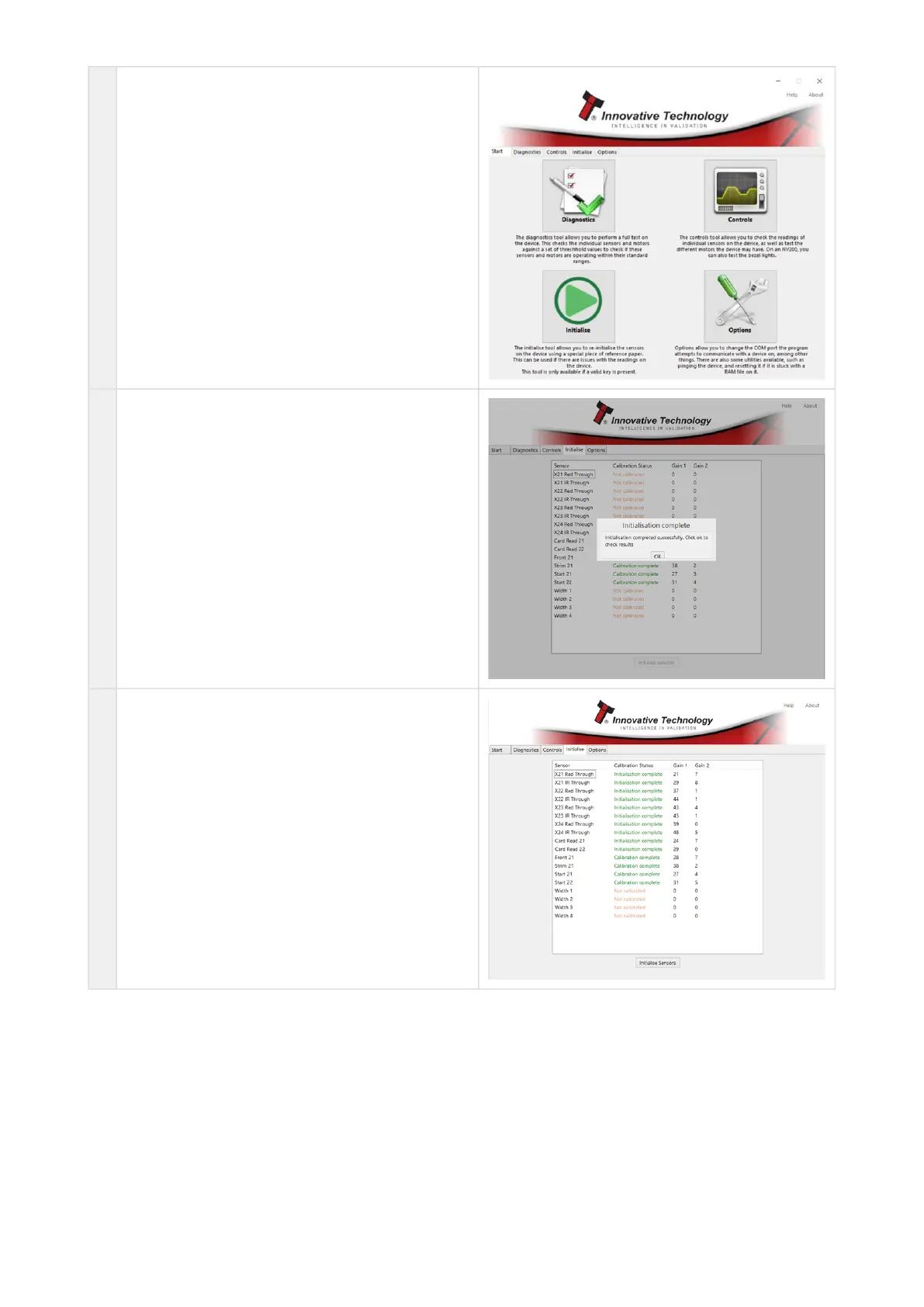
2 Then click "Initialise" Tab
3 Validator will start initialization procedure.
Once the motor run continuously, insert green
calibration paper
4 Initialize process complete
If some of the statuses are red, try to repeat the
initialization procedure.
If you have the same result the validator will
probably require repairing/some elements
replacing.
To receive the initialization file, please
contactsupport@innovative-technology.com















 To Next Page