Copyright Innovative Technology Ltd 2008 GA333-5
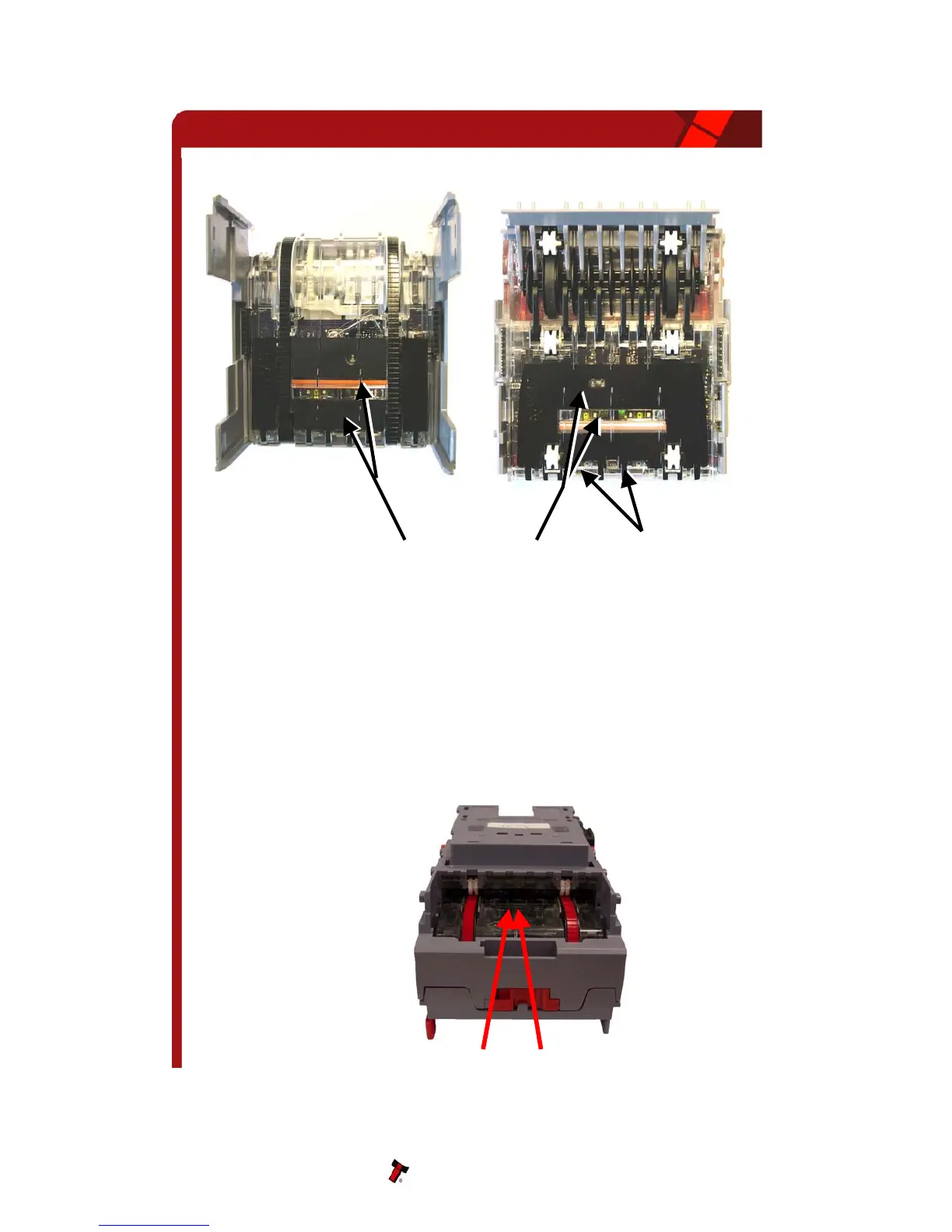
Figure 11 – NV10 Sensors
elt Cleaning
e the validator is enabled (i.e. Bezel lights are illuminated)
aper, which is narrower than the width between the two belts, in
mild detergent such as dish
moved from both belts.
B
1. Ensur
2. Remove Bezel.
3. Insert a piece of p
the centre of the note path to activate the drive motor.
4. Use a lint free cloth dampened with water containing a
detergent and hold it against each drive belt as is turns.
5. Repeat steps 3 and 4 until all dust and debris has been re
6. Repeat step 3 using a DRY lint free cloth to remove any excess moisture.
NV10 Operations Manual 27
Insert Paper
Front Optical Sensors


 To Next Page