35
APPENDIX E – INTERFACE TOOLS DA1 - DA2
The DA1/2 Kits are designed for the following:
• Connecting of ITL Note Validators to a PC for the upgrade and user option
setting of Currency and Firmware files.
• Testing note acceptance of Note Validators independent of the host machine to
confirm that the validator is working.
The DA1 and DA2 Kits comprise the following components:
DA1 DA2
DA1 adapter board DA2 adapter board
DA1 to NV7, 8, 9 and 10 cable USB type-A to Type-B cable
DA1 to NV4 Cable DA2 to NV7, 8, 9 and 10 cable
Power Cable Power Cable
ITL Support CD-ROM ITL Support CD-ROM
Connecting a DA1 to a validator and PC
For the PC system specification and set up refer to Appendix F.
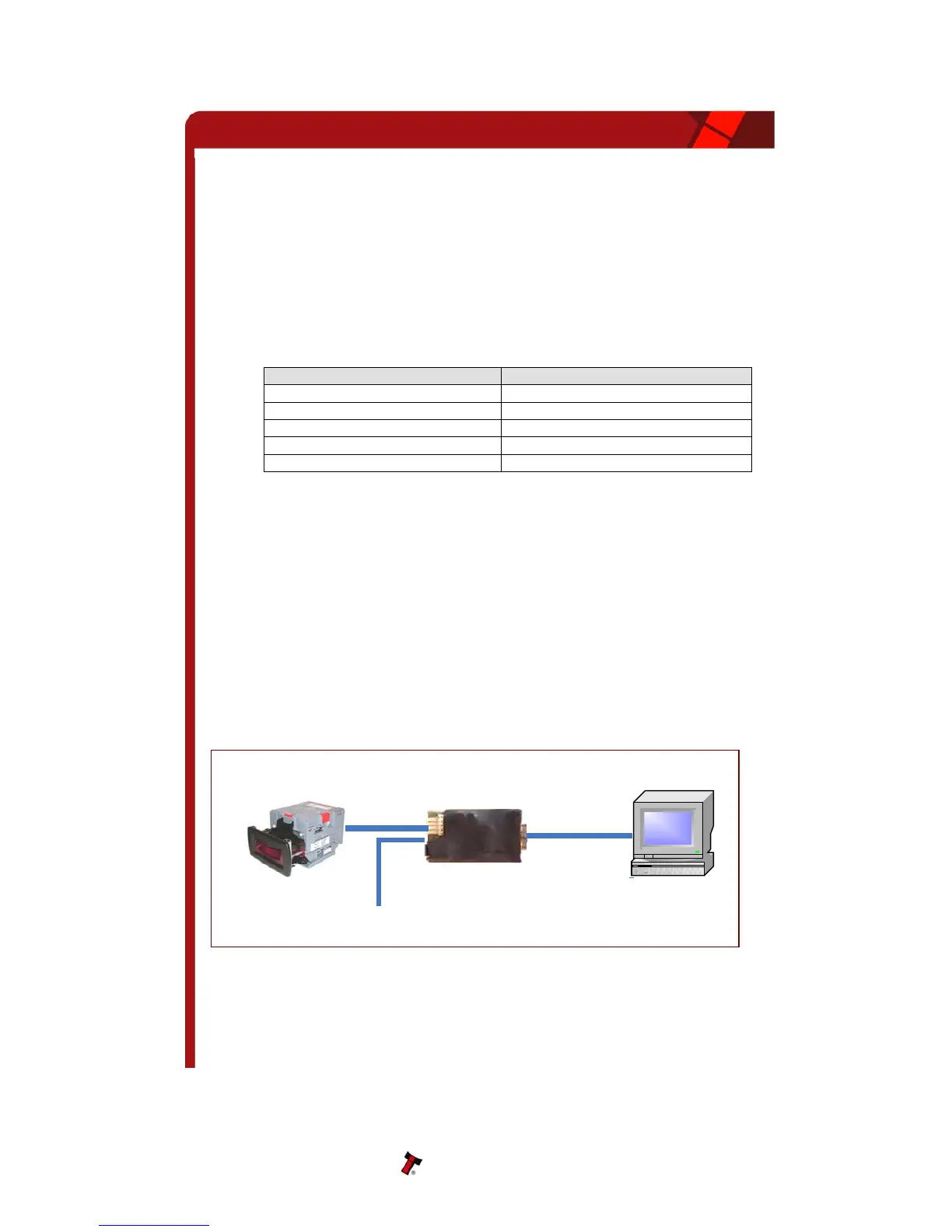
Connect the DA1 to the validator as shown below (see figure 1), using the 16-way to 5-
way connector. The supplied 3.5mm jack plug and 2 banana plugs are used to supply
power to the DA1 when using a variable Bench power supply (Connect the +12 volts to
the red banana plug and GND (0V) to the black plug). Alternatively a Portable DC Power
Adapter supplying 12v and 1.5A minimum can be used.
Plug the 9-way D-type connector into the serial port of the PC and note of the number of
the port, as this will be needed later for configuring the software. Once the connections
have been made install the appropriate software for the validator you are using.
NOTE: The Validator must be in SSP mode when connected to a computer and then
returned to the Original Settings when the download is complete.
PC Serial Port
Validator
+12V DC
DA1 Adapter Board
Figure 16 - Connecting DA1 to a NV10 and PC for upgrading
Copyright Innovative Technology Ltd 2008 GA333-5



 To Next Page