Copyright Innovative Technology Ltd 2008 GA333-5
7.2 NV10 – NV10 COPY (CLONING)
re 3.19 or lower.
verview
y exists for a NV10 Note Validator to copy a program and settings to another
equirements
to have firmware 3.15 or greater
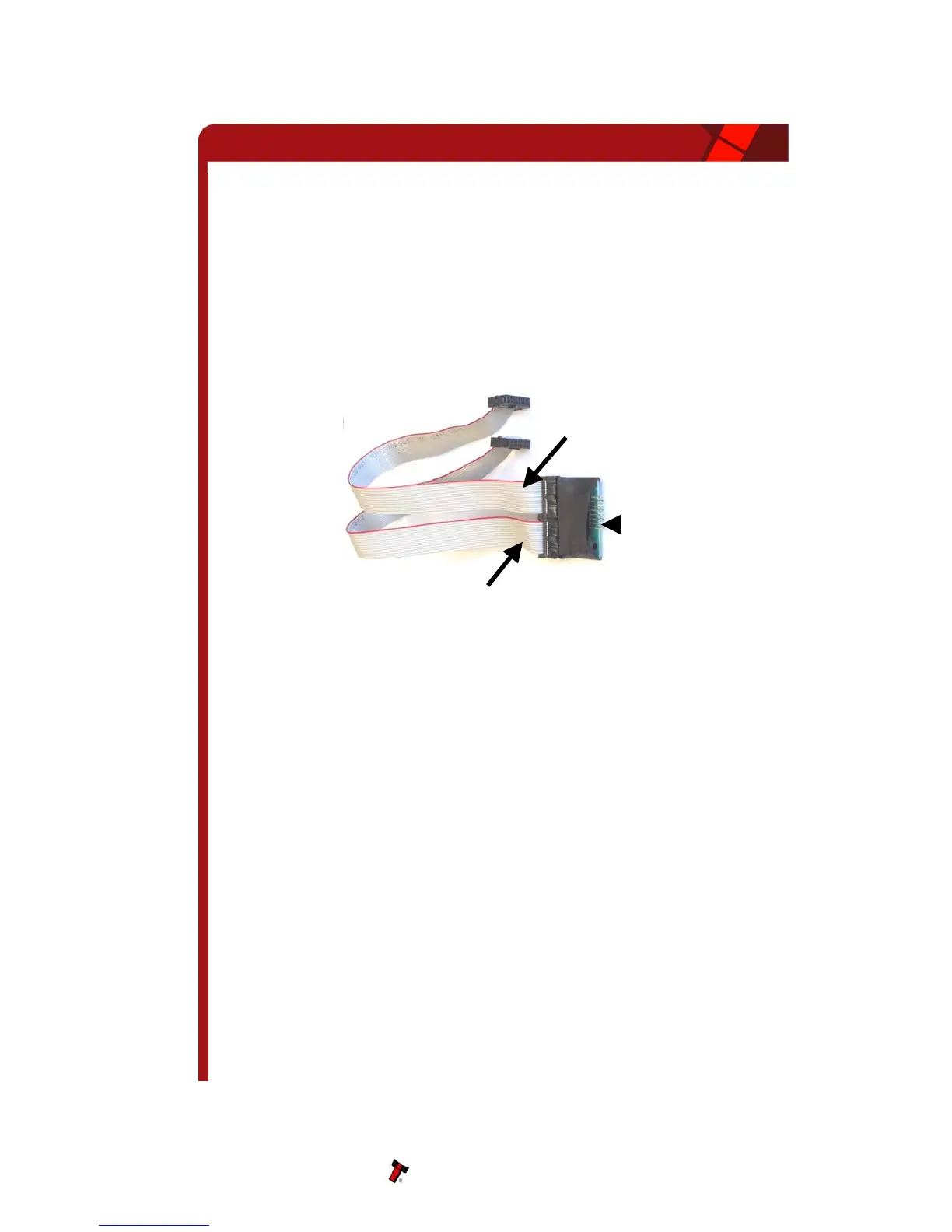
Figure 9 – Cloning Kit CK2
tart-up configuration
nly update the Slave’s Firmware if the version of the Master is
py
e Master and Slave are the same, only the currency will be
ove the power from the Master and Slave units.
rface mode on both NV10s.
the +12V power supply.
Note: Cloning is only available with Firmwa
O
This facilit
NV10. The “Master” Validator will transmit the currency data and upgrade the Slave’s
Firmware. For cloning it is recommended to use the Cloning Kit 2 (CK2).
R
• Master
• Cloning Kit 2
• 12V supply.
S
NOTE: The Master will o
greater than that of the Slave. If the Master Firmware is less than the Slave, then the co
process is aborted.
If the Firmware on th
transferred.
• Rem
• Set DIPswitches 3 UP and 4 DOWN to select SSP inte
• Use the NV10 Cloning Kit 2 (CK2) and connect the two units together as per CK2
label.
• Turn on
NV10 Operations Manual 23
Connection
to MASTER
Connection
to HOST
Connection
to SLAVE
NV10 Operations Manual



 To Next Page