26
NEA - ICU Montage- und Betriebsanleitung
NEA - ICU Mounting and Operating Instructions
Datum Uhrzeit
OK
Start FT
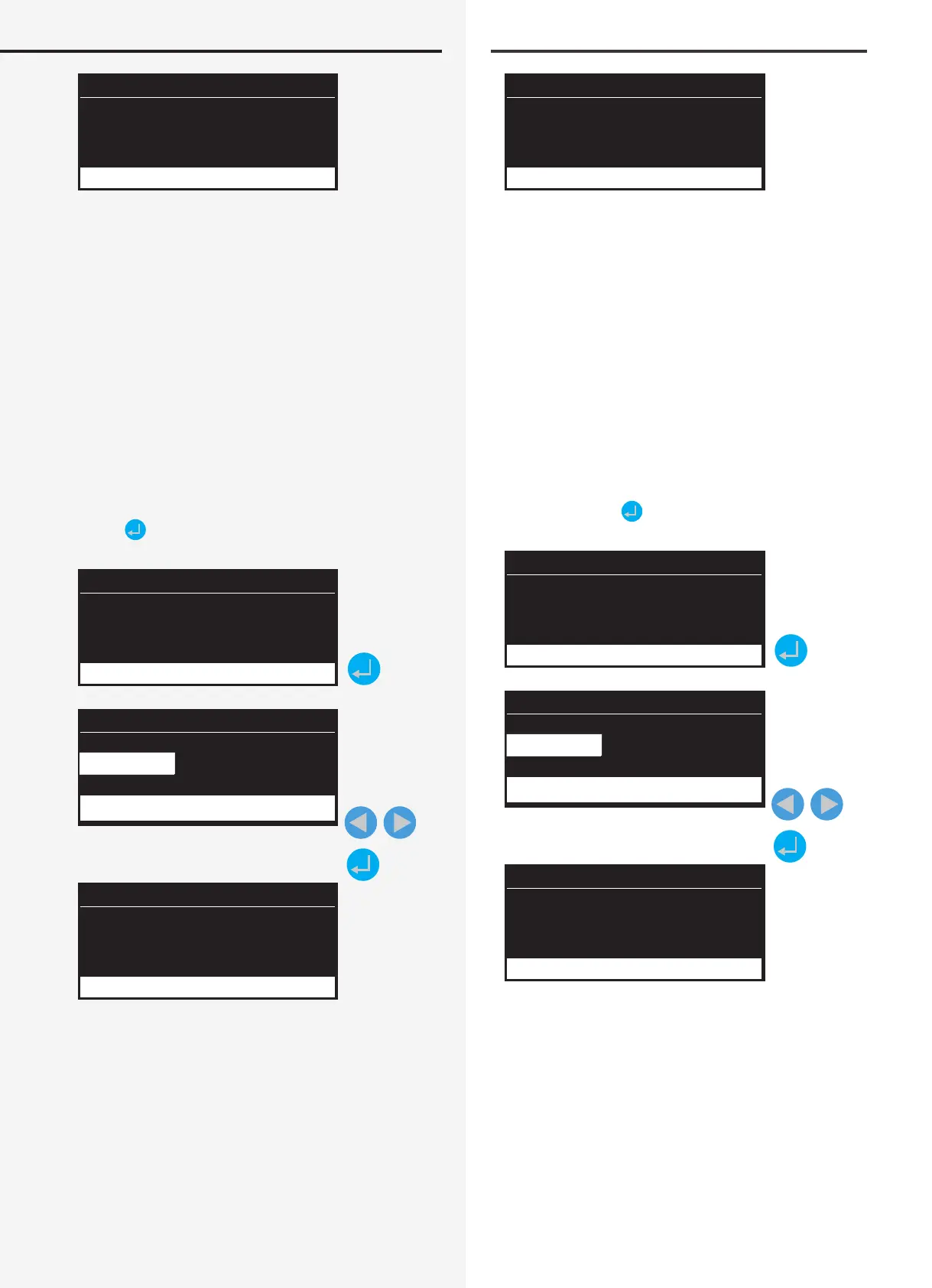
Im Display wird der jeweilige Gerätestatus dargestellt.
Sofern eine Leuchtenstörung vorliegt, wird diese mit
einem Status „Störung“ angezeigt. Weiterhin leuchtet im
rechten Statusbereich die rote LED, wodurch eine vorlie-
gende Störung signalisiert wird.
Das Ergebnis des Funktionstest wird im Prüfbuch proto-
kolliert.
11.1.2. Blockieren
Das Gerät blockiert die Betriebsarten Dauer- und Not-
lichtbetrieb.
Mittels Scrollen durch das Funktionsmenu erscheint
der Menüpunkt „Blockieren“. Danach ist diese Funktion
mittels
auszuwählen.
Datum Uhrzeit
Funktionen
Blockieren
Datum Uhrzeit
(OK) (Abbruch)
Blockieren
Datum Uhrzeit
Blockiert
NEA
Funktionen
Nach erneutem Bestätigen der Blockierungsfunktion ge-
langen Sie in den Bereich der Sicherheitsabfrage. Diese
ist entsprechend mit „OK“ zu bestätigen oder mittels „Ab-
bruch“ ohne Blockierung in das Hauptmenü zurück zu
gelangen. Sofern das Gerät in den blockierten Zustand
geschaltet wurde, ist im Display des Hauptmenüs der
Status „Blockiert“ zu erkennen.
Ein ICU kann über verschiedene Stellen blockiert bzw.
frei gegeben werden:
Date Time
OK
Start FT
The status of each device is shown on the display. In case
of a luminaire failure, the status display indicates “Fail-
ure”. In addition, the red LED lights up in the status area
on the right-hand side to signal a failure.
The result of the FT is recorded in the logbook.
11.1.2. Block
The device blocks maintained and emergency lighting
operation modes.
Scroll down the Functions menu to nd “Block”, then
select by pressing
.
Date Time
Functions
Block
Date Time
(OK) (Cancel)
Block
Date Time
Blocked
NEA
Functions
Reconrming the block function calls up the conrma-
tion dialogue. Conrm accordingly with “OK” or abort
blocking by pressing “Cancel” to return to the main
menu. If the device has been blocked, the main menu
displays the status “Blocked”.
An ICU can be blocked or released at various points:


 To Next Page