49
NEA - ICU Montage- und Betriebsanleitung
NEA - ICU Mounting and Operating Instructions
12. INOWeb (HTML / Web browser)
Luminaire status information can be displayed on a web
browser using the integrated network interface. To do
this, the NEA - ICU must be connected to a local network.
A standard web browser is used to load the INOWeb user
interface onto a PC, smartphone or tablet. The relevant
IP address must be entered.
12.1. Operation
To select the relevant NEA - ICU, enter the IP address in
the browser URL.
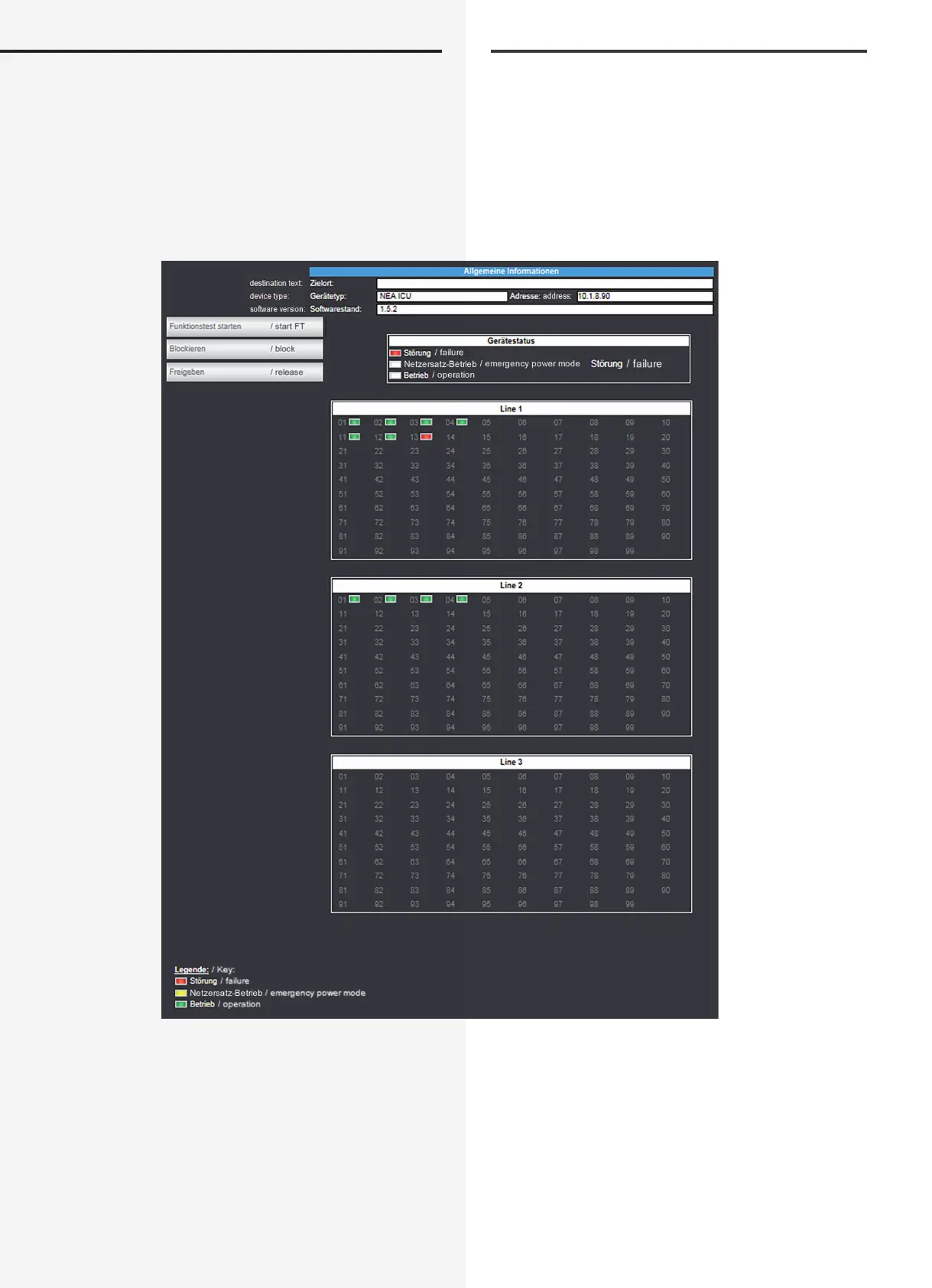
The controller is displayed on the main screen, together
with general and device status information, such as
“Failure”, “Emergency power mode” and “Operation”, and
the status of each individual “Line”. Users can access the
12. INOWeb (HTML / Web Browser)
Über die integriete Netzwerkschnittstelle können die
Statusinformationen zur Leuchte mittels eines Webbrow-
ser dargestellt werden. Dazu wird der NEA - ICU in ein
lokales Netzwerk eingebunden.
Die INOWeb Oberäche ist über einen Standard
Webbrowser mit dem PC, Smartphone oder Tablet
aufzurufen. Hierfür ist die Eingabe der jeweiligen IP
Adresse erforderlich.
12.1. Bedienung
Die Anwahl der entsprechenden NEA - ICU erfolgt über
die Eingabe der IP-Adresse in der Adresszeile des Web-
browsers.
Im Hauptbild wird der Controller mit allgemeinen Infor-
mationen und Gerätestatus wie „Störung“, „Netzersatz-
Betrieb“ und „Betrieb“, sowie den Zuständen jeder ein-
zelnen „Line“ dargestellt. Über die Weboberäche stehen


 To Next Page