40
NEA - ICU Montage- und Betriebsanleitung
NEA - ICU Mounting and Operating Instructions
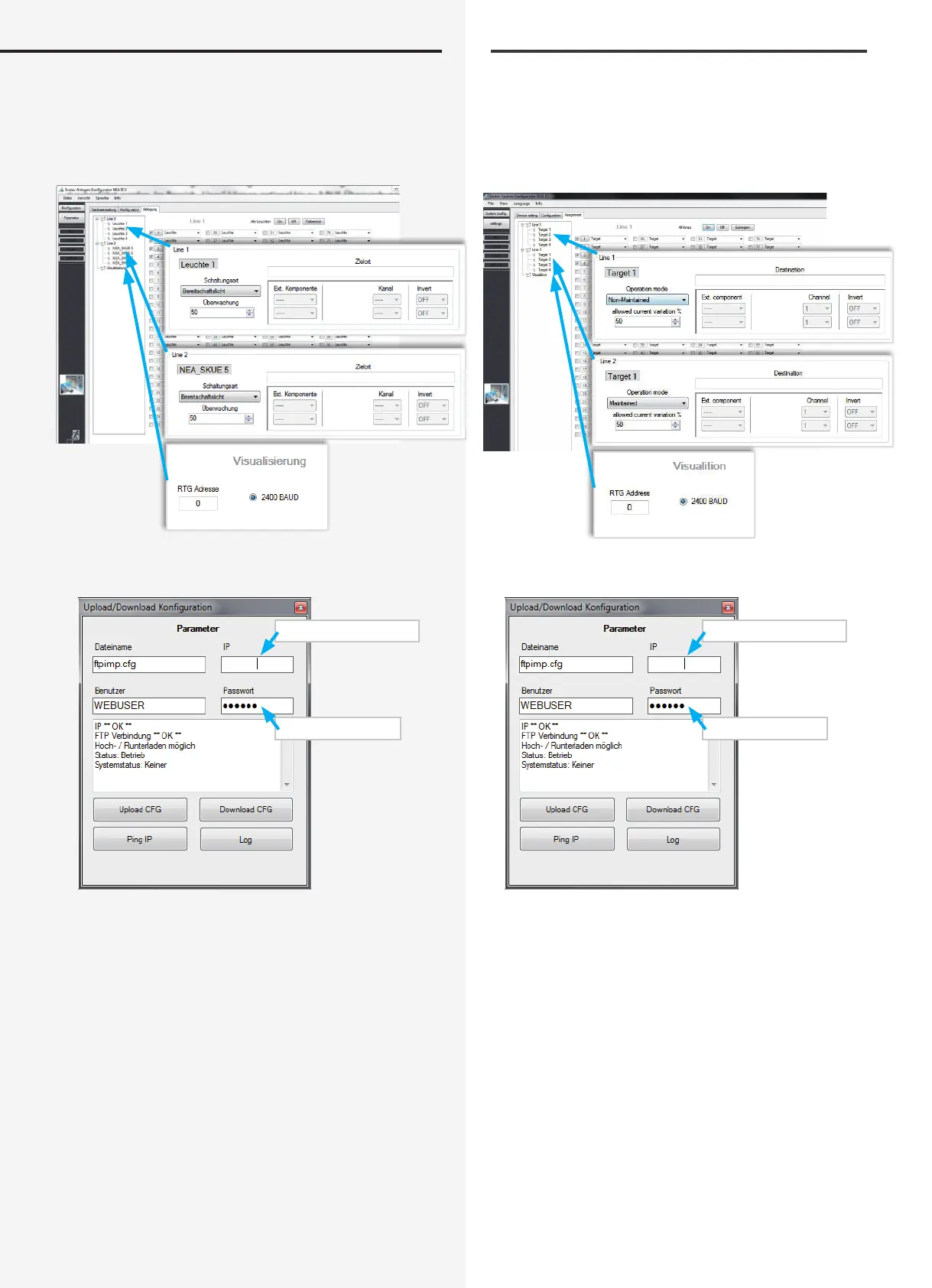
Assignment:
“Lines” set up in “Device settings” must be programmed
down to luminaire level in the “Assignment” menu. Pa-
rameters governing possible visualisation are set here.
FTP connection:
Enter IP address
Enter password
Password = inotec
11.4.1. FTP (File Transfer Protocol)
Upload/Download – Configuration
The INOTEC System Congurator enables FTP transfer
of conguration les between a network PC and the con-
guration software.
By entering the appropriate IP address and user identi-
cation, the conguration stored in the controller can
be loaded into the PC and examined/edited using the
System Congurator. Equally, the conguration software
can be used to load a nalised conguration le into
Belegung:
In der Geräteeinstellung angemeldete „Lines“ sind in
dem Menü „Belegung“ bis hin zur Leuchtenebene zu
programmieren. Hier sind Einstellungen der möglichen
Visualisierung vorzunehmen.
FTP Verbindung:
Eingabe IP Adresse
Passworteingabe
Passwort = inotec
11.4.1. FTP (File Transfer Protocol)
Upload/Download – Konfiguration
Mit dem INOTEC Anlagen Kongurator ist es möglich,
Kongurationsdateien mittels FTP Verbindung, zwischen
dem per Netzwerk angebundenem Controller und der
Kongurationssoftware zu übertragen.
Durch Angabe der entsprechenden IP Adresse und
Identikation des Anwenders, kann die im Steuerteil be-
ndliche Konguration in den PC geladen und über den
Anlagen-Kongurator eingesehen/bearbeitet werden.


 To Next Page