NEA - ICU Montage- und Betriebsanleitung
NEA - ICU Mounting and Operating Instructions
44
System restart
After restart, the USB ash memory can be removed
from the controller.
11.6.4. Save conguration
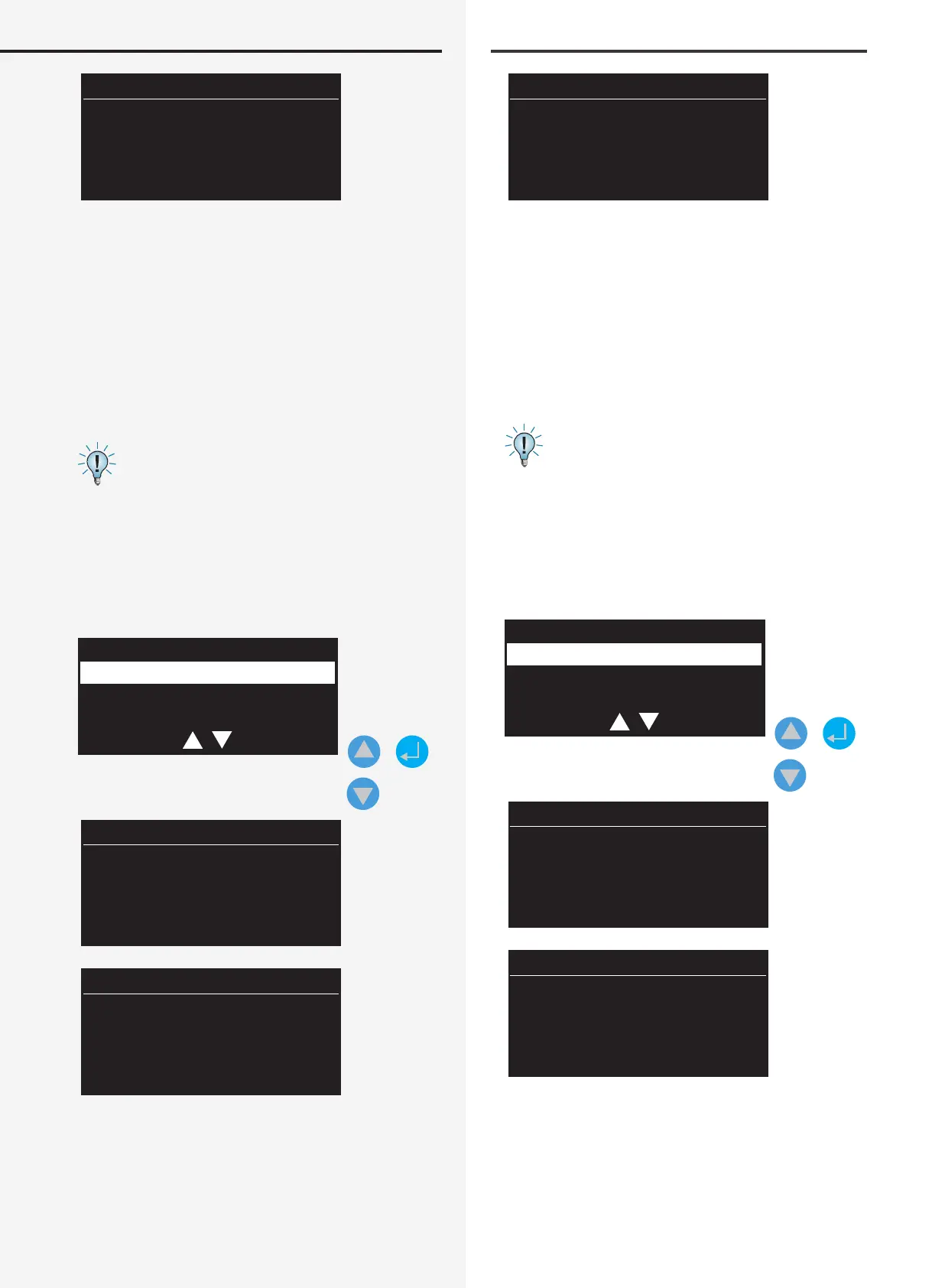
Select “Save conguration” to save a conguration to
the USB ash memory. The le name of the congura-
tion you want to save is pre-assigned and shown on the
display. You can use the navigation keys to change this
name.
See Section 10.6.2 Folder structure
Next, you will be asked to connect the USB stick to the
controller. The le is automatically saved as a *.CFG le
in the “CONFIG_WR” folder on the ash memory. Once
this data backup has successfully completed, the display
conrms “OK, conguration created”.
Config. load
Config. save
Failure info
+
CONFIG_1
USB stick
Connect
System Neustart
Nach dem Neustart kann das USB Speichermedium aus
dem Controller entfernt werden.
11.6.4. Konguration speichern
Um eine Konguration auf dem USB-Speichermedium zu
sichern, ist der Menüeintrag „Konguration speichern“
auszuwählen. Der Dateiname der zu speichernden Kon-
guration ist vorgegeben und wird im Display angezeigt.
Dieser Name kann mittels der Navigationstasten geän-
dert werden.
Siehe hierzu Kapitel 10.6.2 Verzeichnisstruktur
Im nächsten Schritt werden Sie aufgefordert, den USB-
Stick mit dem Controller zu verbinden. Die Datei wird
automatisch auf dem Speichermedium in dem Ver-
zeichnis „CONFIG_WR“ als *.CFG File gespeichert. Sofern
diese Datensicherung erfolgreich abgeschlossen wurde,
erscheint im Display die Information „OK Konguration
erzeugt“.
Konfig. laden
Konfig. speichern
Störungsinfo
+
KONFIG_1
USB Stick
verbinden


 To Next Page