
EasyManua.ls Logo

Inovance Monarch MCTC-PEC-E1 - User Manual

Inovance Monarch MCTC-PEC-E1
48 pages
Print Icon
To Next Page IconTo Next Page
Loading...
User Guide
MCTC-PES-E1
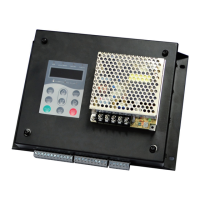
Programmable Electronic System
Suzhou Inovance Technology Co., Ltd.
Add.: No. 16 Youxiang Road, Yuexi Town, Wuzhong District, Suzhou 215104, P.R. China
Tel: +86-512-6637 6666
Fax: +86-512-6285 6720
Service Hotline: 400-777-1260
http: //www.inovance.com
Shenzhen Inovance Technology Co., Ltd.
Add.: Building E, Hongwei Industry Park, Liuxian Road, Baocheng No. 70 Zone, Baoan District, Shenzhen
Tel: +86-755-2979 9595
Fax: +86-755-2961 9897
Service Hotline: 400-777-1260
http: //www.inovance.com
MCTC-PES-E1 Programmable Electronic System User Guide
Copyright   Shenzhen Inovance Technology Co., Ltd.
A02
Data code 19010187
User Guide

Questions and Answers

  • B
    Bryce RossAug 14, 2025
    What to do if my Inovance Control Systems escalator shows an overspeed of 1.2 times?
    • J
      john06Aug 14, 2025
      If the Inovance Control Systems escalator experiences an overspeed of 1.2 times during commissioning, the issue might be due to incorrect parameter settings in group F0. It is recommended to check whether the setting of parameters in group F0 is improper. If the operation panel is connected, it displays the fault code. The faults still exist after the system is powered on again.
  • E
    elizabeth49Aug 17, 2025
    How to fix an overspeed of 1.4 times in Inovance Control Systems?
    • M
      Michelle MontgomeryAug 17, 2025
      If the Inovance Control Systems escalator experiences an overspeed of 1.4 times during commissioning, the issue might stem from the parameter settings in group F0. To address this, check whether the setting of parameters in group F0 is improper.
  • D
    dianegarciaAug 20, 2025
    Why is the braking distance too long on my Inovance Control Systems escalator?
    • G
      George ChungAug 20, 2025
      If the Inovance Control Systems escalator has an over-braking distance, especially during commissioning, it could be due to incorrect parameter settings in group F0. In this case, check whether the setting of parameters in group F0 is improper.
  • I
    Isabel CisnerosAug 25, 2025
    What to do if my Inovance Control Systems escalator runs in the wrong direction?
    • R
      Ryan GreenAug 25, 2025
      If the Inovance Control Systems escalator moves in the wrong direction, particularly during the initial setup, the problem might be with the escalator speed detection signals (X15, X16). To resolve this, check whether the escalator speed detection signals (X15, X16) are reversed.
  • M
    melvin12Aug 27, 2025
    Why is the left handrail underspeed on my Inovance Control Systems?
    • J
      Jonathan CochranAug 27, 2025
      If the Inovance Control Systems escalator reports a left handrail underspeed, it may be caused by improper parameter settings in group F0 or an abnormal sensor signal.
  • J
    Jason CoxAug 30, 2025
    Why is the right handrail underspeed on my Inovance Control Systems?
    • W
      Wendy ThompsonAug 30, 2025
      If the Inovance Control Systems escalator reports a right handrail underspeed, it may be caused by improper parameter settings in group F0 or an abnormal sensor signal.
  • F
    fmorrisSep 2, 2025
    How to troubleshoot up step loss on Inovance Control Systems?
    • D
      Deanna WongSep 2, 2025
      If the Inovance Control Systems escalator is experiencing up step loss, check whether F0-06 is set to a value smaller than the actual value.
  • T
    Tabitha BrownSep 6, 2025
    How to troubleshoot down step loss on Inovance Control Systems?
    • R
      Renee YoungSep 6, 2025
      If the Inovance Control Systems escalator is experiencing down step loss, check whether F0-06 is set to a value smaller than the actual value.
  • E
    Edwin RobinsonSep 9, 2025
    What causes a service brake release fault in Inovance Control Systems?
    • A
      Autumn StoneSep 9, 2025
      The service brake release fault on your Inovance Control Systems could be due to an abnormal working brake signal.

Summary

User Guide

Preface

System Overview and Manual Purpose

Introduces the MCTC-PES-E1 system and the manual's scope.

Safety Instructions

Safety Disclaimer and Definitions

Outlines safety disclaimers, levels, and definitions for hazard communication.

Unpacking Safety

Instructions for safe unpacking and initial inspection of the product.

Storage and Transportation Safety

Precautions for storing and transporting the equipment safely.

Installation Safety

Essential safety rules and warnings to follow during product installation.

Wiring, Power-on, and Operation Safety

Critical safety guidelines for wiring, power, operation, and maintenance.

Maintenance, Repair, and Disposal Safety

Guidelines for safe maintenance, repair procedures, and responsible equipment disposal.

Equipment Service Life

Information on the expected service life of the MCTC-PES-E1 system.

Product Information

MCTC-PES-E1 System Introduction

Overview of the MCTC-PES-E1 system's design and purpose for escalators/moving walkways.

System Components and Power Supply

Details on control board, protective guard, power supply, and required sensors/switches.

System Functions and Security

MCTC-PES-E1 Working States

Describes the different operational states of the MCTC-PES-E1 system.

Security Functions Overview

Details the various security functions provided by the MCTC-PES-E1 system.

Security Measures After Activation

Explains the system's security measures when functions are enabled.

Installation and Wiring

Mechanical Installation Requirements

Specifies environmental requirements and dimensions for mechanical installation.

Sensor Installation and Technical Data

Details on installing various sensors and their technical specifications.

Speed Sensor Installation

Instructions for installing speed and running direction sensors for escalators/moving walkways.

Handrail Speed Sensor Installation

Procedure for installing the handrail speed sensor and its detection principle.

Step;Pallet Loss Sensor Installation

Guidelines for installing step/pallet loss sensors for escalators and moving walkways.

Wiring and Connections

System Terminal Descriptions

Detailed description of all system terminals and their functions.

Wiring the MCTC-PES-E1 System

Diagrams and instructions for wiring the MCTC-PES-E1 system.

Connecting Floor Plate Switches

Procedure for connecting four floor plate switches to the system.

Connecting Brake Detection Switches

Instructions for connecting brake detection switches in dual-motor applications.

Operation Panel

LED Operation Panel and Button Functions

Overview of the LED operation panel, including button descriptions and functions.

Indicator Status and Data Display

Explanation of panel indicators, their status, and data display mappings.

Basic Operations and Parameter Settings

Understanding the 3-Level Menu Structure

Explains the 3-level menu structure for parameter settings and operations.

Changing Parameter Values

Step-by-step example of how to modify parameter values using the operation panel.

Functional Parameters

Parameter Description and Groups

Explains parameter table columns and categorizes parameters into groups like F0, F1, F2.

Group F0: System Configuration Parameters

Covers basic, braking, speed, and auxiliary function settings.

Group F1: State and I;O Parameters

Details escalator speed, direction, and I/O terminal states.

Group F2: Fault Information and Logging

Provides detailed fault codes, sub-codes, and related system states.

Factory and Management Parameters

Information on factory parameters and user management parameters like password.

Commissioning Examples

Escalator Commissioning Example

Example settings for an escalator application, including system type and speed parameters.

Handrail and Step Parameters Example

Example calculations and settings for handrail and step-related parameters.

Troubleshooting

Fault Description and Codes

Lists fault codes, names, and detailed descriptions for system errors.

System Prompts and Fault Reset

System Prompt Faults Overview

Describes system prompts, protection levels, and fault behavior on power cycling.

Revision History

Document Revision Log

Records changes and updates made to the manual across different versions.

Warranty Agreement

Inovance Warranty Terms

Details the 18-month free warranty, exclusions, and service contact information.

Inovance Monarch MCTC-PEC-E1 Specifications

General IconGeneral
CategoryControl Systems
Output Voltage24VDC
Protection ClassIP20
Product NameMonarch MCTC-PEC-E1
Storage Temperature-20°C to +70°C
Humidity5% to 95% (non-condensing)
Communication InterfaceEthernet
CertificationsCE