49
System components
Product Support: www.instron.com
Bluehill
®
Operator Dashboard
The Bluehill
®
Operator Dashboard provides a touch-friendly interface for controlling your
testing machine using Bluehill
®
software.
Adjustment and connection
Instron
®
Service will install the Bluehill
®
Operator Dashboard on your system.
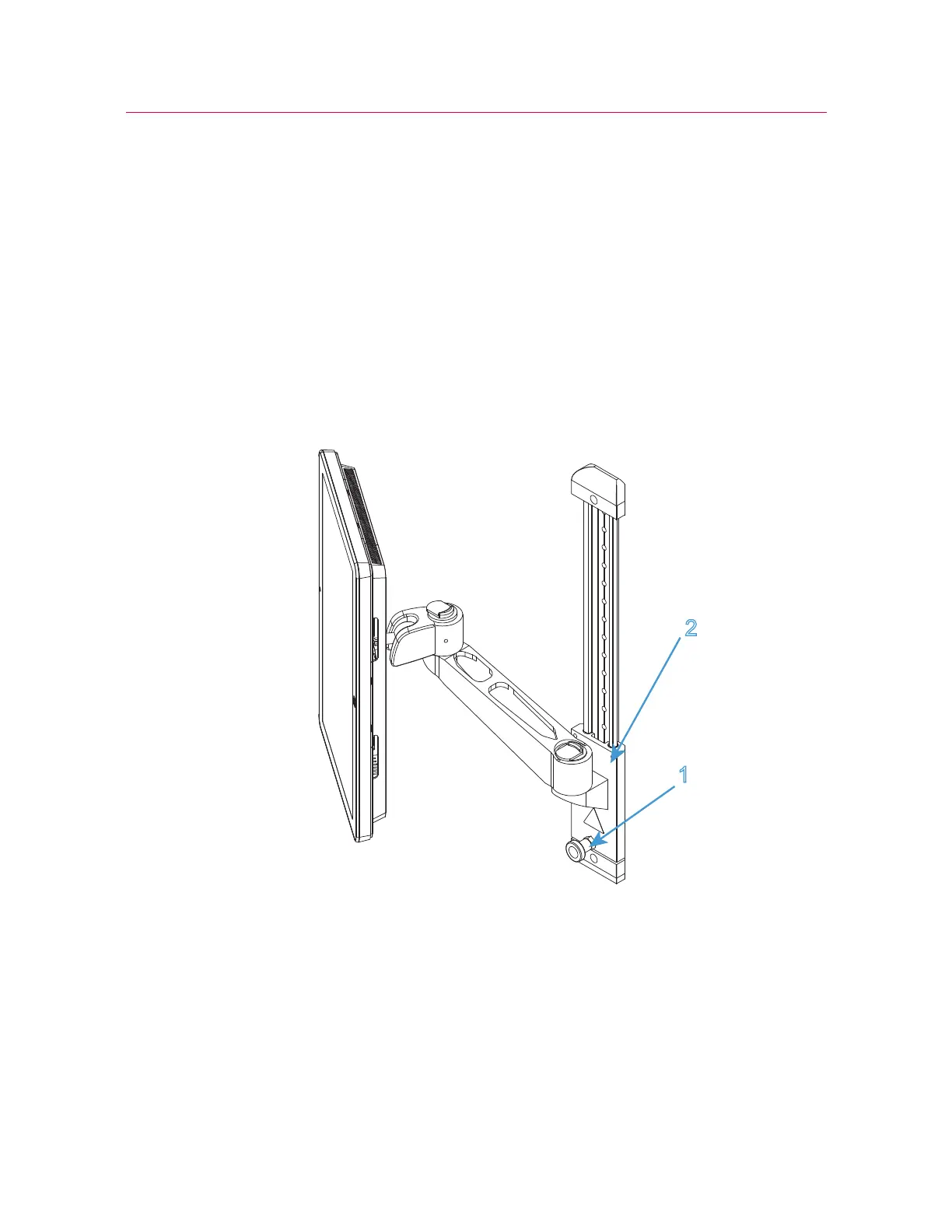
1. You can adjust the height of the Bluehill
®
Operator Dashboard for the comfort of
different operators. Loosen the lock (1 in Figure 11 on page 49) and slide the arm
mounting (2 in Figure 11 on page 49) to the desired height. Re-tighten the lock.
Figure 11. Height adjustment
2. Connect the Ethernet connector on the rear of the Bluehill
®
Operator Dashboard to
the Ethernet connector on the rear panel of the testing machine.
3. Connect the mains power cable to the electrical power supply.



 To Next Page