Chapter: Installation
50 M10-17547-EN
Disconnection and moving
If you need to move the testing system you must disconnect and remove the Bluehill
®
Operator Dashboard as follows:
1. Ensure that the power switch is set to Off and the mains power cable is disconnected.
2. Disconnect all cables that connect to or from the Bluehill
®
Operator Dashboard.
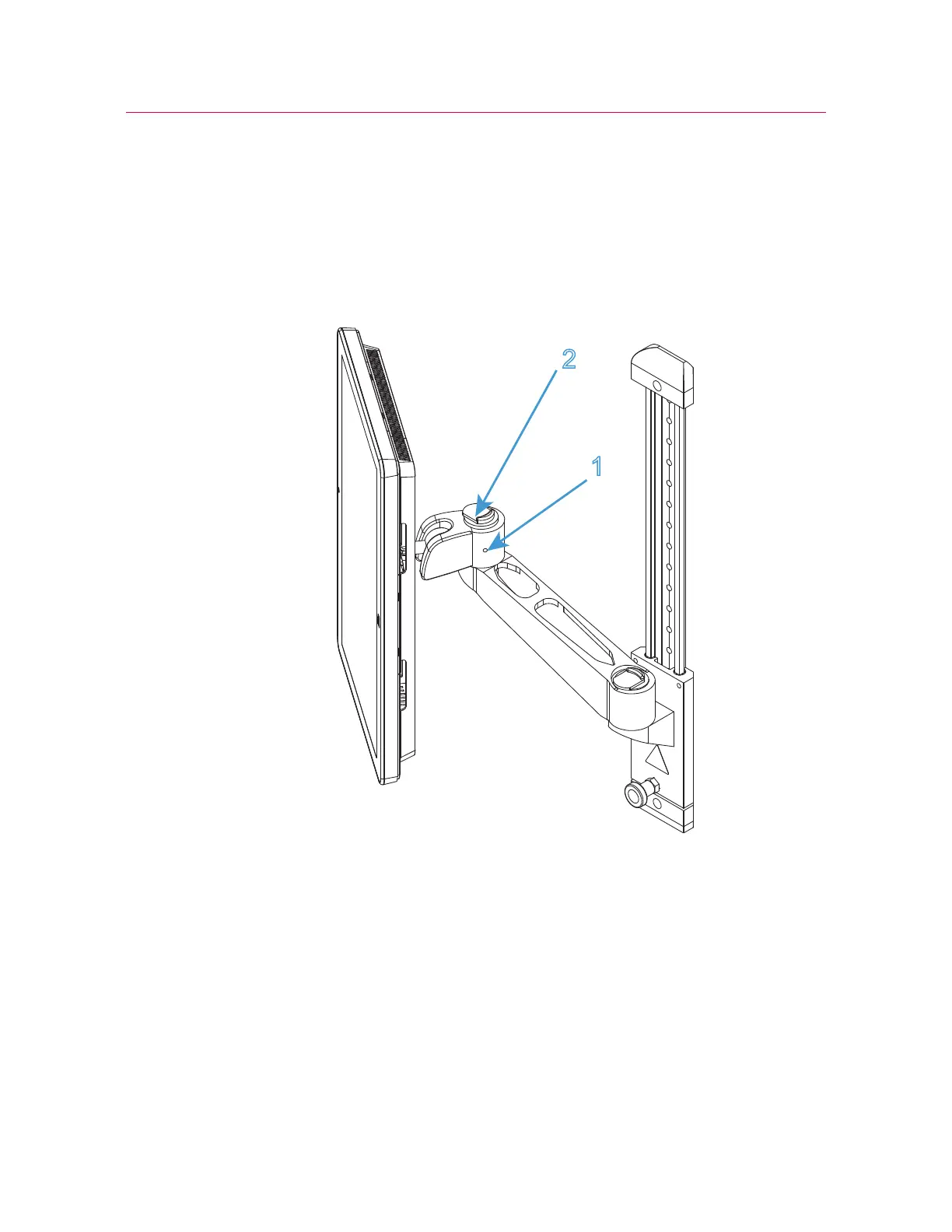
Figure 12. Mounting arm
3. If necessary, loosen the set screw on the side of the “elbow” on the mounting arm (1
in Figure 12 on page 50).
4. Operate the release mechanism on top of the “elbow” (2 in Figure 12 on page 50)
and lift the Bluehill
®
Operator Dashboard clear of the mounting arm (Figure 13 on
page 51).



 To Next Page