37
Patch Examples
Basic Granular Processing:
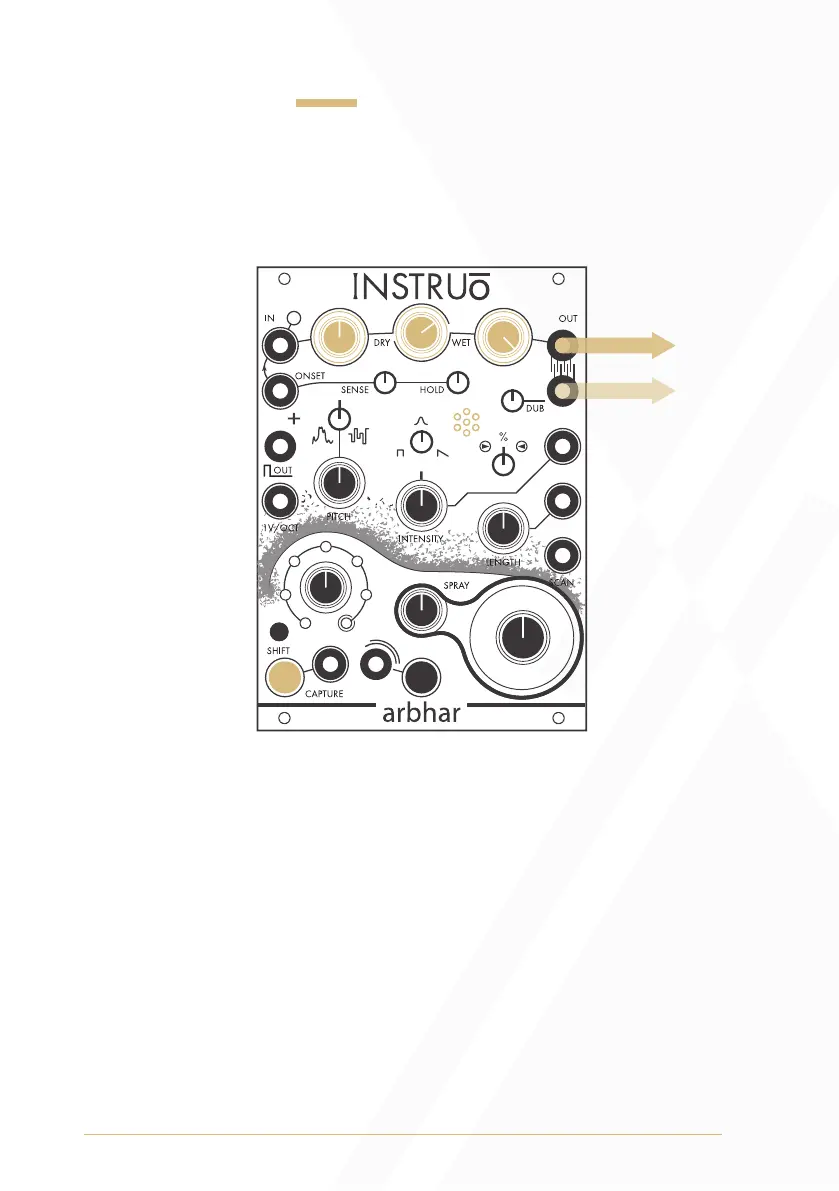
Summary: Audio is captured, granulated, and then monitored.
Audio Path:
• Connect any audio signal to the Input.
• Set the Input Level to a desired position and set the Output Level
fully clockwise.
• Set the Dry/Wet Mix knob to a desired position. If the Dry/Wet
Mix knob is fully clockwise (fully wet), then audio will not be heard
until audio has been captured.
• Monitor Output 1 for mono playback. Monitor Output 1 and
Output 2 panned hard left and hard right for stereo playback.
• Set the Layer knob to the desired target layer.
Output 1
Output 2*


 To Next Page