9
Dry/Wet Mix: The Dry/Wet Mix parameter will equal power
crossfade between the dry signal and the granular engine.
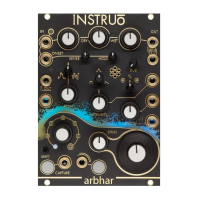
Output Level: The Output Level knob sets the level of the signal present
at the Outputs.
Outputs: By default, grains are randomly distributed between the two
Outputs using coin toss logic.
• Output 2 is normalised to Output 1. For mono playback, monitor
from Output 1
• Connecting Output 2 enables stereo imaging and independent
effect processing for each output (See Hardware Configuration for
more information).
Capture Button: The Capture Button activates recording of the signal
present at the Input.
• Each capture activation will start recording from the start of
the layer.
• Once the recording has started, the button will illuminate amber and
recording will continue until the layer is filled, even if the currently
selected layer is being changed.
• The recording will automatically stop once the layer is filled. This is
indicated by an unilluminated Capture Button.
• Pressing the Capture Button while capture is activated will
stop recording.
• arbhar automatically saves recordings and will retain recordings
between power cycles (See the Save & Load section for
more information).
Capture Gate Input: Recording and overdubbing is activated for as
long as a gate signal at the Capture Gate Input is held high.


 To Next Page