52
Listening to the Radio
For AM tuning to work properly, you must specify the
AM frequency step used in your area. Note that when
this setting is changed, all radio presets are deleted.
Note:
• This procedure can also be performed on the AV
receiver by using its [Setup], [Enter], and arrow but-
tons.
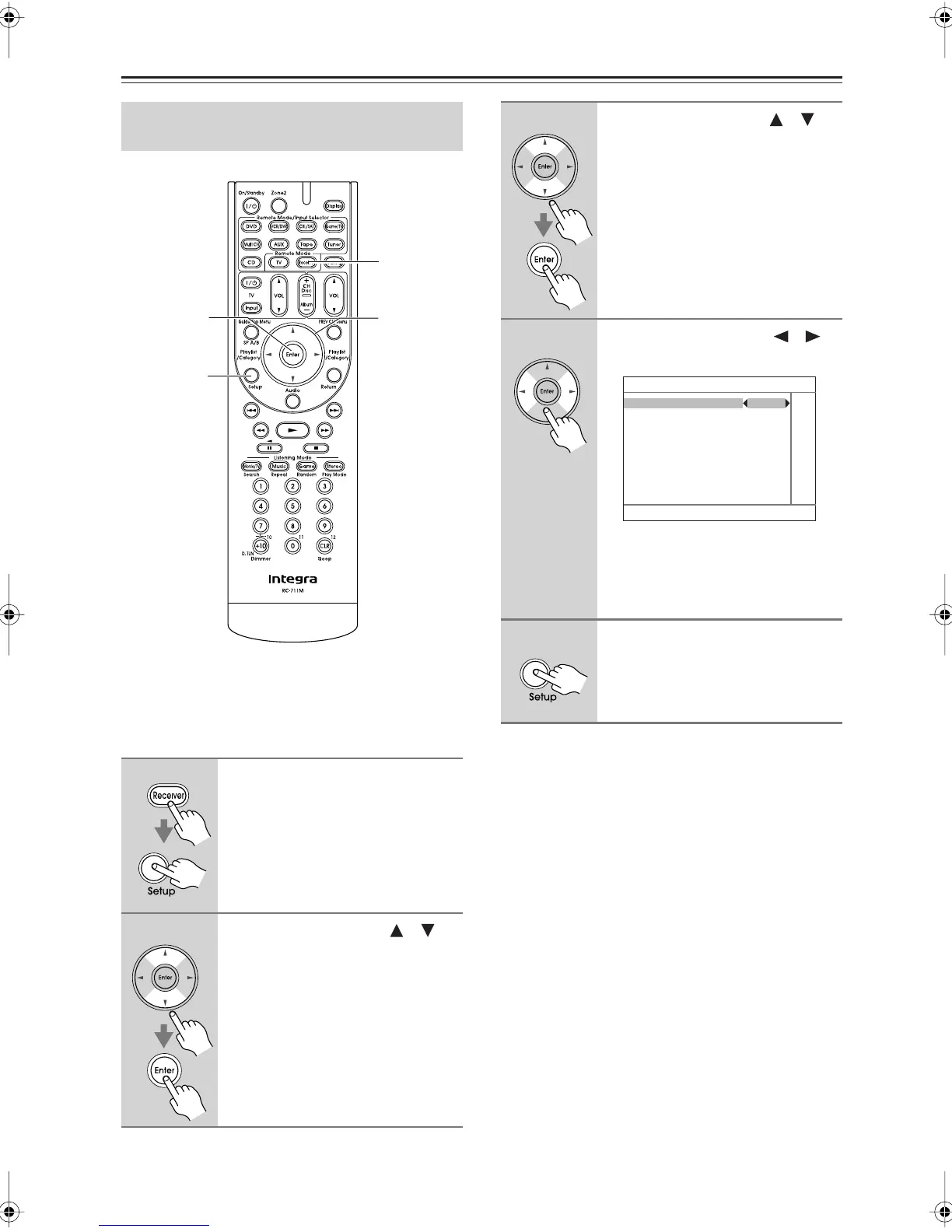
AM Frequency Step Setup
(on some models)
1
Press the [Receiver] button, fol-
lowed by the [Setup] button.
The main menu appears onscreen.
If the main menu doesn’t appear, make
sure the appropriate external input is
selected on your TV.
2
Use the Up and Down [ ]/[ ]
buttons to select “7. Hardware-
Setup,” and then press [Enter].
2, 3
2–4
1
1, 5
3
Use the Up and Down [ ]/[ ]
buttons to select “7-3. Tuner,”
and then press [Enter].
4
Use the Left and Right [ ]/[ ]
buttons to select:
10kHz:
Select if 10kHz steps are used
in your area.
9kHz:
Select if 9kHz steps are used
in your area.
5
Press the [Setup] button.
Setup closes.
7–3. Tuner
AM Freqency Setup 9kHz
DTR-5.9En.book Page 52 Tuesday, April 15, 2008 9:53 AM



 To Next Page