96
Zone 2
—Continued
This section explains how to turn Zone 2 on and off, how
to select an input source for Zone 2, and how to adjust
the volume for Zone 2.
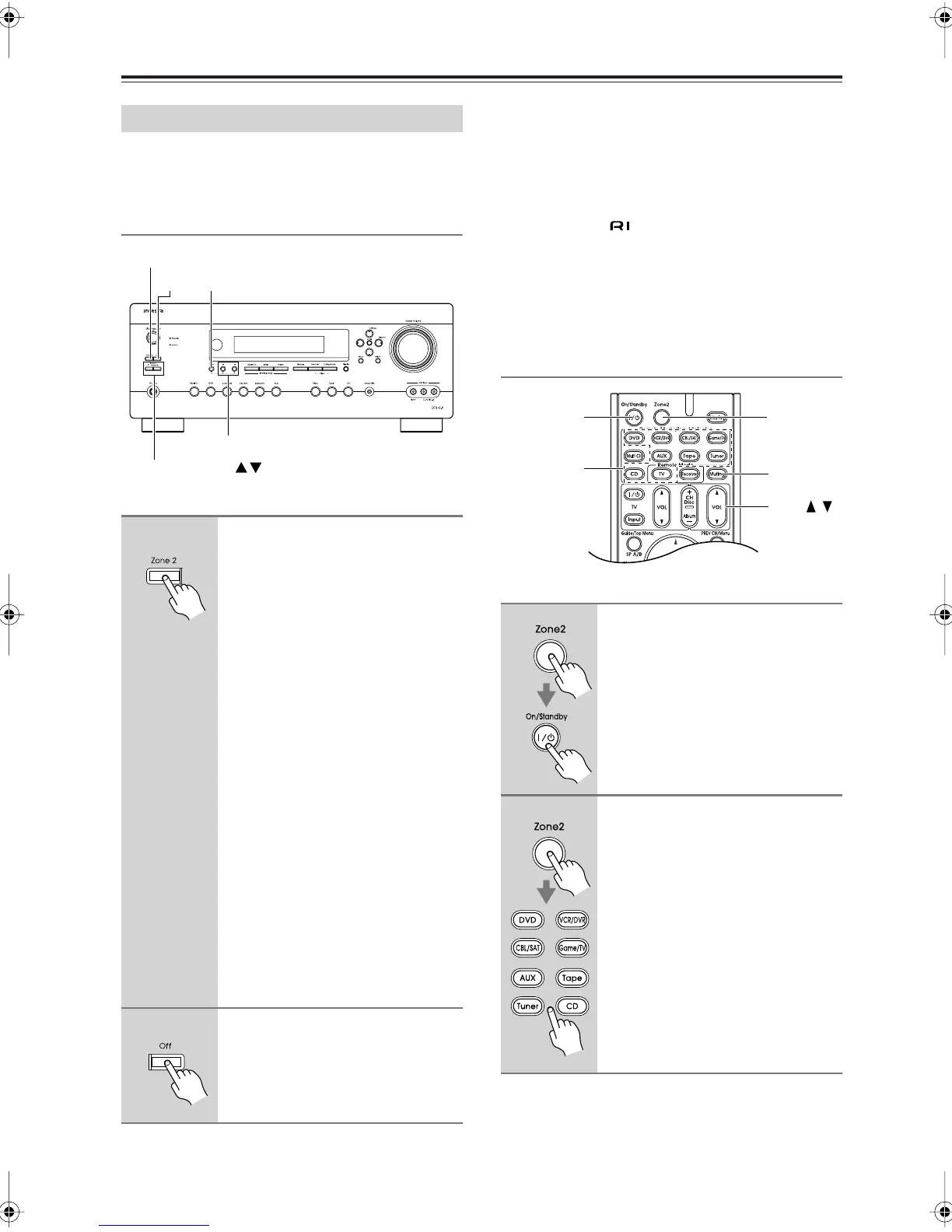
Controlling Zone 2 from the AV receiver
Notes:
• Only analog input sources are output by Zone 2. Dig-
ital input sources are not output. If no sound is heard
when an input source is selected, check to make sure
it’s connected to an analog input.
• While Zone 2 is on, the Auto Power On/Standby and
Direct Change functions do not work.
• While Powered Zone 2 is being used, listening modes
that require surround back speakers (6.1/7.1), such as
Dolby Digital EX and DTS-ES are unavailable.
Controlling Zone 2 with the Remote
Controller
Using Zone 2
1
To turn on Zone 2 and select an
input source, press the [Zone 2]
button repeatedly.
Alternatively, press the [Zone 2]
button followed by an input
selector button within 8 seconds.
Zone 2 turns on and ZONE 2 indicator
lights up.
To select the same source as that of the
main room, press the [Zone 2] button
repeatedly until “Z2 Sel: Source”
appears.
To select AM or FM press the [Tuner]
Input Selector button repeatedly. On the
North American model, you can also
select SIRIUS.
Note:
•You cannot select different AM or
FM radio stations for your main
room, Zone 2. The same AM/FM
radio station will be heard in each
room.
2
To turn off Zone 2, press the
Zone 2 [Off] button.
Zone 2
Zone 2 Level
+, –
ToneOff
1
Press the [Zone 2] button, then
point the remote controller at the
AV receiver and press the
[On/Standby] button.
Zone 2 turns on and ZONE 2 indicator
lights up.
2
To select an input source for
Zone 2, press the [Zone 2] button,
followed by an Input Selector but-
ton.
To select AM or FM press the [Tuner]
Input Selector button repeatedly. On
the North American model, you can
also select SIRIUS.
Note:
•You cannot select different AM or FM
radio stations for your main room,
Zone 2. The same AM/FM radio sta-
tion will be heard in each room.
Zone2
On/Standby
Input
Selector
Muting
VOL /
DTR-5.9En.book Page 96 Tuesday, April 15, 2008 9:53 AM



 To Next Page