Eclipse Additional Information Page 61
3.8.2 Printer Setup
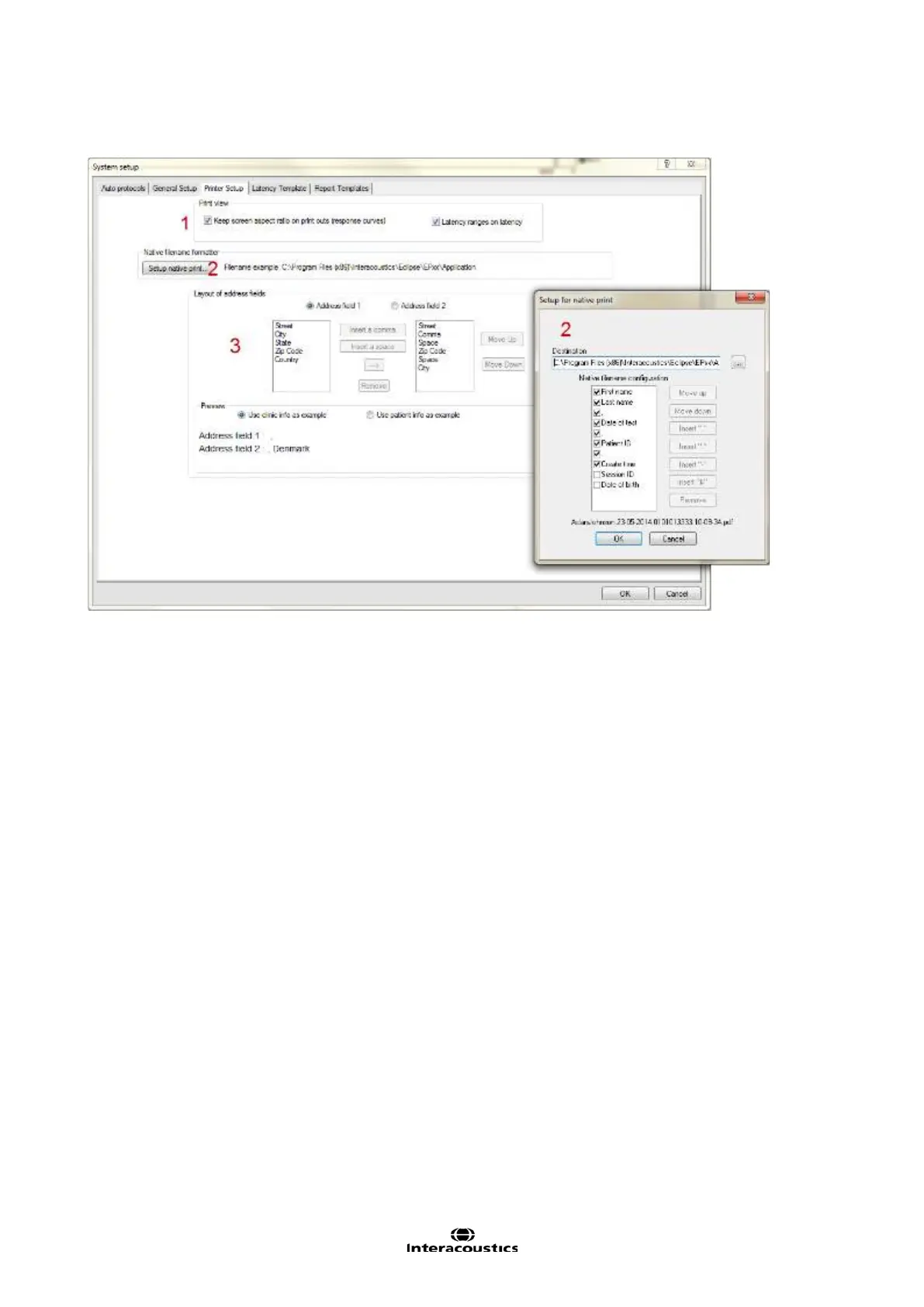
1. Print view lets you modify the view of the curves (aspect ratio) and latencies on the printout.
2. Native filename formatter By clicking on the Setup native print it is possible to change the destination
of the saved PDF-files. From the dialog it is also possible to modify the view of the patient information sepa-
ration symbols in the naming of the patient file. The example is shown in the lower part of the dialog based
on the seleced options.
3. Layout of Address fields lets you modify the information provided in the Address field shown in the top
of the printout.
3.8.3 Print Wizard
When entering the Print Wizard the following window appears. The parts shown in the wizard depends on
the design of the Print Wizard for that particular protocol. The template for each protocol can be modified
from System Setup | Auto Protocols | Print Wizard. When making changes from here the changes are
permanent. Temporary changes can be made from the file menu and from the Temporary Protocol Setup.
The Print Wizard contains of the following menu items:
File | Save automatically saves the Print Wizard template for the current session. Note Save does not save
the file as a PDF, but only safes the print wizard template. To save the file as a PDF select Print patient
data to PDF from the file menu in the main module.
File | Exit closes the Print Wizard window.














 To Next Page