Eclipse Additional Information Page 141
6.5.2 General Setup
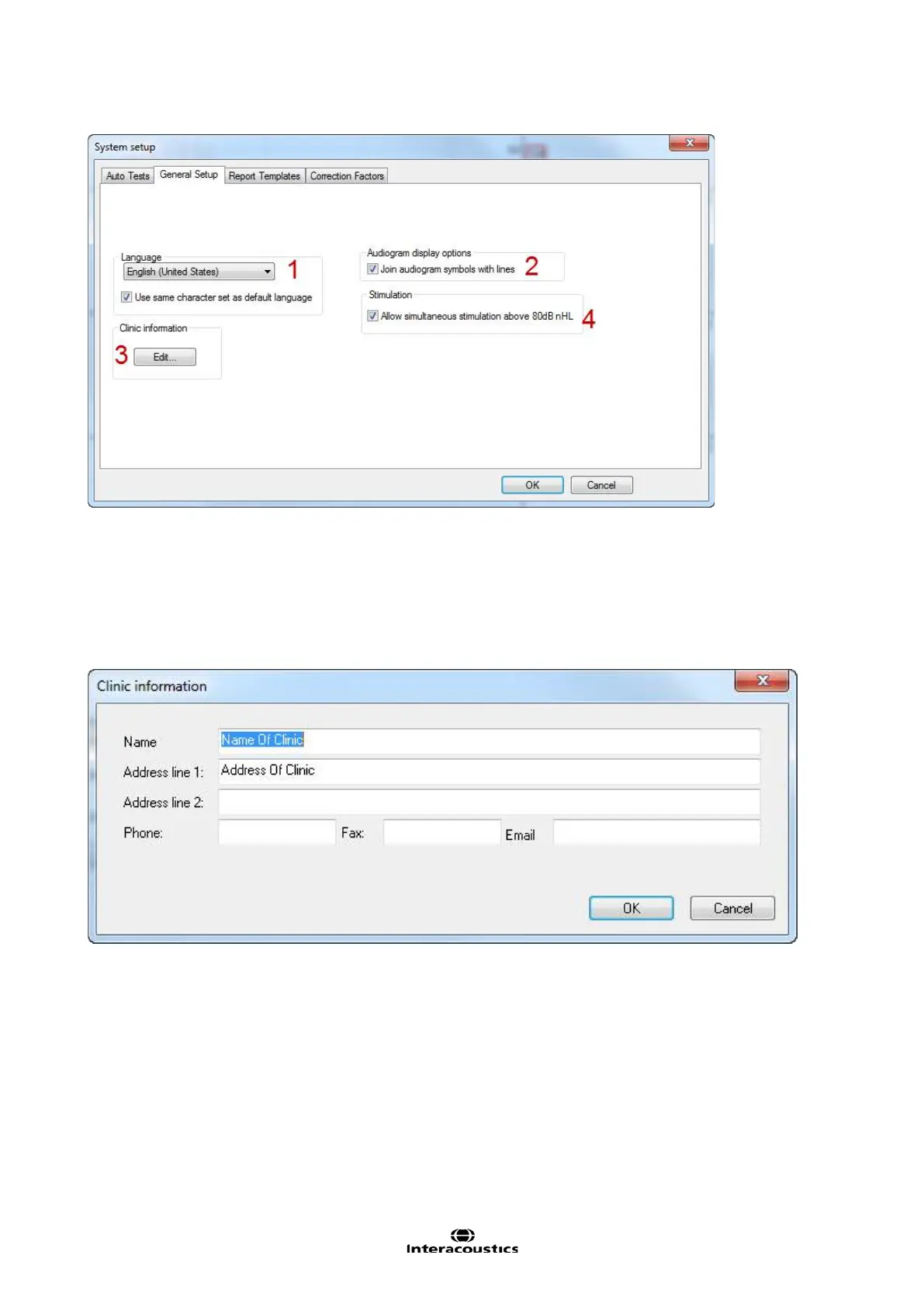
1. From Language it is possible to change the language settings. The same characters as used in Windows
are used.
2. Join audiogram symbols with lines. If selected the adjacent audiogram points will be connected with a
solid line in the Estimated Audiogram Screen and on printouts.
3. Allow simultaneous stimulation above 80dB nHL will allow levels above 80dB nHL to be presented.
4. The Clinic information entered in this area will be shown on the printout.














 To Next Page