D-0134090-A – 2022/11
VisualEyes™ - Instructions for Use - EN Page 19
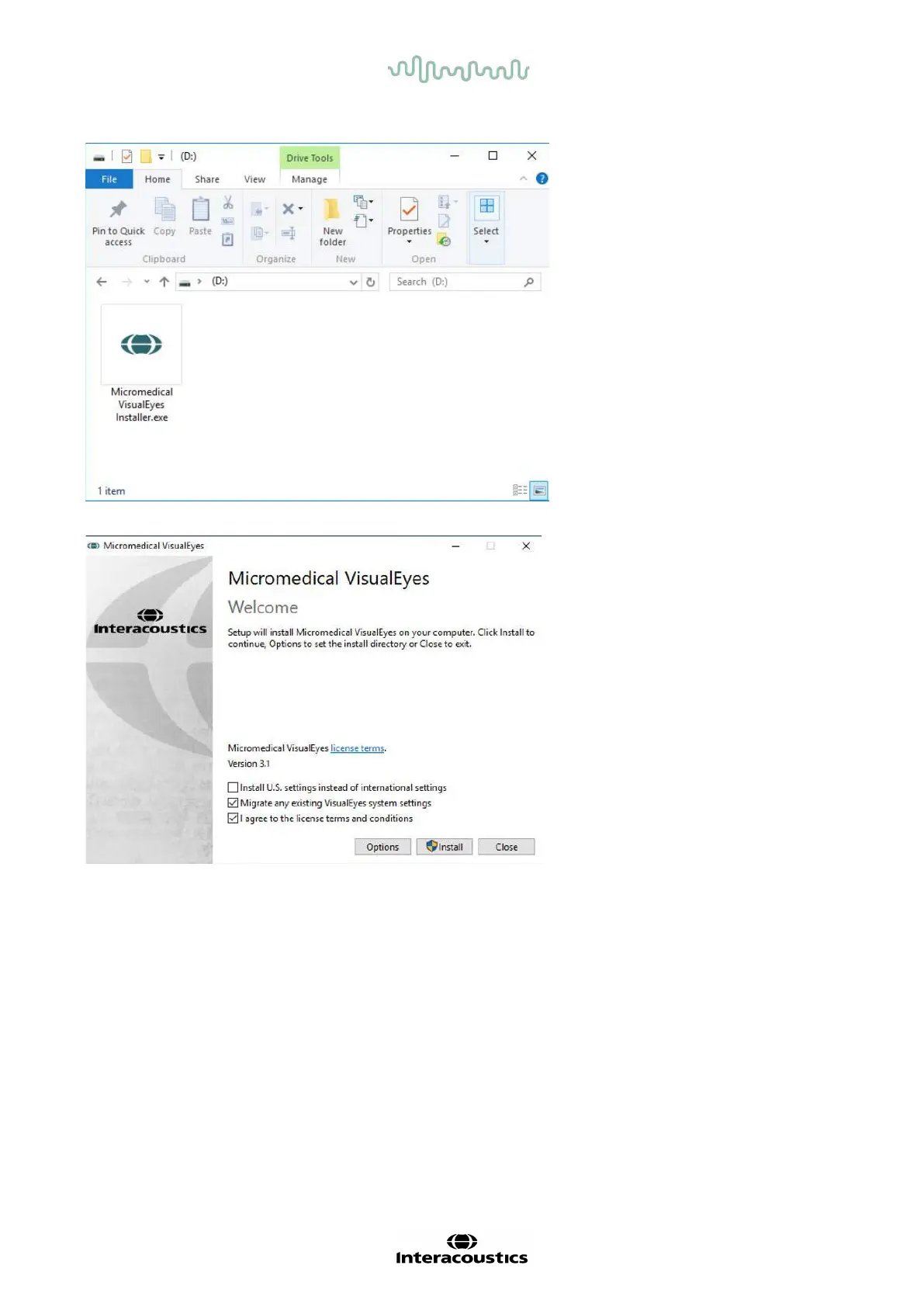
Click the Micromedical VisualEyes™
Installer to initiate the installation.
The VisualEyes™ Setup Wizard pops
up.
Check the box to accept the “license
terms and conditions”.
If a previous version of VisualEyes™
has been installed on the computer,
checking “Migrate any existing
VisualEyes system settings” will
transfer any existing system settings
during the installation. This includes
protocols, stimuli settings, rotational
chair settings, threshold levels and
more.
Checking “Install U.S. settings instead
of international settings” will set up the
software with local settings specified for
U.S.















 To Next Page