D-0134090-A – 2022/11
VisualEyes™ - Instructions for Use - EN Page 93
Go to previous frame (hold to play backwards in slow motion).
Play/pause.
Go to next frame (hold to play forwards in slow motion).
Go back 10 secs in video playback.
3.10.1 Editing tools
For most test types, editing tools are available from the Test Review screen. The tools available are highly
dependent on the test type. For a detailed description of editing tools for specific tests, refer to Additional
information.
Review previous sessions
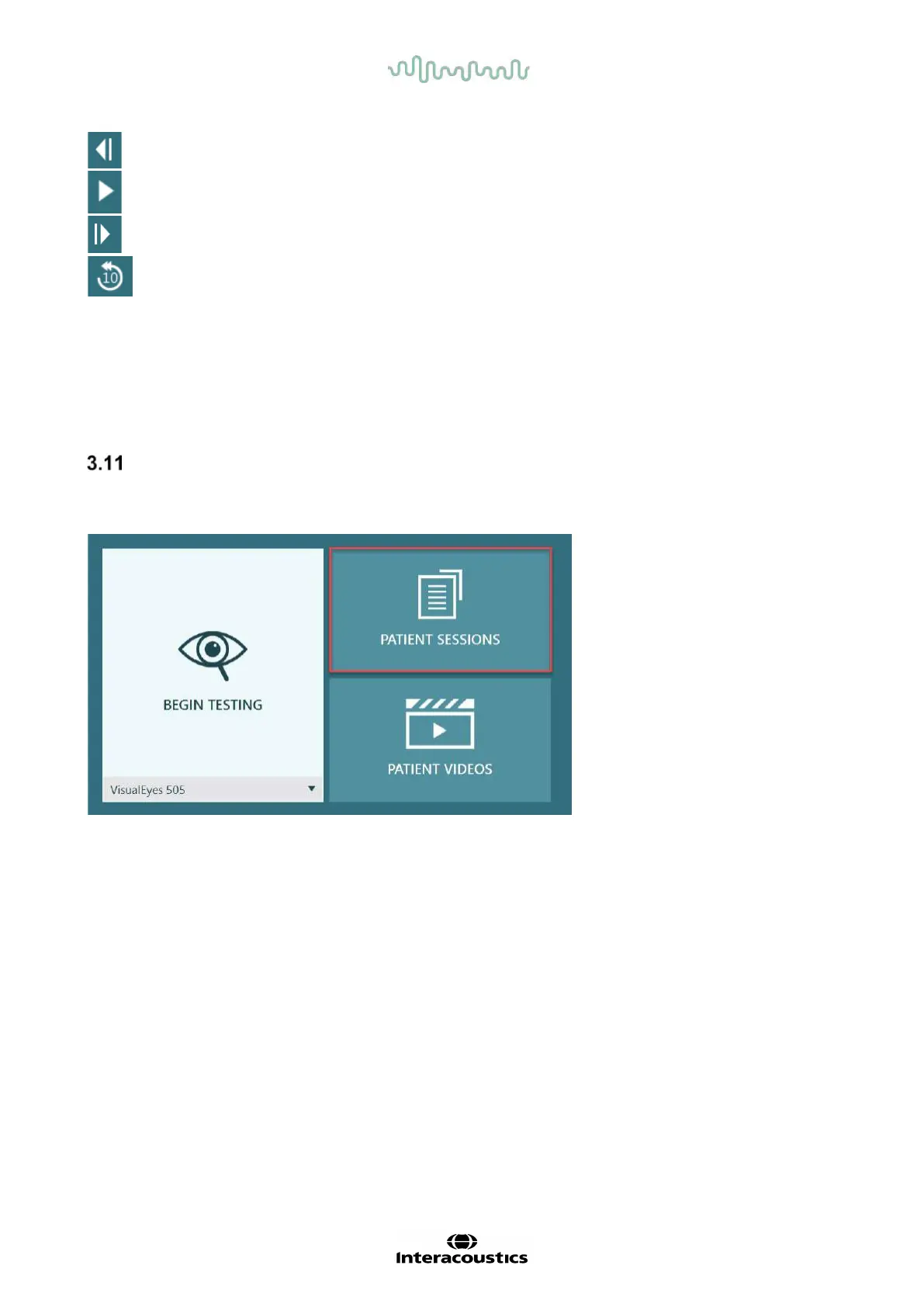
The VisualEyes™ system easily allows for reviews of current and/or previous sessions for the selected
patient. After selecting the desired patient profile, the operator can select the Patient Sessions button from
the VisualEyes™ main screen. This helps to review previous test sessions for the selected patient.
Figure 3.11-1: Patient Sessions button
The Patient Sessions screen (
Figure 3.11-2) displays a list of all previous test sessions in the side panel menu.
Selection of a specific session date will display all the tests performed on that date and an indication of
whether the test results were completed (green checkmark). When completed and the test is outside of
threshold, it will be marked with a red diamond.















 To Next Page