D-0134090-A – 2022/11
VisualEyes™ - Instructions for Use - EN Page 53
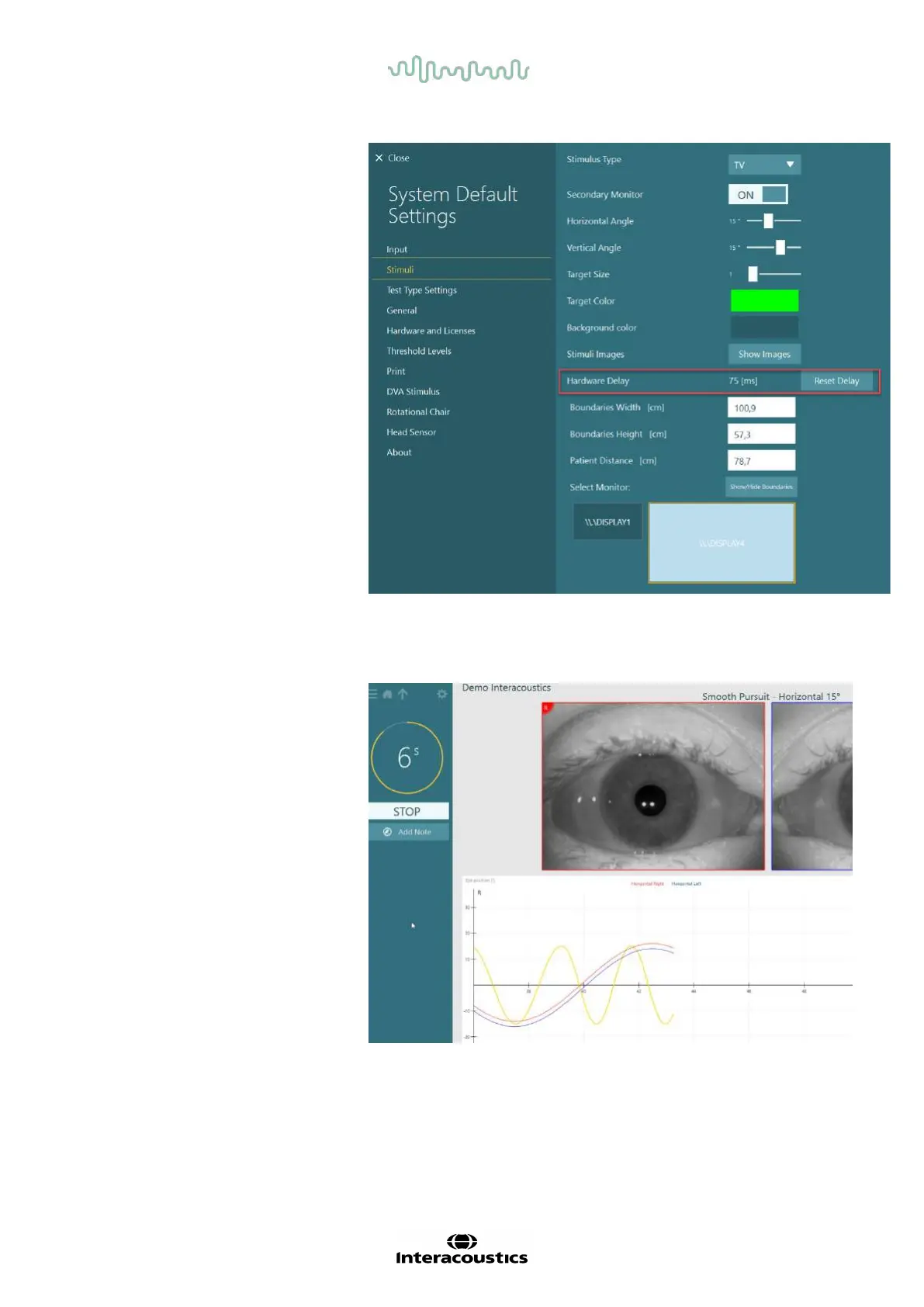
The value currently set for the
hardware delay can be found
under System Default Settings
> Stimuli.
Clicking “Reset Delay”, will set
the hardware delay to 0 ms.
To adjust the hardware delay for the connected monitor for visual stimuli, the below instructions should be
followed:
1. Perform a “Smooth Pursuit”
test on a person known to
have a normal response.















 To Next Page