CW250, Users
Rev M, April 2018
Page 16 of 31
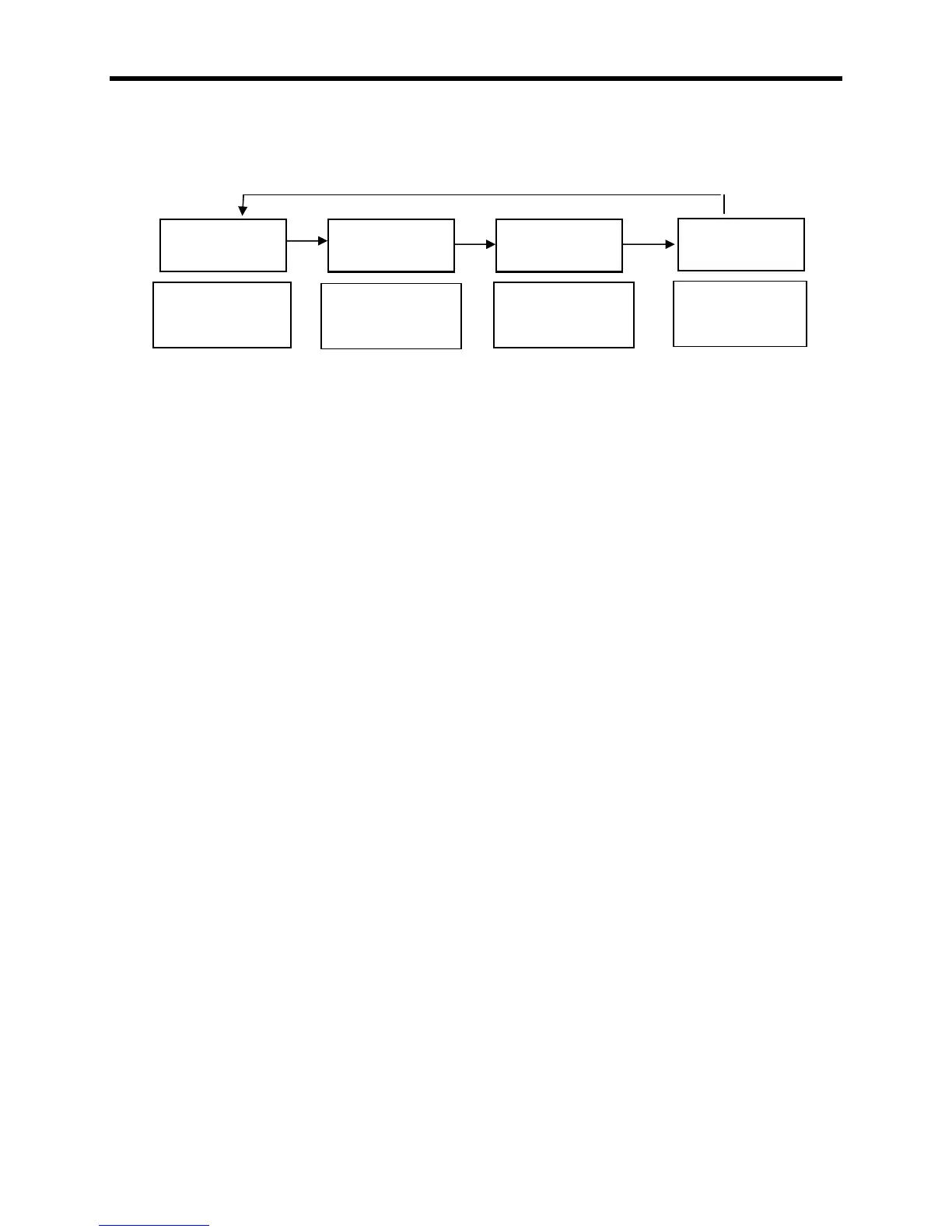
When a successful accumulation has occurred, press the LOCAL/TOTAL button to
toggle the display through the current local weight, current total weight, accumulated
total, and the number of accumulations that comprise the total weight.
ACCUMULATE NOTE: The scale will not accumulate when the weight is negative, zero,
or if the weight is in motion. The protections are added to ensure only valid readings are
accumulated into the total. An error message "." will be displayed when any of the
three conditions are present. At the completion of a successful accumulation, the scale
must be returned to zero before the next weight accumulation can be initiated. If an
attempt is made to accumulate the next weight before allowing the scale to return to
zero, the error message "." will be displayed.
The accumulated total weight can be viewed only on the designated scale. Press the
PRINT/ACCUMULATE button and the display will show the message ". X" as the
system accumulates the next reading and sends it to print ("X" denotes the number of
accumulations for the session). When a successful accumulation has occurred, press
the LOCAL/TOTAL button to cycle the display to show the number of accumulations,
current local weight, current total weight on all scales, and the accumulated total.
When the local weight, current total weight, or accumulated total is displayed, the
TOTAL icon will be lit up, flashing or turned off.
When the scale is set to the "Accumulating Print Standard" mode, the scale can in
accumulate in either local or total weight, but not when viewing the accumulated total.
To clear the accumulated total weight, press and hold the ZERO button until the display
shows the message ".".
Accumulating Procedure
1. When the system is setup and operating correctly, select the scale to be used to
accumulate the weights. Any scale can be designated, but once selected, the scale
must be used to accumulate all weights until the weighing is complete. The scale
should be set to the desired accumulate mode of 2 or 3 (Refer to the "Serial Output
Setup" section for additional information). If using a printer, the scale directly
connected to the printer should be designated as the scale to be used for
accumulation.
Current local
weight on this
scale
Current total
weight on all
scales
Total number of
accumulations
this session
Total weight of
accumulations
this session



 To Next Page