CK71 Service Work Instructions
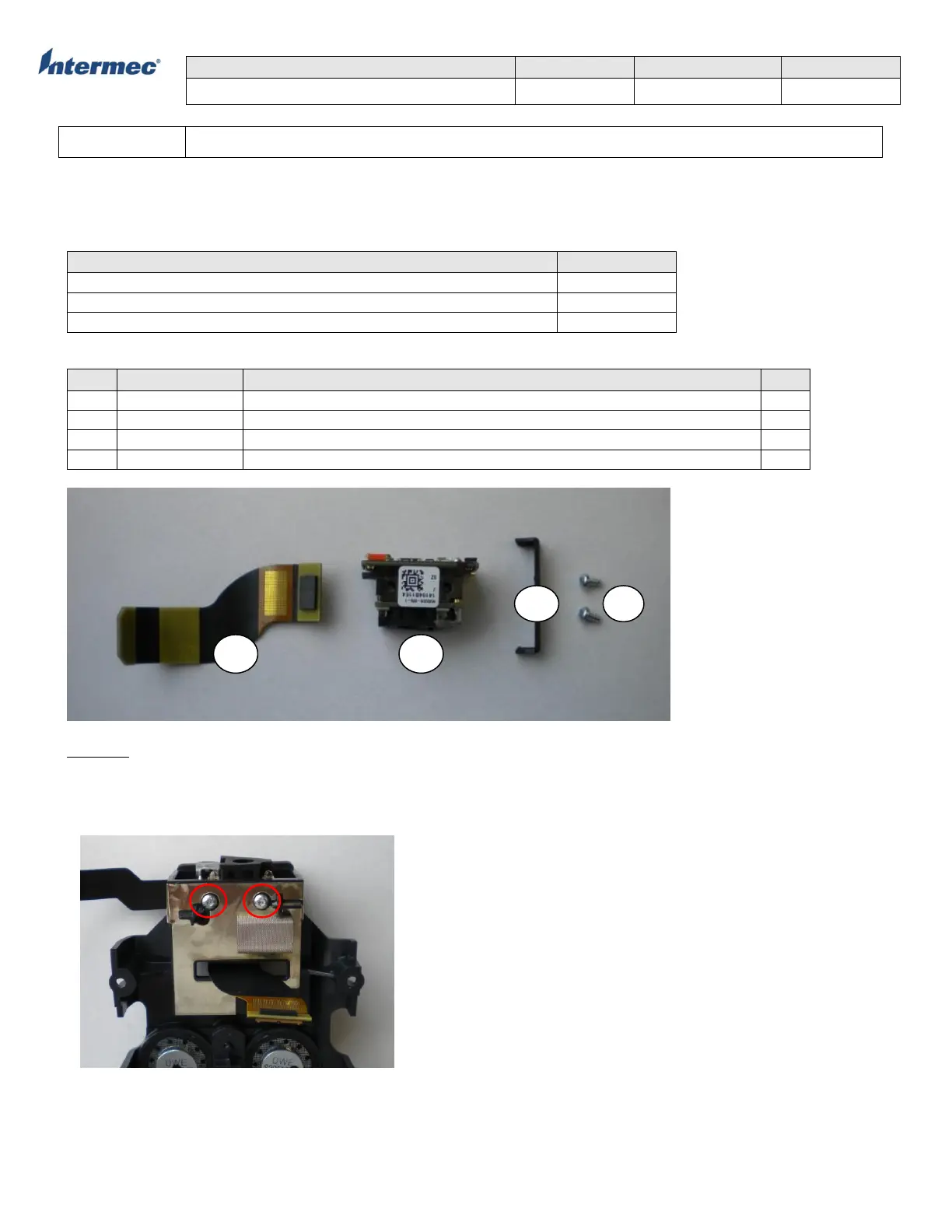
The N5603 scan engine is located on the scan bracket assembly. To service the scan engine you will need to remove
the scan bracket assembly.
Tools Required
Phillips screwdriver with #0 tip
Parts Required
N5603ER, LASER AIMER, W/O EARS, BW, RED
FLEX ASSY, CK71, 5603 SCANNER
SCREW,M2.26x4mmPLASTITE,TORX PH,STL,RoHS
Removal
1. Remove the bottom housing assembly (refer to bottom housing operation).
2. Remove the scan bracket assembly (refer to Scan Bracket Assembly operation).
3. Using a #0 Phillips screwdriver remove two screws the secure the scan engine to the scan bracket assembly.
4. Slide the engine out of the bracket.



 To Next Page