SECTION 11—REGULATOR
Part No 1148070 49 Perfecto
2
™
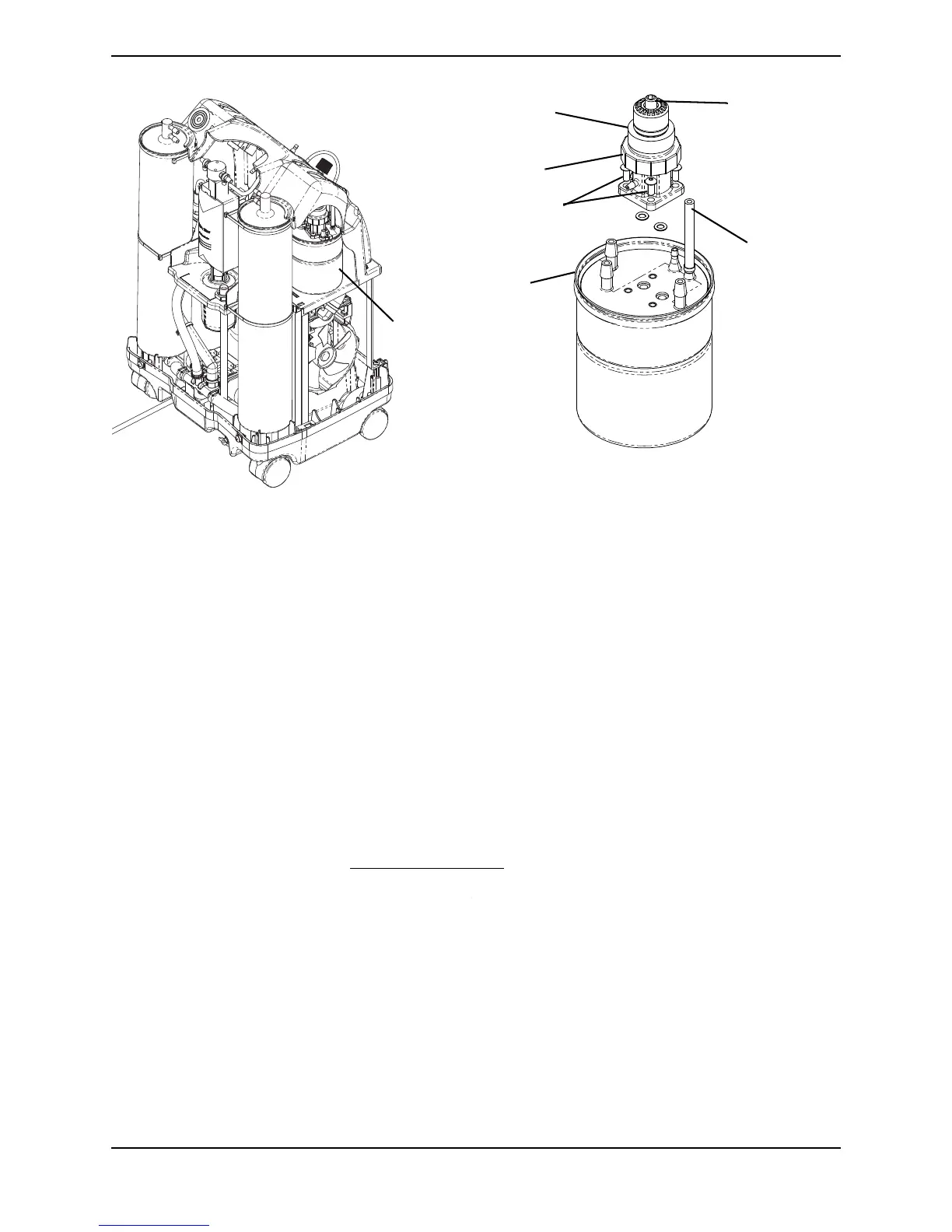
FIGURE 11.1 Replacing Regulator
Adjusting Regulator
NOTE:Forthisprocedure,refertoFIGURE 11.1onpage 49.
1. Turnuniton( ).
2. Installpressuregaugeontooxygenoutlet.
NOTE:Usea0‐30p.s.i.pressuregauge.
NOTE:CheckO
2
pressureatoxygenoutlet.Itshouldreadasteadyfivep.s.i.±0.5p.s.i.Ifpressure
isnotinspecification,proceedtoSTEP3.Ifpressurefallswithinspecification,noadjustmentis
needed.
3. Unplugunit.
4. Removecabinet.RefertoRemovingCabinet
onpage 23.
5. Plugunitinandturnpowerswitchon( ).
6. Usingtheaccessholelocatedonthecontrolpanel,locatethepressureadjustment
screwincenterofpressureregulatortop.
7. Inserta5/32‐inchAllenwrenchintothepressureadjustmentscrew.
8. Whilereadingpressuregauge,dooneofthefollowing:
•Turnpressureadjustmentscreworadjustmentknob,clockwisetoincreaseoutput
pressure;or
•Turnpressureadjustmentscreworadjustmentknob,counterclockwisetodecrease
outputpressure.
Location of
Product Tank
Pressure
Sensor Tubing
Pressure
Adjustment Screw
(5/32-inch Allen
Wrench)
Pressure Regulator
(Top)
Pressure
Regulator
Product
Tank
Mounting
Screws
NOTE:Foradjustingtheregulatorthereisno
needtoremovethecontrolpanel.










 To Next Page