nano3G AP Installation Manual Troubleshooting
N3G_INST_300 v8.1 for N3G_2.0.5 © ip.access Limited 2011 Page 70
8.4.2 nano3G E8 AP Factory Reset
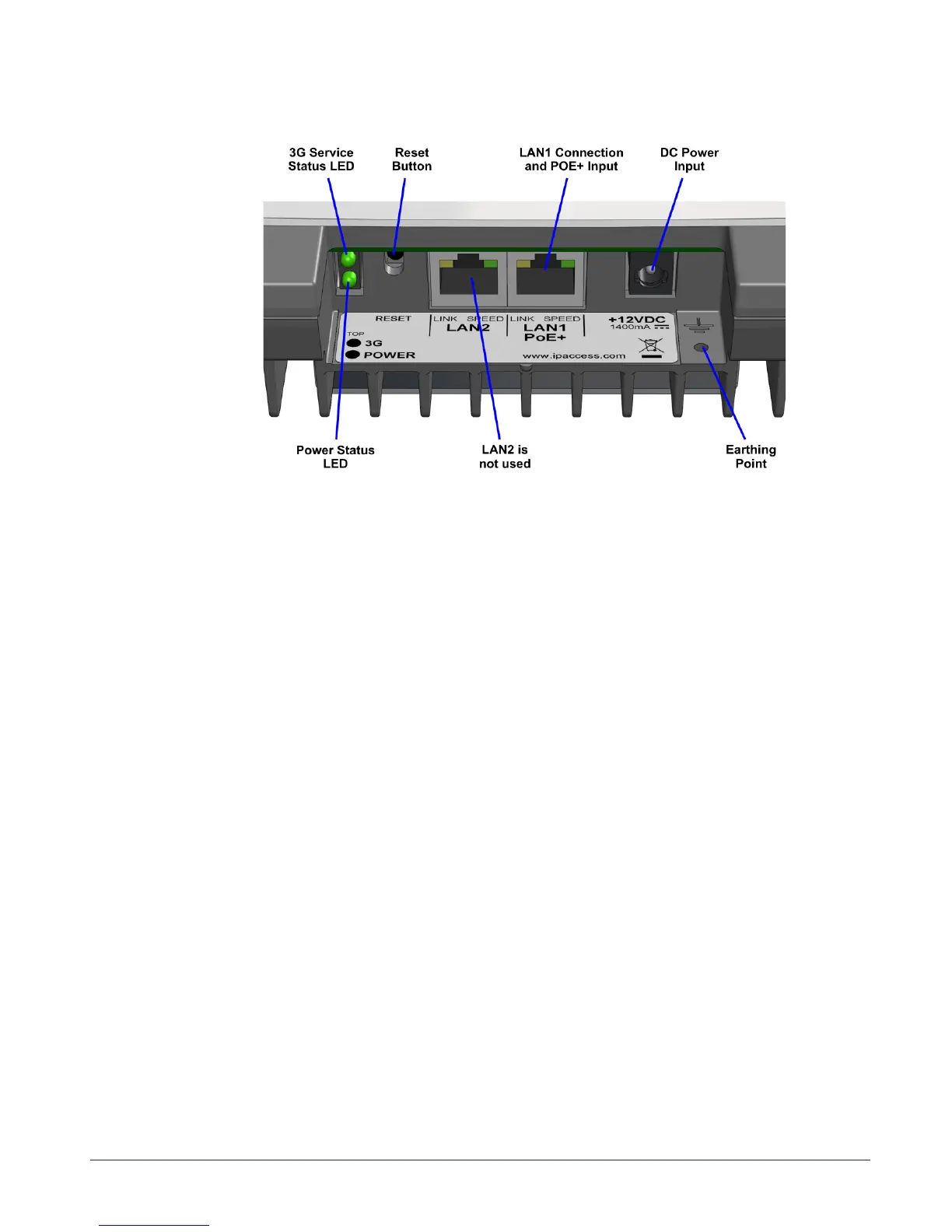
To perform a factory reset, press and hold the reset button for more than 5 seconds.
The 3G LED will blink fast (50ms on, 50ms off) for 5 seconds, then it will start to blink slowly
(200ms on, 200ms off). When the factory restore process has completed, the LED will
extinguish and the AP will automatically reboot, take the fixed IP address and enable the
web interface for commissioning. See section 5 for the commissioning procedure.



 To Next Page