101YLS-K
In this tab (see figure above), you can select and download the created
log files. The log files are saved in the laser memory. In event of a fault,
you can download the corresponding files to your computer and send
them to the competent IPG service department.
To download the files, proceed as described in the section Downloading
the log files via LaserNet [}131].
8.8.7 Power supply tab
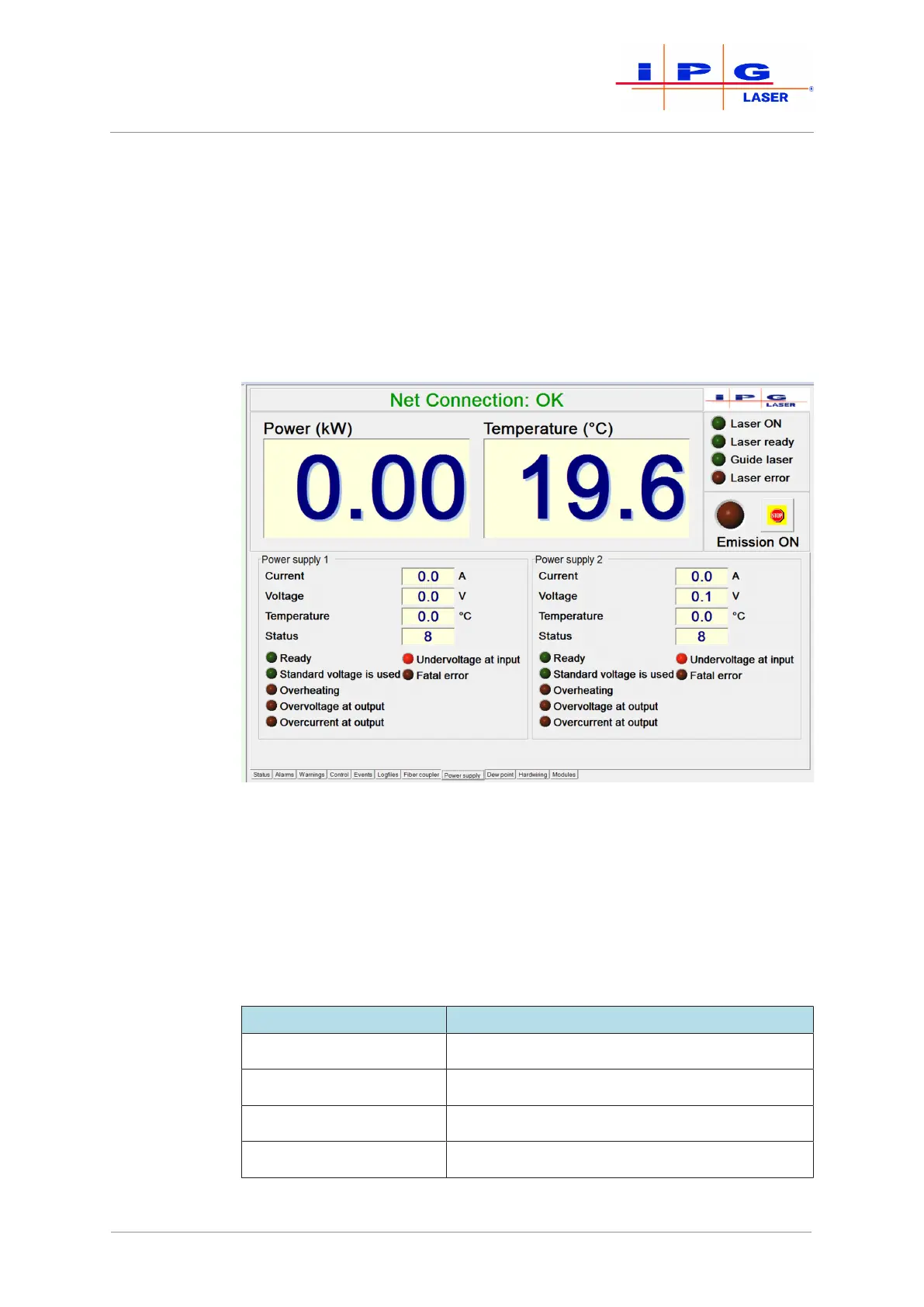
Figure60: Power supply tab
On this tab (see previous figure), the actual values as well as status mes-
sages and alarms of the installed laser power supplies are displayed. A
detailed description of the individual status messages and alarms as
well as instructions for eliminating the faults can be found in the appen-
dix under Messages of the Power Supply tab.
The displayed actual values are described in the table below.
Actual values Description
Current Output current of the power supply
Voltage Output voltage of the power supply
Temperature Temperature of the power supply
Status Status of the power supply (internal code IPG)
Table15: Power supply tab description
| LaserNet software



 To Next Page