38
´
(( ((*((
ProG ((
(( ((*((
(( ((*((
(( ((*((
(( ((*((
(( ((*((
P(( End
Starting a program
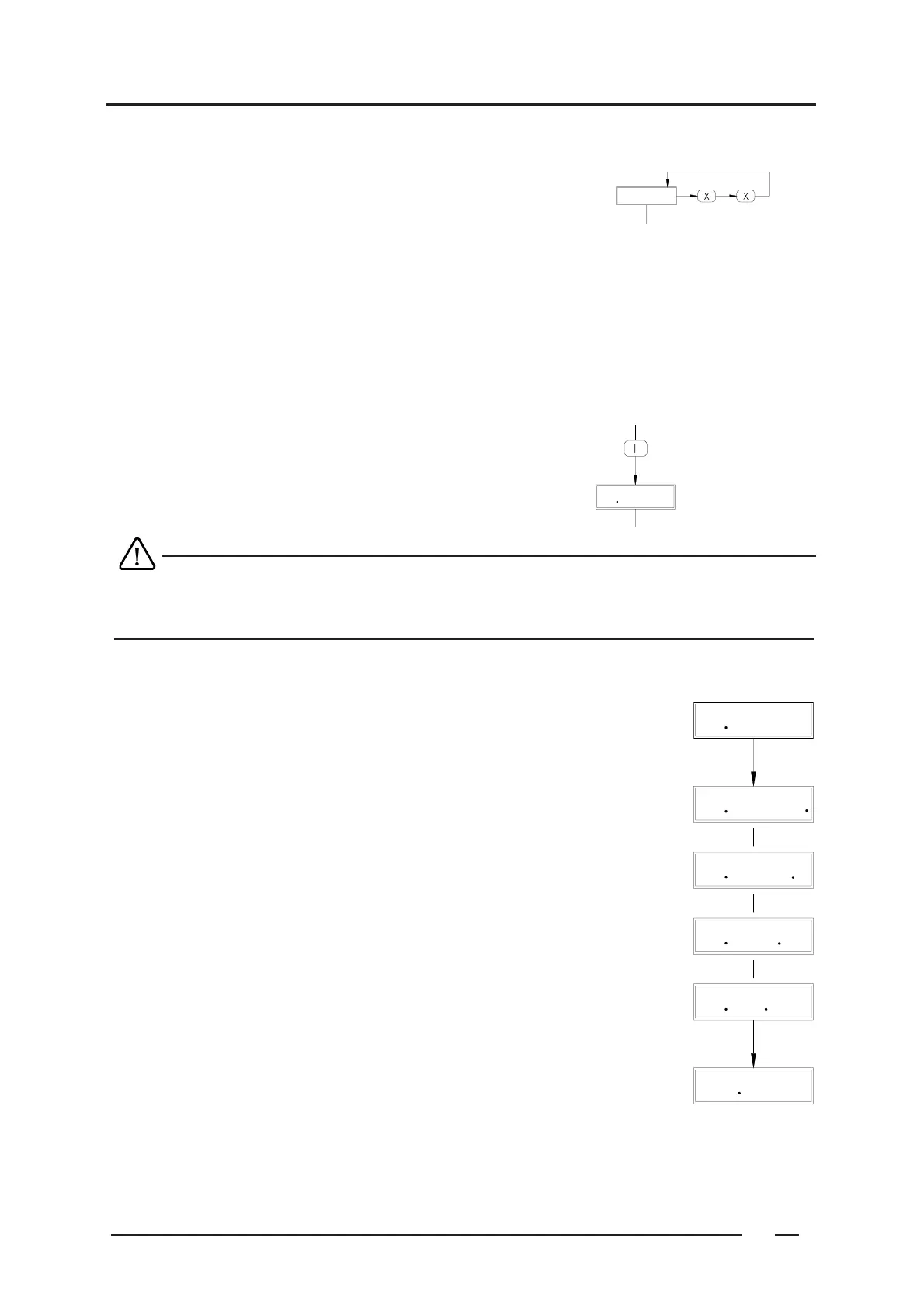
Press " I ".
The program is now started.
" XX. XX' XX " appears on the display ( f. ex. " 01.41’15 " ).
01 = program part number
41' 15 = total resting programming time
When the door hasn’t been shut properly, the message " door. oPEN "
When a program number has been selected, which isn’t linked with a program yet,
" A2 " blinks on the display during 10 seconds.
Course of the program
During the program, the program time will count down per seconds.
After a program part has been performed, the next program part number appears.
" XX. XX' XX. ".( f.ex.: " 01. 41' 15. ")
When water is being supplied, the first decimal point will illuminate.
As long as a level control is being performed at the same time, this decimal point
will blink.
" XX. XX' X.X ".( f.ex.: " 01. 41' 1.5 ")
When the water is heated, the second decimal point will illuminate.
As long as a temperature control is being performed at the same time, the
decimal point will blink
" XX. XX' .XX ".( f.ex.: " 01. 41' .15 ")
When the water is being discharged, the third decimal point will illuminate.
As long as a distribution control is being performed at the same time, the
decimal point will blink.
" XX. XX' .XX ".( f.ex.: " 01. 41'. 15 ")
When high spinning, the fourth decimal point will illuminate.
When low spinning, this decimal point will blink.
" P(( End "
When the entire program has been executed " P(( End " appears (f.ex.: " P01 End") and the buzzer
will be activated for about 10 seconds ( if the buzzer " bu%= " in " pre-program " has been selected ). On
programs where an alarm signal has been programmed, (ALArM((() this is now being executed.
When the door is opened, " StArt " appears.
Operating mode 6
To go to " operating mode " : see 2. Division in modes.
Selecting a program
ProG (( = Program XX ( ex. program 01 )
If necessary, select another program number.
The program number is shown on the display.
To select a program number above 9, you need to enter the number as a combination.
Example: Program 25 : enter " 2 " + " 5 "


 To Next Page