5
In this manual you will find several circuit diagrams. Below is an explanation of
the symbols used.
Represents a text that appears on the display.
These symbols with rounded edges represent the pressing of certain keys, to be
found on the keyboard.
Ex. Digits, Start, Stop, etc. ( X stands for a digit of your choice ).
The symbols in rectangles represent mechanical actions to be executed.
Ex. Switch key switch in front
A symbol in a window represents a needed software implementation.
Ex. If a frequency controlled motor was chosen in the Pre-program, a machine
with coin switch was selected, or not, etc.
Circuit diagrams
Introduction 1
PS40 Programmer
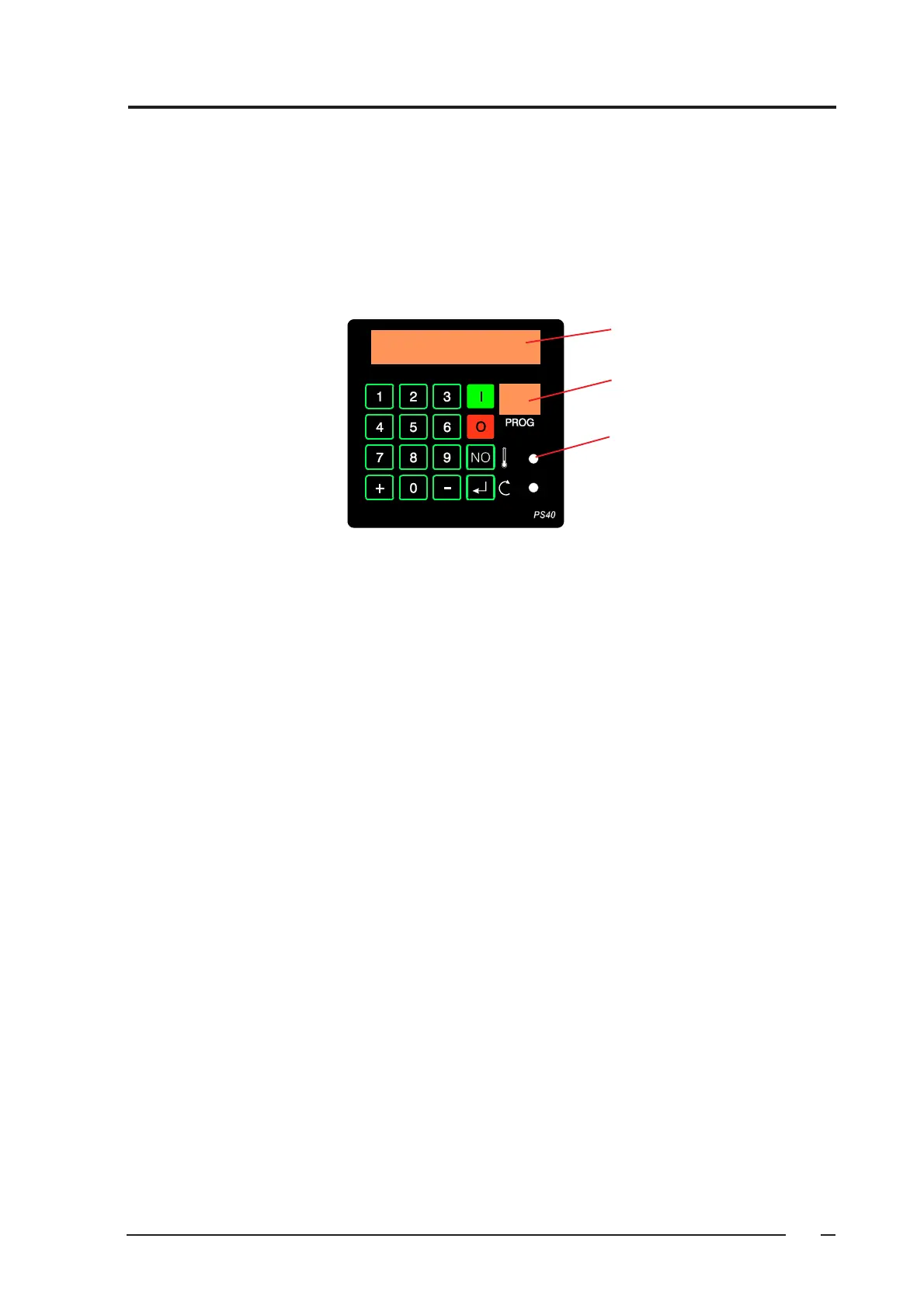
On machines with an electronic freely programmable programmer PS40, it is possible to program 400 programs
of your choice ( 0 to 39 ). 10 Standard programs ( 40 to 49 ) are also at your disposal.
Operating the machine, as well as entering the data in order to obtain a washing program, can be done by means
of the keyboard on the control panel or by optical downloading from the PC.
You can also download existing programs from the machine into the PC in order to modify or transfer them to
another machine.
Information
Program number
Windows of optical
download


 To Next Page