Manual No. 085-3435-07 15/45 IGB/IGX Series (Overseas Specifications) Service Manual
Operation Display
6. Span Adjustment
Place the selected weight on the weighing platter, then press
TARE(-).
[Example] 60kg Scale: Weight selection: “kg” unit and “1/1”
Place a 60kg weight, 30000 + Zero point 20000 =
50000 counts
In case of “kg” unit “1/2” for a weight selection, place
a 30kg weight, then 15000 + Zero point 20000 =
35000 counts
・ One graduation equals 5 counts.
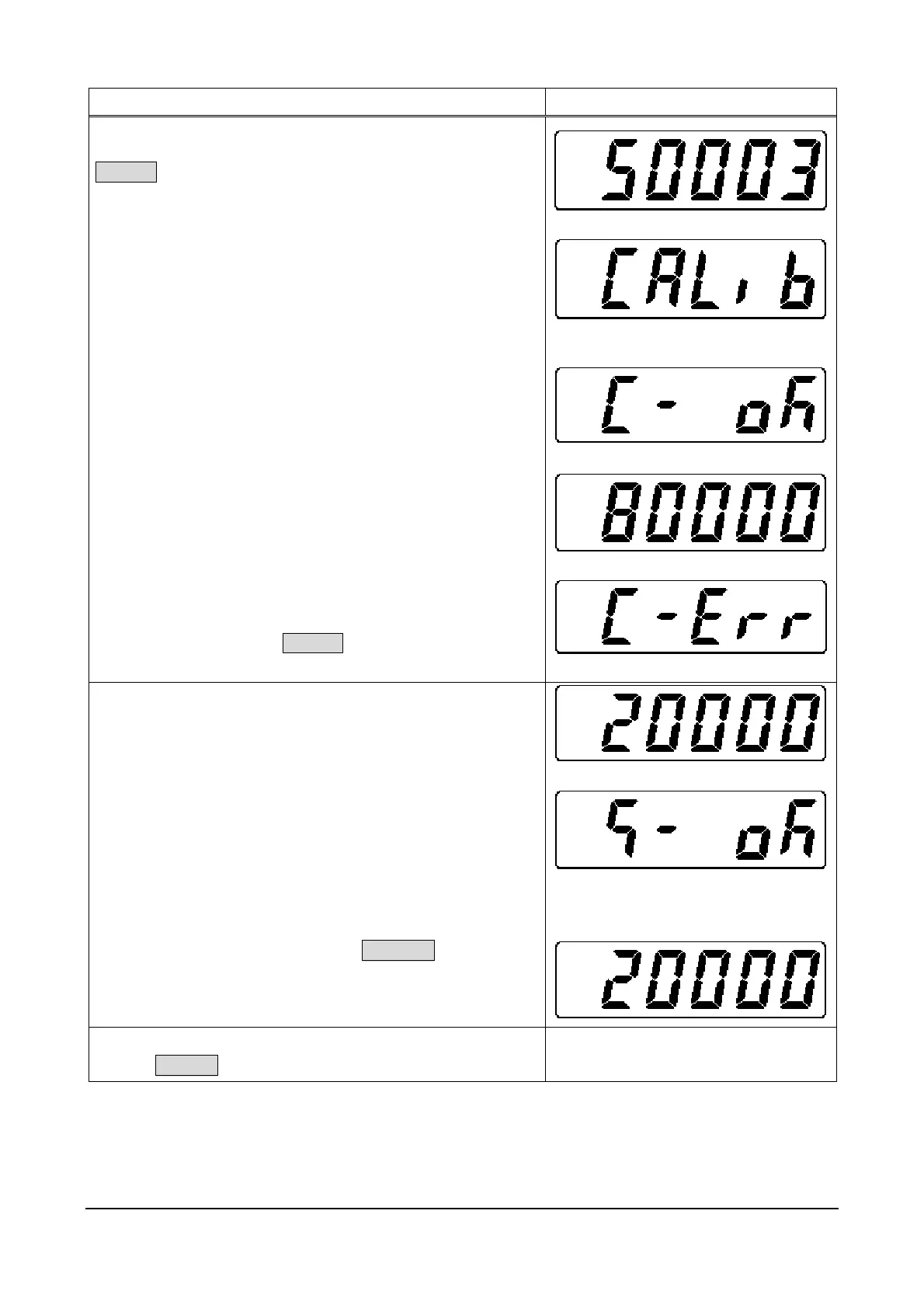
Processing is automatically executed in the following order:
[Calib] (Calibration) Computing process executing
[C- OK] (Calibration OK) Computing result succeeded
[No. of adjusted counts] Computing result
[C-Err] will be displayed, indicating a computing result error
when span adjustment is performed without placing a weight.
Place a weight and press TARE(-).
¾
¾
(Calibration error)
7. Saving Data
To save Country No., Scale No., Zero point, and Span data in
E2ROM.
・ Remove the weight from the weighing platter.
・ Remove the seal covering the opening on the rear case of
display unit.
・ Insert a thin rod such as the inner shaft of a ball-point pen
into the hole, and push the Memory Switch located on the
main board.
When writing has finished normally, [S-OK] will be
displayed.
・ To release the above status, press COLUMN.
Then, the display will return to A/D data.
8. Finishing Procedure
・ Press ON/OFF to finish this procedure.
OFF status



 To Next Page