Manual No. 085-3435-07 18/45 IGB/IGX Series (Overseas Specifications) Service Manual
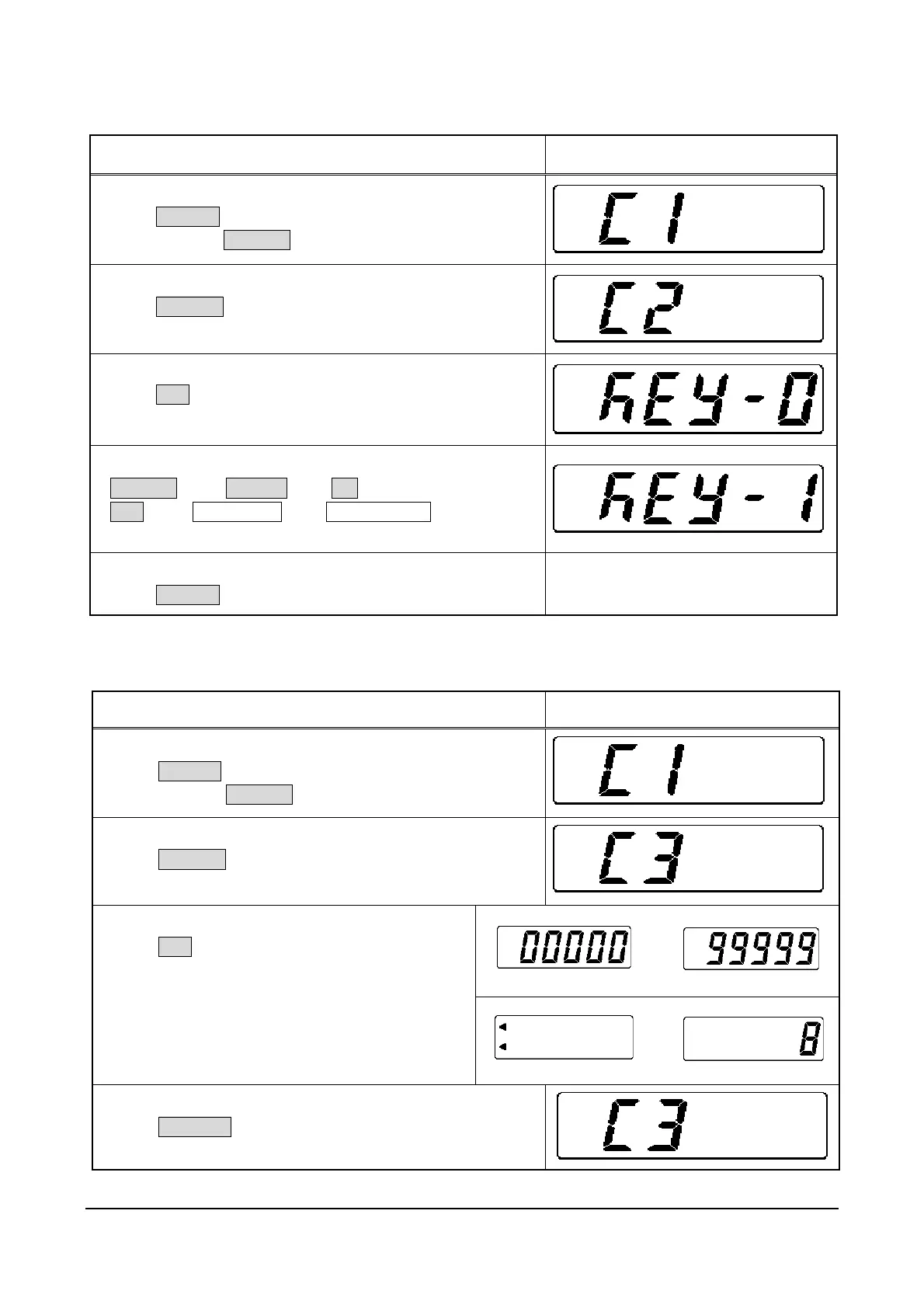
2.3 C2 Mode: Key Check
Operation Display
1. Starting Test Mode (C1)
Press ON/OFF.
Press and hold ZERO(+) while all segments are lit.
2. Entering C2 Mode
Press ZERO(+).
3. Checking Keys
Press SET.
[KEY-0] indicates that there is no key entry.
4. Checking Keys
ZERO(+) p 1 TARE(-)p 2 ∗ p 3
SET p 4 EXT. INPUTp 5 MEMORY SW p 6
5. Finishing Procedure
Press ON/OFF to finish this procedure.
OFF status
2.4 C3 Mode: Display Check 1 (Simplified Check)
Operation Display
1. Starting Test Mode (C1)
Press ON/OFF.
Press and hold ZERO(+) while all segments are lit.
2. Entering C3 Mode
Press ZERO(+) twice.
¼
3. Checking Displays
Press SET.
The display shows self-diagnostic check.
¼
4. Returning to Test Mode
Press COLUMN to return to Test Mode.



 To Next Page