Manual No. 085-3435-07 39/45 IGB/IGX Series (Overseas Specifications) Service Manual
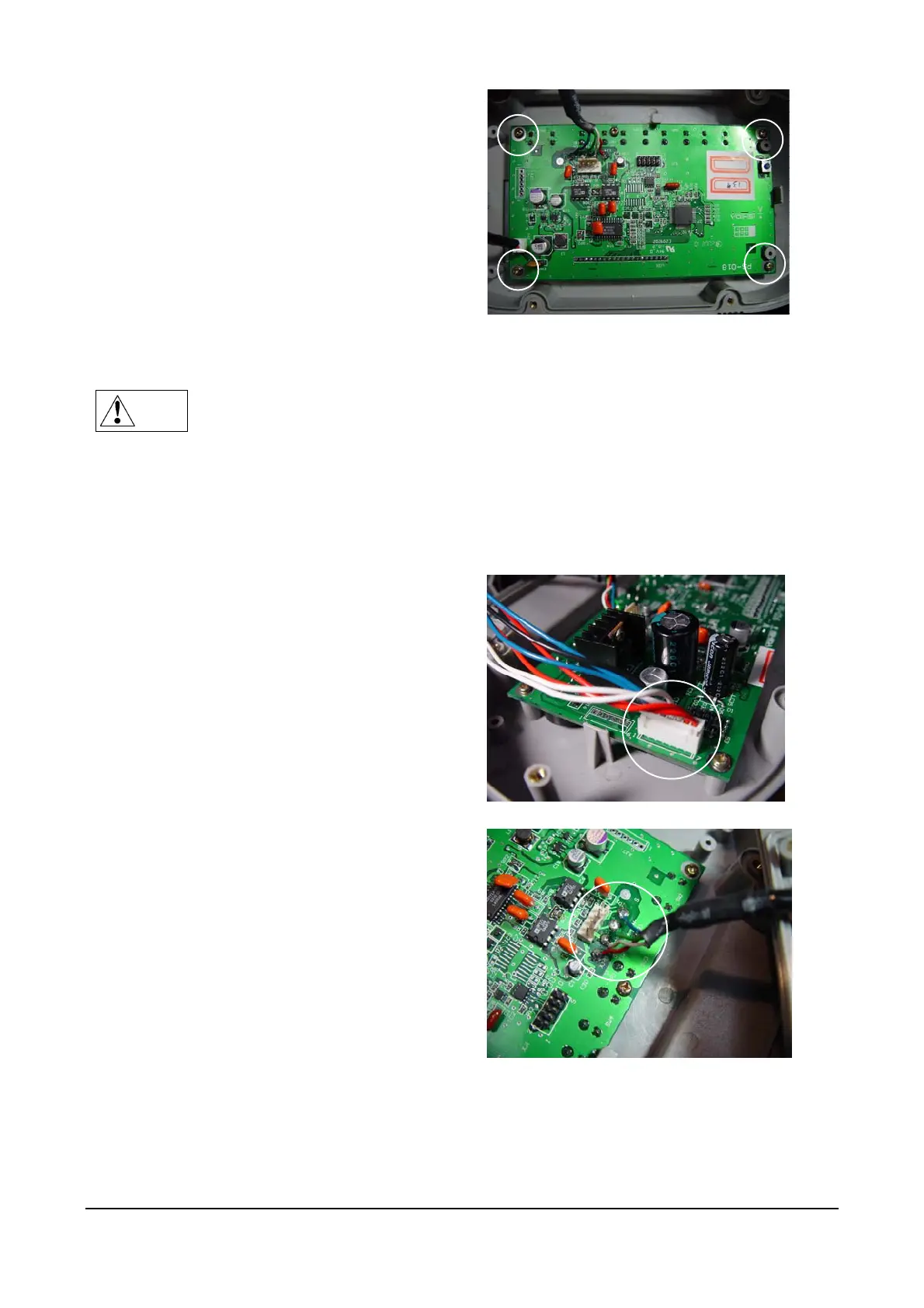
Remove the four screws holding the main
board.
Reverse this procedure to install a new main board.
Note
After installing a new main board, carry out RAM Clear in C3 mode, adjust the scale
and set the user operation setup and program modes.
4.2.2 IGX Series
(1) The procedure for opening the Front and Rear Cases is described in the previous section.
(2) Main Board (PS-016)
Extract the cable from the XJ2 connector
Desolder the four lead wires of the Load Cell
cable



 To Next Page