Chapter 4 PROGRAMMING MODE
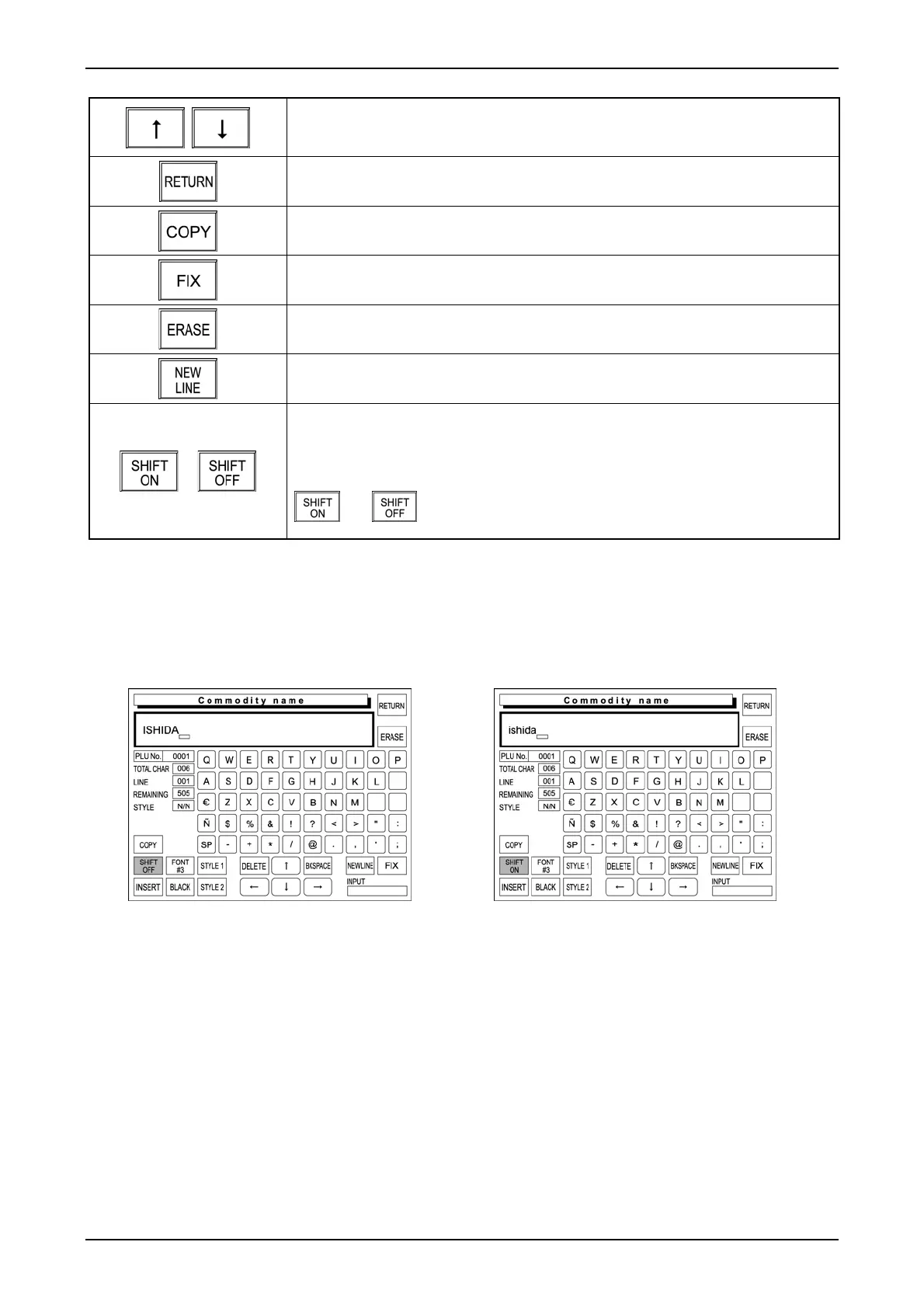
Used to move the character line up or down.
Used to finish the text edit screen.
Used to copy the original file data to the destination file data.
Used to confirm the edited text image on the text display field.
Used to erase the entire text on the text display field.
Used to perform carriage return.
/
Used to select either lower-case or upper-case characters.
SHIFT ON: Lower-case characters
SHIFT OFF: Upper-case characters
Touching this key changes the key display in the following order.
4.11.2 SHIFT ON /OFF
T
he [SHIFT ON] or [SHIFT OFF] button is used to select either lower-case or upper-case character.
Shift OFF (Upper-case character) Shift ON (Lower-case character)
page 4-32 IP-EMZ Operation Manual



 To Next Page