Remote Control
Copyright © Itech Electronic Co., Ltd. 8
numbers 601 through 750 in chapter 5).
Execution Error. An execution error occurred (see error numbers
-211 through -224 in chapter 5).
Order Error. A order syntax error occurred (see error numbers -101
through -178 in chapter 5).
Power On. Power has been turned off and on since the
last time the event register was read or cleared
Query status register provide some information of the power, such as
over voltage, over temperature, over current, you can also monitor the
change of the constant current and voltage status via the register, for
example, data bit 0 is the constant current mode of the power supply,
data bit 1 is constant voltage mode of the power supply, and so on.
The power supply is/was in the constant current mode.
The power supply is/was in the constant voltage mode.
The fan has a fault condition.
The overvoltage protection circuit has tripped.
The over current protection circuit has tripped.
Status byte register records the information of other registers. The query data is
temporally stored in the output buffer of the power supply, and feedback to
customer through BIT4 bit. The data bits in Status byte group will not be
latched, when the information in event register is changed, the correspo0nding
bit in status byte register will subsequently be changed.
One or more bits are set in the questionable status
register (bits must be “enabled” in the enable register).
Data is available in the power supply output buffer.
One or more bits are set in the standard event register
(bits must be “enabled” in the enable register).
The power supply is requesting service (serial poll).
1.7 Remote Operation
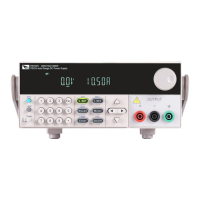
IT6700 series power supply is provided with three communication interfaces to
communicate with a computer for selection, including S232, USB, RS485 and
GPIB. IT6722A has not standard GPIB communication interface.
RS232 interface
There is a DB9 connector at the rear of the power supply, when connect to
computer, you need to select a cable with COM port on both side; to active
communication, you need to enable the settings in menu to be the same with
ООО "Техэнком" Контрольно-измерительные приборы и оборудование www.tehencom.com



 To Next Page