Remote Control
Copyright © Itech Electronic Co., Ltd. 9
the PC communication configuration.
NOTE
The RS232 settings must match the settings in front panel system information. If any
change, please press (Shift)+ key to modify the menu: SYST SET\COMM.
RS-232 data format
RS-232 data is a 10-bit words which has a start bit and a stop bit. The start bit
and stop bit can’t be edited. However, you can select the parity items with
(Shift) + key on the front panel.
Parity options are stored in nonvolatile memory.
Baud Rate
The front panel (Shift) + button allows the user to select a baud
rate which is stored in the non-volatile memory:
4800/9600/19200/38400/57600/115200.
RS-232 connection
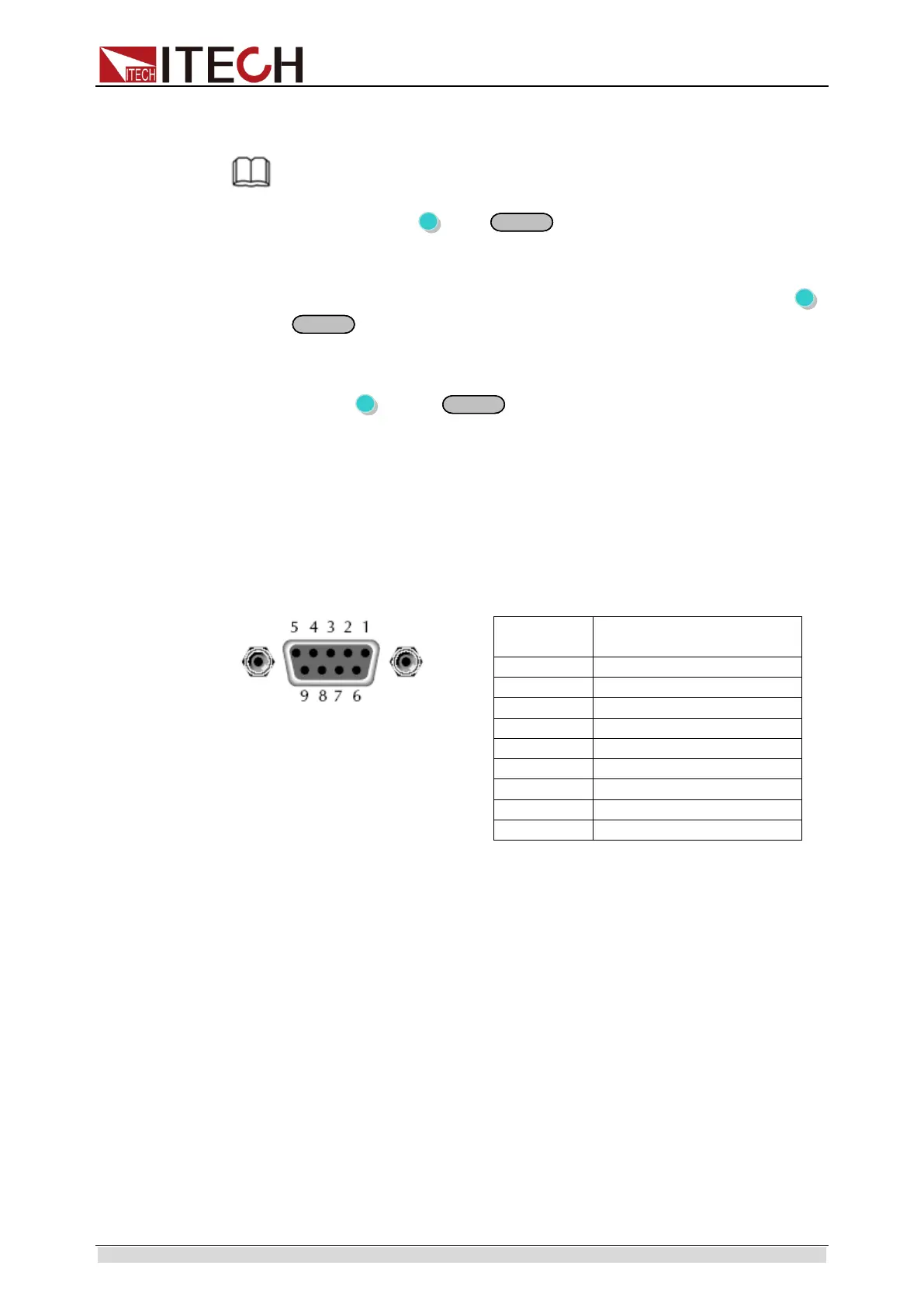
Use a RS232 cable with DB-9 interface, RS-232 serial port can connect with
the controller (eg PC). Do not use blank Modem cable. Below Table shows the
plug pins.
If your computer is using a RS-232 interface with DB-25 connector, you need
an adapter cable with a DB-25 connector at one end and the other side is a
DB-9(not blank modem cable).
RS-232 Troubleshooting:
If there is RS-232 connection problem, check the following:
⚫ Computer and power supply must configure the same baud rate, parity,
data bits and flow control options. Note that the power configuration as a
start bit and a stop bit (these values are fixed).
⚫ As described before in RS-232 connector, you must use the correct
interface cable or adapter. Note that even if the cable has the right plug, the
internal wiring may be wrong.
⚫ Interface cable must be connected to the correct serial port on the
computer (COM1, COM2, etc.).
Communication Settings
Before communication, you should first make the following parameters of
power supply and PC matches.
Baud Rate: 9600 (4800/9600/19200/38400/57600/115200). You can enter the
system menu from the front panel, and then set the baud rate.
Data bits: 8
Stop Bits: 1
ООО "Техэнком" Контрольно-измерительные приборы и оборудование www.tehencom.com



 To Next Page