Editing Milling Jobs
109
In order to delete a job from the selection, click on the symbol at the respective position next
to the milling job:
-
All milling jobs that succeed the deleted job will move one position up in the list.
3. Tap the tab [Selected].
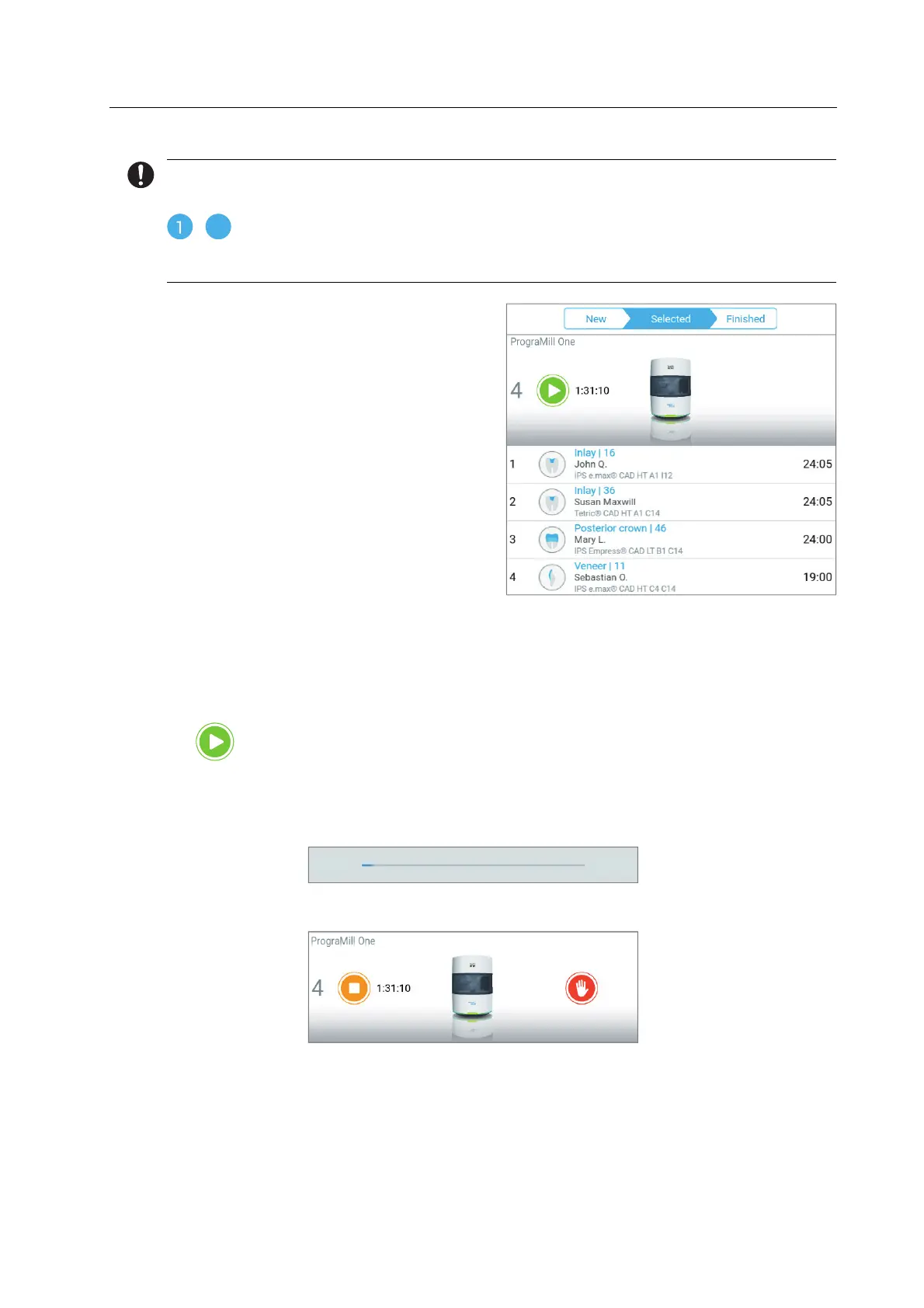
The milling duration of each individual
milling job is displayed next to the job.
The total milling time is shown in the
status display.
In case other device- or milling job-
related tasks are pending, the first task
will be shown in the status bar on the
right side and the number of all pending
tasks will be shown in the menu bar of
the main menu [ToDo].
4. Click the first task in the status bar and perform all task one by one with the help of the
Wizard.
– or –
Perform the tasks in the main menu [ToDo].
5. As soon as all tasks are performed, tap the following symbol in the status bar:
The milling jobs will be processed in the defined order.
The milling progress of the job is displayed.
The remaining processing time of all milling jobs is shown in the status display:
00:02 00:20



 To Next Page