Operating the Operating Panel
63
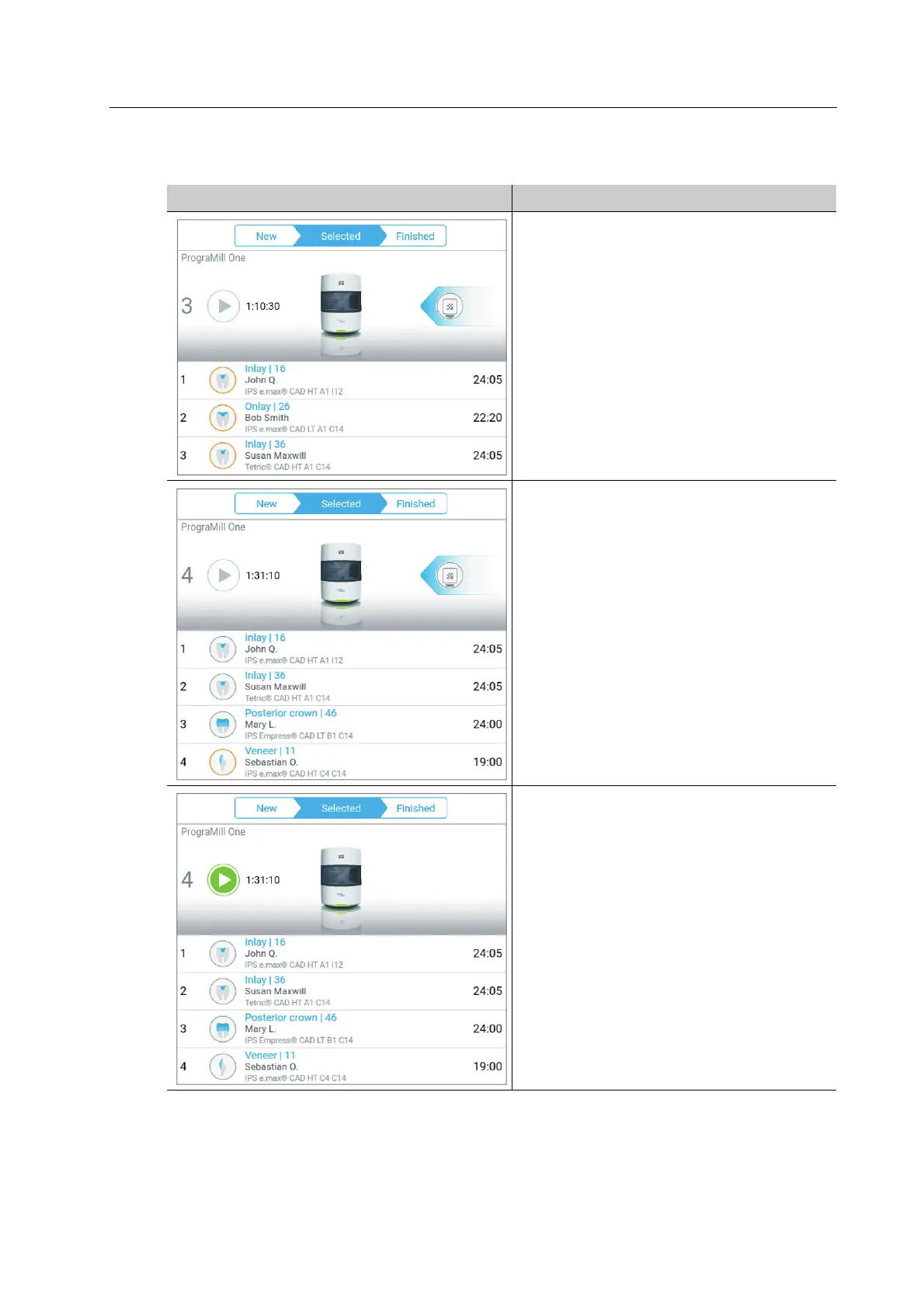
Examples:
Status Description
• Before starting the job
• 3 milling jobs are pending.
• No milling jobs are ready for machining.
• For each milling job, at least one task
must be carried out in the [ToDo]
section. This is indicated by the orange
contour of the milling job.
Example: Insert block; indicated by the
symbol displayed in the arrow at the
right side.
• Before starting the job
• 4 milling jobs are pending.
• 3 milling jobs are ready for machining.
• For the fourth milling job, at least one
task must be carried out in the [ToDo]
section.
Example: Insert block; indicated by the
symbol displayed in the arrow at the
right side.
• Before starting the job
• 4 milling jobs are ready for machining.
• All task in the [ToDo] section have been
carried out.



 To Next Page