Micro-JLT GNSS™ User Manual
60 © 2019 Jackson Labs Technologies, Inc.
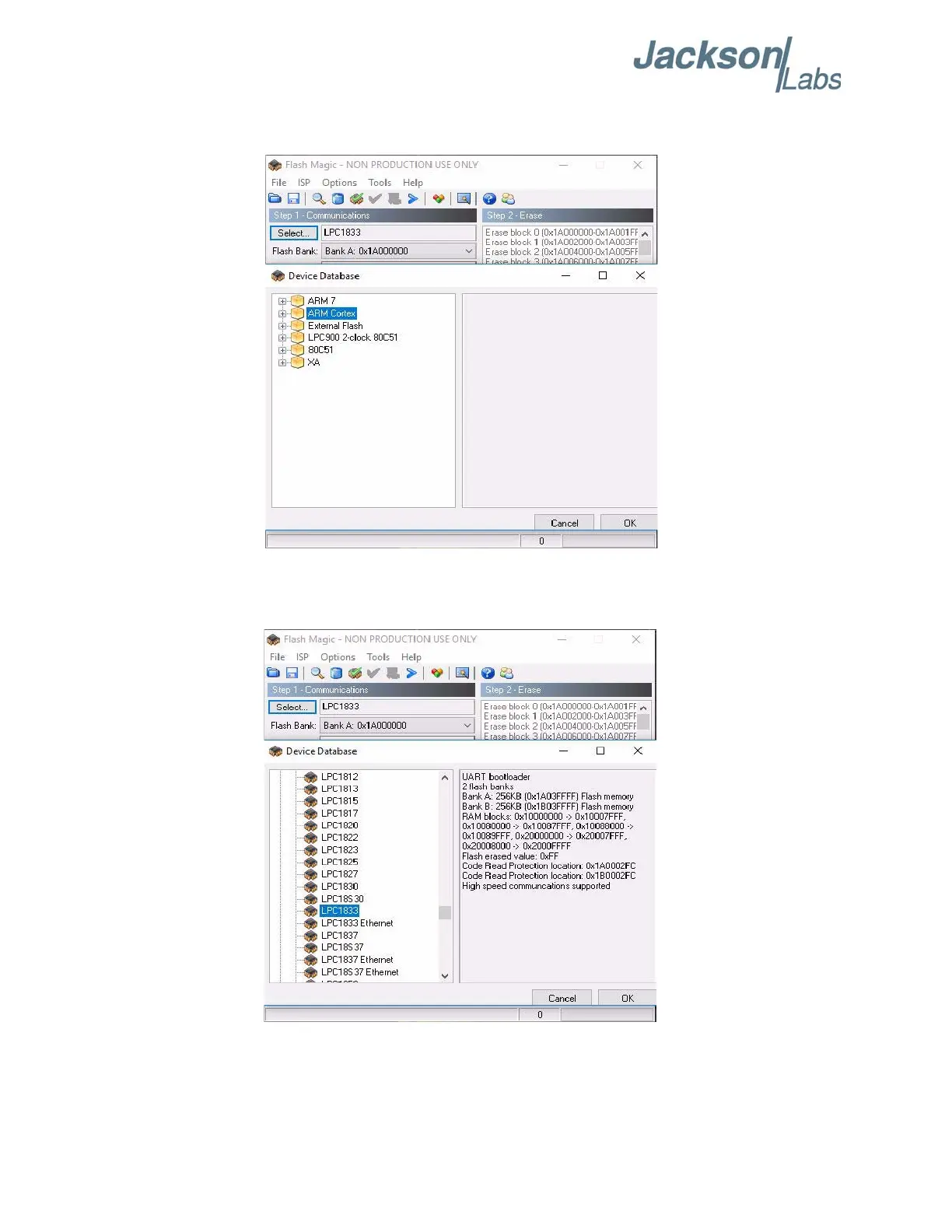
B) Press the “Select Device” button and the window shown in Figure 4.10 will appear:
Figure 4.10 Device selection window
C) Expand the ARM CORTEX folder and select the appropriate processor, in this case the
LPC1833.
Figure 4.11 Expanded device selection window
D) Select the Baud Rate of the Flash Magic utility to be 115200 shown in Figure 4.8. Slower baud
rates will also work, but will take longer to finish the programming cycle.


 To Next Page