27
Configuration
Network setting
Each device in a system must have its own
address. The ethernet and RS485 are in-
dependent systems and have their own ad-
dresses.
ADDR
CONF
RS485
Modbus protocol
Address setting range for use of the Modbus
protocol:
001 ... 247
The factory setting for the address is 001.
Profibus protocol
Address setting range for use of the Profibus
protocol:
000 ... 126
The factory setting for the address is 001.
RS485 Network ad-
dress = 1
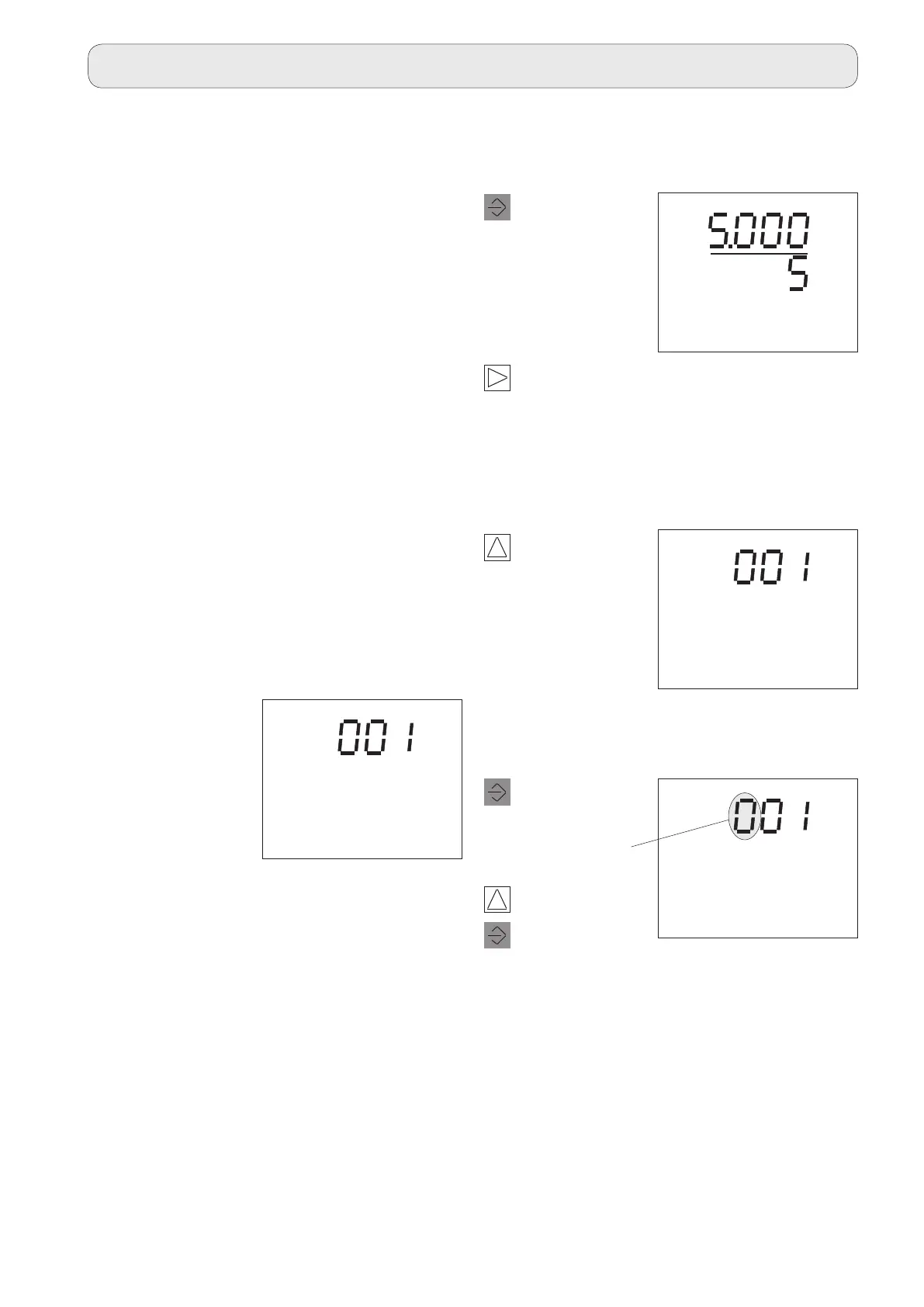
Program network address
1
Press 2 times.
The Select text
flashes.
The current
transformer set-
ting is displayed.
The current net-
work address is
displayed
2
Press once.
The Select text disappears.
The device is in Programming mode.
3
Press 2 times.
Switch to the „Network address“ menu item.
Change network address.
Change digit.
3
Press once.
The first digit
flashes.
1
ADDR
CONF
1
Select digit.
ADDR
EDIT CONF
CT
CONF
A
A



 To Next Page